Rating 4.9 out of 5 stars with 1786 reviews
4.9- Speed (873)
- Performance (313)
- Ease of use (181)
- Price (128)
- Installation (93)
- Heat (31)
- Compatibility (13)
Customer Images
The vast majority of our reviews come from verified purchases. Reviews from customers may include My Best Buy members, employees, and Tech Insider Network members (as tagged). Select reviewers may receive discounted products, promotional considerations or entries into drawings for honest, helpful reviews.
- Rated 5 out of 5 stars
One of the very best!
First of all, great price on this drive at Best Buy. Competitive with all the big sellers online. Good job Best Buy! And great job Samsung! This drive is faster than even needed! Amazingly simple install. Great price for the size/quality. NO issues of any kind. Look at the speeds compared to my old Intel 335 180gb SSD! (Pic attached) Solid state drives are the best thing to happen to computers in the last many years. Every machine benefits from getting rid of that old spinning drive!
Posted by jjmIII
- Rated 5 out of 5 stars
Super fast boot times with SSD
We upgraded by son's Dell gaming PC with the 500GB Samsung 970 EVO SSD. Along with a RAM upgrade (HyperX Fury), he went from 2 minute boot times to 20 second boot times! The drive was super easy to install, but note it does NOT come with the screw needed to attach the top of the drive in the PC case. I ordered an installation kit for a few bucks that included the screw and a heat sink, but you will need that part if it is not already in your PC. We paired this SSD with a 3TB standard drive to hold all his media and files. After installing the drive and updating drivers to see if, we created a boot USB drive and re-installed Windows clean on this drive, then re-installed files on the data drive. A very worthy upgrade for the price and easy to install. Upgrade your RAM while you have the PC open as well and enjoy the rewards.
Posted by GodfatherJPA
- Rated 5 out of 5 stars
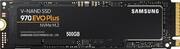
Samsung - 970 EVO Plus 500GB Internal SSD
The Samsung 970 EVO Plus 500GB Internal SSD is a game-changer for anyone looking to supercharge their computer's speed. With a generous 500GB capacity, it strikes a good balance between storage space and cost. What really sets it apart is the NVMe interface, making your system lightning-fast when it comes to booting up, launching applications, and moving around large files. Samsung's V-NAND technology ensures top-notch reliability, and the PCIe Gen 3.0 interface means you'll experience impressive read and write speeds. It's a fantastic choice for gamers, content creators, or anyone who wants their computer to run smoother and faster. Plus, it's built to last, with smart thermal control to keep it cool during heavy use. Investing in the Samsung 970 EVO Plus is like giving your computer a turbo boost for a noticeably better performance.
Posted by ByronR
- Rated 5 out of 5 stars
Great SSD
For this price range this is the best ssd. This is the pcie nvme which at this time is the fastest again in this price range. Make sure your computer is compatible with the m.2 nvme before purchasing. The other ssd type is the M.2 Sata... they look very similar. You can tell the difference by the notch in the end. Sata has 2 and Nvme has 1.... however they will both fit in the same slot but your computer may not be compatible with the newer nvme. Good luck!
Posted by CraggleBraggenstein
- Rated 5 out of 5 stars
Super Fast, Loads in seconds
First of all, this is the fastest NVMe that I have had, Speeds tested with Crystal Disk and Samsung Magician are almost the same, Read over 3500 MB/s and Write over 3200 MB/s Have this drive for a couple of months and no problems, very reliable and stable speeds thru time, run test once in a while. Recommended, trust Samsung, for me they are number one on reliability and performance... Recommended This Message has been approved by ME ;)
Posted by Alvis