Samsung - Galaxy Tab S12+ Pro Keyboard - AI Key - Silver
Reviews coming soon
About this product
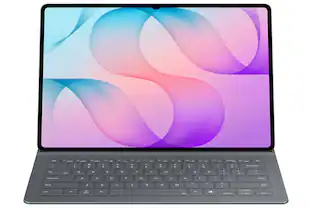
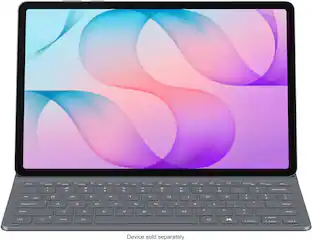
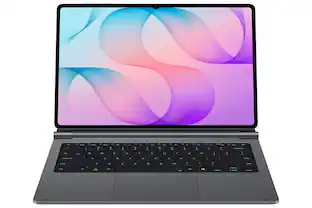
The Galaxy Tab S12+ Pro Keyboard connects to your Galaxy Tab through the pogo pin that enables instant use of the keyboard when aligned. Opening your tablet like a laptop is all that's needed to get started right where you left off. The Pro Keyboard retains its connection to the tablet even while closed. As soon as it is reopened, the tablet boots up immediately, ready to go while offering optimal convenience.
Color
SilverFeatures
Designed to fit your tablet
GalaxyTabS12+ProKeyboard provides a smooth typing and trackpad experience in its slim, portable design and aluminum body that fit your tablet perfectly.¹Its metal hinge offers upgraded durability, making the Pro Keyboard and tablet appear premium and more polished.²
Simple to attach. No extra steps.
Simply align the pogo pin on theGalaxyTabS12+ProKeyboard, with the pin on the back of your tablet to attach them, then use the keyboard immediately. No need for extra steps like pairing through Bluetooth.³Thisconvenience lets you enjoy utmost efficiency.
Larger, expanded trackpad
The trackpad is enlarged by 40% from the previous model, yielding a smooth experience and improved productivity. It supports simple gestures like scrolling, zooming in and more for easy operation
Laptop-like experience
Even while closed, the Galaxy Tab S12+Pro Keyboard stays connected to your Tab. When opened, you can use it directly without any extraction. Open your Pro Keyboard anywhere and anytime to enjoy the convenience of using a laptop.
Unleash first-rate productivity
Switch into Samsung DeX mode with DeXkey to enjoy a seamless desktop like experience from your GalaxyTabS12+and Pro Keyboard. This convenience will maximize your productivity.
AI Key
With just one tap of AI Key, ⁴you get the assistance you need without interrupting your productivity.
Favorite Hot Key
Use key shortcuts to open up to three compatible apps of your choice. This customizable feature lets you access apps conveniently and unlock top-grade efficiency.
Specifications
- Model CompatibilitySamsung Galaxy Tab S12+
Reviews
This product doesn't have any reviews yet.

- Logitech - Slim Folio Keyboard Folio for Apple iPad (7th, 8th & 9th Generation) - Graphite$67.99The price was $99.99
Compare similar products
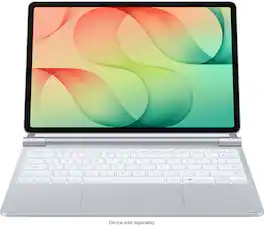
The Galaxy Tab S12+ Pro Keyboard connects to your Galaxy Tab through the pogo pin that enables instant use of the keyboard when aligned. Opening your tablet like a laptop is all that's needed to get started right where you left off. The Pro Keyboard retains its connection to the tablet even while closed. As soon as it is reopened, the tablet boots up immediately, ready to go while offering optimal convenience.
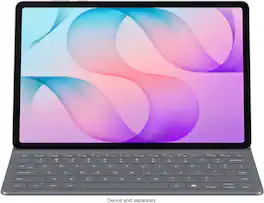
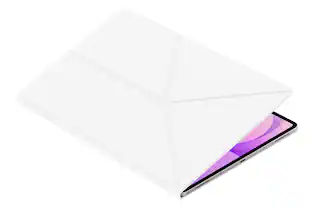
The Tab S12+ Book Cover Keyboard Slim offers more than just protection against minor damages —it includes an integrated keyboard so that you can type comfortably anytime. Its slim and lightweight design keeps your tablet looking sleek while helping you stay productive on the go.
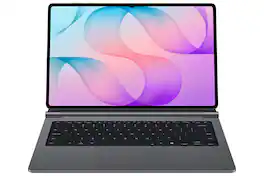
The Galaxy Tab S12 Ultra Pro Keyboard connects to a Galaxy Tab through the pogo pin that enables instant use of the keyboard when aligned. Opening your installed tablet like a laptop is all that's needed to get started right where you left off. The Pro Keyboard retains its connection to the tablet even while closed. As soon as it is reopened, the tablet boots up immediately, ready to go while offering optimal convenience.
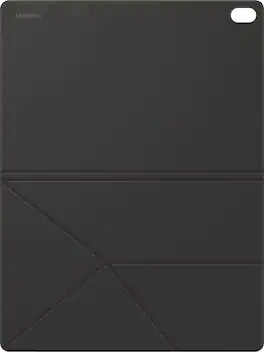
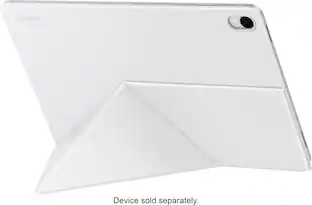
Protect your GalaxyTabS12+ with a cover that's both versatile and stylish. The Book Cover magnetically attaches to your Galaxy Tab and lets you stand it in both horizontal and vertical positions so you can easily adjust the angle for reading, watching videos or working.
Specs
Be the first to ask a question.
We’ll try to get your question answered within 24 hours by a Best Buy customer or brand representative.
Customers often buy these together
 $169.99The price was $189.99
 $49.99The price was $104.14
 Techtober Deal$55.99The price was $74.99

More to consider
Explore tech essentials Sponsored
 Clearance$149.99The price was $199.00

Discover related products
 $319.99The price was $399.00
 $249.00The price was $275.00
 Techtober Deal$10.99The price was $13.99