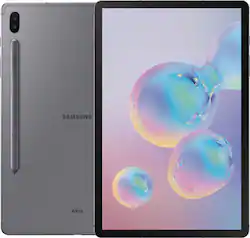
Complete tasks with ease while on the go by using this Samsung Galaxy Tab S6 tablet. The included intuitive S Pen lets you take and edit notes for a smooth work experience, while the magnetic technology makes storage and charging easy. Attach a keyboard with built-in trackpad to this Samsung Galaxy Tab S6 tablet for a seamless PC desktop experience.
Q: Can you get a cellular data plan on this tablet.
A: No, dont think so. This one is Wifi only. A LTE version is supposed to be out later.
Q: Does this tablet receive calls and texts?
A: Yes, beginning with the Tab S6, you can receive calls and texts on your tablet via your compatible Samsung phone. This is not a data plan for your tablet, this is an integration which allows you to make calls/texts from your tablet, with the tablet communicating with your phone to actually connect to your carrier. Note: Your S6 can connect to a non carrier locked compatible Samsung phone. On a carrier locked Samsung phones, the carrier might have disabled this feature from your phone.
Q: Can a keyboard be attached?
A: Yes, Samsung sells a keyboard cover that is magnetic for easy removal. It also has a storage area for the pen so you don't lose it. A little expensive at $179.99 but it is completely compatible with the S6 tablet and a Samsung warranty.
A: There is no stylus port it just holds to the back by magnet and charges there. There are several types of cover that you can get through amazon for a reasonable price that hold the stylus in place on the back of the tablet.
Q: What is the maximum capacity for microSD card that I can use and the best SD card I should purchase?
A: You can use up to a 1 TB MicroSD Card in this tablet. This is in the product description on the Samsung website. Now this size SD card is around $500, so I only installed a 512gb MicroSD card in my S6 tablet and it works great. I bought a cheap generic brand one and so far it works fine, so I don't think brand matters all that much unless that is something that you really care about. ,
A: Yes you can write your notes as if it was a regular paper notebook without the mess of ink on your hands. You can place your palm and it won't move it or glitch, it's with ease to wire your notes
Q: The charger it comes with is 25W or 15W?
A: It comes with the old style "Adaptive" Charger, NOT the 25W Charger.
A: Yes you can with the samsung app installed on both devices. This tablet walks you through it during the initial setup