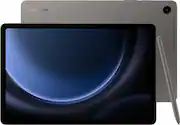
Rating 4.8 out of 5 stars with 1121 reviews
4.8- Overall Performance (204)
- Screen Size (161)
- Battery Life (135)
- S-Pen (104)
- Processor Speed (92)
- Lag (5)
- RAM (3)
Customer Images
The vast majority of our reviews come from verified purchases. Reviews from customers may include My Best Buy members, employees, and Tech Insider Network members (as tagged). Select reviewers may receive discounted products, promotional considerations or entries into drawings for honest, helpful reviews.
- Rated 5 out of 5 stars
S9FE - Field Construction Use
Coming from a galaxy tab a, the s9fe is a substantial upgrade. I have been using this for work in construction outside and it keeps up with loading large (blueprints) pdf files. The touch screen is very responsive, even with a screen protector installed. Image quality, speed, and battery life is great. Samsung has battery saving features such as limiting the full charge to 85% to preserve the battery life in whole. The addition of the s-pen that is included is extremly useful for taking notes, drawing over top pdfs, or sketching diagrams. The expandble storage the s9fe has, utilizing micro sd cards is a must have for me as I have many large files to keep downloaded for several different projects. I was used to the 10" screen on the tab a, and the 11" screen on the s9fe does feel larger. If you are looking at blieprint drawings and such mostly, the larger 12.5" screen of the s9 may be more benficial to you. I find the 11" screen on the s9fe to be plenty for my uses though. I have not found it to overheat yet as other reviews have stated. We will see if this becomes an issue as it gets warmer this summer. The bezel around the screen does seem thin, but that doesnt bother me as there are durable cases and glass screen protectors are readily available for the s9fe. I do not fear bringing it out on an active construction site.
Posted by DC7337
- Rated 5 out of 5 stars
A Creative Powerhouse that Doesn't Break the Bank
I recently upgraded to the Samsung Galaxy Tab S9 FE, and I'm blown away by how much it offers for the price. It's the perfect blend of performance, portability, and creativity. The S Pen Experience: The included S Pen is a game-changer. It feels incredibly natural in the hand, and the pressure sensitivity is spot on. I use it for taking notes in lectures, sketching out ideas, and even editing photos on the go. The S Pen's magnetic attachment to the tablet is super convenient, and I love that it charges wirelessly. Display and Performance: The 10.9-inch display is vibrant and sharp, perfect for watching videos or browsing the web. The tablet feels snappy and responsive thanks to the capable processor. I've had no issues running multiple apps simultaneously or even doing some light video editing. Battery Life and Portability: I can easily get through a full day of use on a single charge. The tablet is also surprisingly lightweight and slim, making it easy to toss in my bag and take with me everywhere. Value Proposition: The Galaxy Tab S9 FE punches well above its weight class. It offers a premium experience without the premium price tag. If you're looking for a versatile tablet for productivity and creativity, I highly recommend giving the Tab S9 FE a try. Overall, the Samsung Galaxy Tab S9 FE is a fantastic tablet that delivers on all fronts. It's a worthy addition to the Galaxy Tab family and a solid choice for anyone seeking a powerful and affordable tablet.
Posted by DanielM
- Rated 5 out of 5 stars
Perfect for me
I recently picked up this new tablet along with the Google Pixel, and I'm really impressed with the Samsung over the Google Pixel. It's incredibly lightweight and fast, perfect for taking on the go. The screen resolution is so crisp and clear. One of the things I love most is that it comes with an S-Pen. I already have a stylus for my phone, but this one has upgrades and increased touch response. The tablet also gives you a ton of options to customize everything from the way it looks to how it works. Eye care settings help me get through school and work without headaches. I haven't put a screen protector on yet, but I appreciate that there's a setting to adjust the sensitivity if I do. I bought it through Best Buy and got a great deal. They even threw in some extra software protection, which is always nice. The camera is pretty good. The battery life could be a bit better, though. It doesn't come with a regular charger, either. Overall, I'm really happy with this tablet. It's a great value for the price, and I love all the customization options. If you're looking for a fast, lightweight tablet with a great screen, I'd definitely recommend checking it out."
This review is from Samsung - Galaxy Tab S9 FE - 10.9" 128GB - Wi-Fi - with S-Pen - Mint
Posted by Snowflake
- Rated 5 out of 5 stars
Super luxury tablet at a reasonable price.
I upgraded from my Galaxy Tab A, taking advantage of holiday sales. I am very happy with this tablet. The screen is brilliant, sharp and crisp and the size is just right for me at 10.9 inches. The setup process was very intuitive and smooth. What I did find confusing was easily demonstrated more clearly on YouTube channels (my go-to for anything I want to learn). I've never had a pen before and wasn't sure if I would even use it, but I find myself really using it a lot and LOVE it! I spent the money for the accompanying keyboard cover. The cover is of high quality, there was no setup to get the laptop and keyboard to synch. The keyboard has a smooth touch with just the right feel to it! I highly recommend both. I purchased the 2 year warranty from Best Buy for the tablet. It's almost always paid for itself in one way or another for an electronic.
Posted by RuthV
- Rated 5 out of 5 stars
Great tablet!
The Samsung Galaxy Tab S9 FE: A Budget-Friendly Tablet That Delivers Samsung's Galaxy Tab S9 FE is a fantastic option for those seeking a powerful and affordable tablet. This device strikes a perfect balance between performance and price, offering a user-friendly experience and a sleek design. Performance and Features: * Smooth Performance: Powered by a robust processor, the Tab S9 FE handles multitasking with ease, whether you're browsing the web, streaming videos, or playing games. * Vibrant Display: The stunning display delivers vivid colors and sharp details, making it ideal for consuming multimedia content. * Long-lasting Battery: The device's long-lasting battery ensures you can enjoy extended usage without worrying about frequent charging. * Versatile Connectivity: With support for Wi-Fi and optional cellular connectivity, you can stay connected on the go. Design and Build Quality: * Sleek Design: The Tab S9 FE boasts a sleek and modern design that feels premium in hand. * Durable Build: The device is built to last, with a sturdy construction that can withstand everyday wear and tear. Overall: The Samsung Galaxy Tab S9 FE is a compelling choice for users who want a high-quality tablet without breaking the bank. Its impressive performance, stunning display, and long battery life make it a versatile device for work, entertainment, and creativity.
Posted by DVSNF