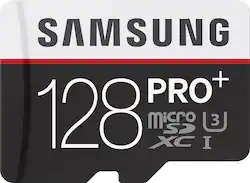
Save photos and videos from your compatible digital camera or camcorder on this Samsung PRO+ MB-MD128DA/AM microSDXC card, which features a 128GB capacity for ample storage space. Fast data transfer speeds allow rapid shooting and smooth video capture.
A: This microSD card is much faster than the EVO+ when it comes to writing to the card. If you need quick write access for cameras that capture huge files this card would be the way to go. Put in perspective, the EVO+ card is advertised to write at 20 MB/s while the PRO+ is advertised to write at 90 MB/s, a 4.5x improvement.
Q: I want to make sure this will work with my hero4 black go Pro camera
A: GoPro says it will, and it works fine with my Hero 4 Silver.
Q: Does this work with Galaxy 8s edge.
A: It works great in my Samsung Galaxy S8 +.
A: All memory cards (or storage media for that matter) lose a small amount of space due to file system formatting, caching, etc. It's normal and there's not much that anyone can do about it
A: Yes it is outstanding for that purpose.
Q: Will this card work in a Samsung Tab A 10.1 tablet?
A: That's what I bought mine for; works great.
Q: will this work in Samsung Galaxy Note 4?
A: Yes, works great in the Samsung Galaxy Note 4. Please read the following if your phone restarts itself after installation of this SD card. It helped me a lot. Hope this helps anyone experiencing phone restarting on its own after installing thus SD card. Galaxy Note 4 restarted on its own throughout the first day and the following week. Restarting phone on my own, unmounting, remounting, removing battery, changing battery, fully charging batteries, clearing background processes, nothing helped. Finally removed all apps I wasn't absolutely wanting to use, figuring they might be causing an issue somehow (though no previous problems with the Samsung 32GB card). As I was doing that, it ocurred to me to try and clear out all other unnecessarily stored info, as well, just in case. Tapped on Settings>Storage>Internal Storage, then scrolled down and "Cached Data" caught my eye. Well, it might erase stuff I wanted to save, but I figured it could be replaced later. So I clicked on it (message :"This will clear cached data for all apps" popped up), and proceeded. After it was done, I turned the phone off, removed the battery, took out the Samsung 128GB SD card (maybe I unmounted it first, I forget), then put the battery back in, inserted the SD card, and powered on the phone, and it has not auto restarted at all for over a month! Praise the Lord! So happy about that!