Rating 4.6 out of 5 stars with 112 reviews
4.6- Picture Quality (42)
- Price (13)
- Ease of use (9)
- Adjustability (7)
- Color (4)
- Speakers (7)
- USB Ports (3)
Customer Images
The vast majority of our reviews come from verified purchases. Reviews from customers may include My Best Buy members, employees, and Tech Insider Network members (as tagged). Select reviewers may receive discounted products, promotional considerations or entries into drawings for honest, helpful reviews.
- Rated 5 out of 5 stars
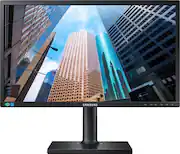
Samsung S24E650PL
Excellent auxiliary monitor to add to a 15.5” laptop for larger display and brighter clarity...much easier on the eyes. The base is somewhat large for limited desk space, and gets in the way of notepads, calendars, etc., but the height, rotation, and tilt adjustments help. Super easy plug & play setup with a Lenovo ThinkPad. I replaced an old 32” Philips flat screen TV that could no longer scale properly with the new Lenovo, and this monitor is actually clearer, with equivalent or better max resolution, regardless of overall size. Bigger isn’t always better.
Posted by Frank
- Rated 5 out of 5 stars
Great buy
I love it! Was so easy to connect and now this is my main screen! My laptop is my second and I am feeling ready for school!
Posted by jennifer
- Rated 3 out of 5 stars
Good Deal, though it's a bit deceiving
It does not have 2 usb port on the side of the base stand like in the images as advertised. The image quality on the screen is good. It's a good deal for its price and quality.
Posted by AvidTek
- Rated 4 out of 5 stars
Good deal and easy to ues
Easy to set up and nice picture for the most part. I think the MacBook Air to monitor is making the pic quality a little less than I’d hoped but very doable. Power cord is SUPER short though. Makes it that I had to put the surge protector on a stand under the desk, as the cord does not reach the floor.
Posted by Bren
- Rated 5 out of 5 stars
Samsung Monitor
Good clarity. Just the right size. Great sale price so well worth the money. Easy to set up, just plug in and go.
Posted by Patsremotework