Rating 4.9 out of 5 stars with 2531 reviews
4.9- Speed (1048)
- Performance (424)
- Storage (244)
- Price (228)
- Ease of use (204)
- Compatibility (10)
- Noise (10)
- Heat (7)
- Size (6)
Customer Images
The vast majority of our reviews come from verified purchases. Reviews from customers may include My Best Buy members, employees, and Tech Insider Network members (as tagged). Select reviewers may receive discounted products, promotional considerations or entries into drawings for honest, helpful reviews.
- Rated 5 out of 5 stars
Made a great choice.
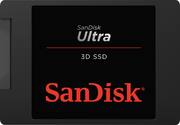
I have an old PC. It is about 6 years old and it would take sometimes to settle in when I just turned it on specially since updated the SW to Win 10, basically I walked away from it a bit. I decided to replace the old mechanical SATA hard drive with SanDisk Ultra SSD 1.024TB. I am glad I did. It improved my PC a lot. It worth the money, better yet, Best Buy had it on sale too. It boots up fast and perform much better than before. Installation was breeze and no different than the other older hard drives, just follow the on screen instruction.
Posted by Mehdi
- Rated 5 out of 5 stars
Great SATA SSD used in ACER Nitro 5 laptop
Installed this into an ACER Nitro Gaming laptop SATA drive space. Works amazingly well and faster then the stock drive (2019 model). 0 Issues after formatting it and using it for a media drive. Great price and easy install.
Posted by manny
- Rated 5 out of 5 stars
Console Storage Upgrade
Decided to upgrade my PS4 storage and we'll it works amazing, everything loads faster, runs smoothly, and downloads more quickly. Couldn't be more happy!
Posted by MikeZ
- Rated 5 out of 5 stars
Game Changing Upgrade
Installation: Straightforward swap. Could have used a spacer for installing in systems designed around 9.5mm thick hard drives. Runs cool no matter the load. Unfortunately, did not see an increase in battery life. Start up / shut down times cut in half or more. Over the course of a year, hours of time will be saved. Windows Update, both monthly and semi-annually, take a fraction of the time to install. The May 2019 update took only one and a half hours. Applications load much faster, some near instantly. Even browsing the web changes, new tabs load much faster. The user experience improves enough that I will never go back to using conventional hard drives.
Posted by MichaelS
- Rated 5 out of 5 stars
Great deal when on sale
Used this for my gaming build. The 1TB is definitely the way to go. My computer boots up into Windows in less than 15 seconds!! In addition, I’m getting excellent read and write speeds. Definitely worth picking up when they go on sale.
Posted by RichfromSD