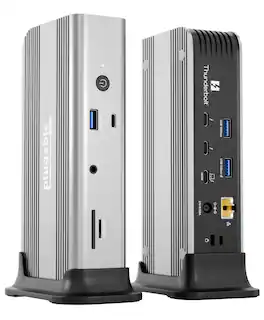
Satechi - Thunderbolt 4 Multimedia Pro Dock-2 DisplayPort, 2 HDMI, USB C, 5 USB A Port, Micro/SD, Audio, Ethernet Docking Station - Space Gray
About this product
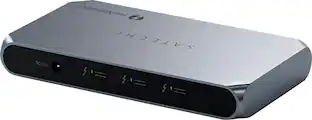
Power up with the new Thunderbolt 4 Multimedia Pro Dock by Satechi. Meticulously crafted with creative professionals and content creators in mind, this 16-in-1 powerhouse has everything you need to spark innovation and power up productivity. Thunderbolt 4 Multimedia Pro Dock will transform your workspace and completely change the way you work. Compatible with both Mac and Windows PC, this versatile dock offers the best-in-class Thunderbolt 40Gpbs bandwidth for connecting up to four external screens and high-speed peripherals, while simultaneously delivering 96W of charging power to the host device – so you have one less cable to worry about.
Features
Go big with more screen options
Level up performance with flexible display connectivity. This dock allows the option to add up to four screens at 4K 60Hz, depending on the system capabilities of the host computer.
Take power into your own hands
The Thunderbolt 4 Multimedia Pro Dock opens a world of possibilities with what you can do. It features 2x DisplayPort 1.4 ports, 2x HDMI 2.1 ports, 7x USB ports, SD and Micro SD card readers, In/Out Audio Jack, and a 2.5Gbps Ethernet port and 96W PD to laptop/computer
More capabilities, stronger connections
The Thunderbolt 4 Multimedia Pro Dock features an efficient and reliable connection with an ethernet port. Transferring large amounts of data and high-res files will be seamless with a 1Gbps internet speed and 2.5Gbps transfer speed
Sleek and durable
Made from aircraft-grade quality aluminum with silicone rubber sides, this dock is built to last. Curved edges and a space gray finish give it a sleek and smooth feel that perfectly complements the Apple aesthetic.
Multiple options at your finger tips
2x DisplayPort, 2x HDMI 2.1, 1x Thunderbolt 4 to host, 1x USB-C 3.2 10Gbps, 3x USB-A 3.2 10Gbps, 2x USB-A 3.2 5Gbps, 1x USB 2.0 for charging up to 7.5W, SD and Micro SD card slots, 3.5mm Audio Jack In/Out, Ethernet 2.5Gbps, Kensington Lock, DC 20V power
Specifications
- Maximum Number of Displays Supported4Maximum Supported Resolution8K (4320p), 4K (2160p)Number of DisplayPort Outputs (Total)2Number of Thunderbolt Ports (Total)1Passthrough PowerNo
Reviews
Rating 3 out of 5 stars with 5 reviews
Customer Images
The vast majority of our reviews come from verified purchases. Reviews from customers may include My Best Buy members, employees, and Tech Insider Network members (as tagged). Select reviewers may receive discounted products, promotional considerations or entries into drawings for honest, helpful reviews.

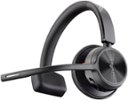
- Poly - Voyager 4310 Wireless Noise Cancelling Single Ear Headset with mic - Black$113.99The price was $157.99
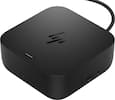
- HP - G6 USC-C 100W Docking Station - Black$199.99The price was $264.99

Compare similar products

Power up with the new Thunderbolt 4 Multimedia Pro Dock by Satechi. Meticulously crafted with creative professionals and content creators in mind, this 16-in-1 powerhouse has everything you need to spark innovation and power up productivity. Thunderbolt 4 Multimedia Pro Dock will transform your workspace and completely change the way you work. Compatible with both Mac and Windows PC, this versatile dock offers the best-in-class Thunderbolt 40Gpbs bandwidth for connecting up to four external screens and high-speed peripherals, while simultaneously delivering 96W of charging power to the host device – so you have one less cable to worry about.
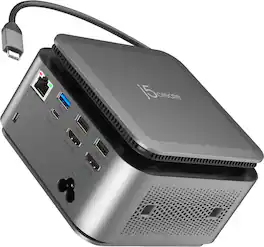
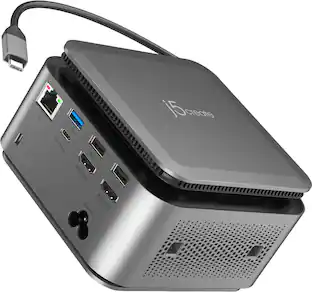
The JCDP4140 14-in-1 USB-C® Powerbase Docking Station is designed to streamline your setup, it features a built-in GaN power adapter and a smart cable storage compartment with a 69.5cm USB-C® cable, delivering up to 100W of power directly to your laptop. With two dedicated USB-C® charging ports (18W and 27W), you can easily power another laptop or fast-charge your tablets, smartphones, and other essential devices. Plus, enjoy seamless connectivity with additional USB™ Type-A, HDMI™, and Ethernet ports, making this your ultimate hub for productivity.
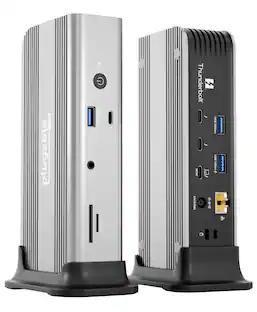
Awarded "Best-Value Thunderbolt 5 Dock" by Macworld and Named “Best of 2026” by PC World, meet the Plugable 11-in-1 Thunderbolt 5 docking station (TBT-UDT3), built for power users, creatives, and anyone tired of adapter overload. With 3x Thunderbolt 5 ports (each support video output, 80/120Gbps, 15W charging), 3x USB (10Gbps) ports, SD and microSD UHS-II card readers, 2.5Gbps Ethernet, 3.5mm audio, and 140W host charging, the TBT-UDT3 covers every port you’ve ever wished your laptop had. The TBT-UDT3 supports up to 2x 8K 120Hz or 2x 4K 144Hz displays on Windows, and up to 3x 6K 60Hz or 3x 4K 144Hz on macOS, including compatible Mac systems with base M5 chips in MacBook Air and MacBook Pro models, as well as M5 Pro and M5 Max. That makes it perfect for content creation, live editing, and pixel perfection. Thunderbolt Share makes it easy to share between machines. It’s basically your entire desk, in one cable. Compatible with Thunderbolt 5, Thunderbolt 4, and USB4, this docking station for MacBook Pro and Windows 11 systems works out of the box—no IT ticket required. From dual-monitor productivity to high-speed file wrangling, the TBT-UDT3 turns your setup from “just okay” to “hotdang?”

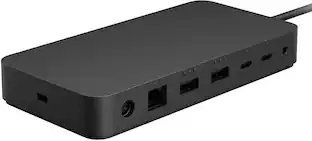
Surface Thunderbolt 4 Dock delivers ultra-high speed data transfer and ports to connect to two 4k monitors at 60 hertz to focus on your most important tasks. With power passthrough at 96 watts for quick charging, simplify your life with the versatility of 8 connections for your favorite accessories.
| Pros for Satechi - Thunderbolt 4 Multimedia Pro Dock-2 DisplayPort, 2 HDMI, USB C, 5 USB A Port, Micro/SD, Audio, Ethernet Docking Station - Space Gray | |||
|---|---|---|---|
| There were no pros for this product— | There were no pros for this product— | There were no pros for this product— | Overall Performance, Connectivity, Compatibility, Ease of use, USB-C |
| Cons for Satechi - Thunderbolt 4 Multimedia Pro Dock-2 DisplayPort, 2 HDMI, USB C, 5 USB A Port, Micro/SD, Audio, Ethernet Docking Station - Space Gray | |||
| There were no cons for this product— | There were no cons for this product— | There were no cons for this product— | Ports |
Specs
Questions & Answers
What is the maximum wattage power that can provide to the laptop?
Answered by Satechi SupportHello Ruben, We can confirm that the Thunderbolt 4 Multimedia Pro Dock will provide up to 96W PD passthrough charging to the host device. For any additional questions or concerns you may email us at support@satechi.com or call us at +1(858)268-1800 (US). We look forward to hearing from you!

Is this compatible with 2024 OS 14.5
Answered by Satechi SupportHello Sven, We appreciate your interest in our products. The Thunderbolt 4 Multimedia Pro Dock is compatible with most modern Mac devices and Windows PC. But for us to better assist you with product compatibility and recommendations you may reach out to us directly at support@satechi.com or call us at +1(858)268-1800 (US). We look forward to hearing from you!
Will it work with a Chromebook?
Answered by Satechi SupportAlthough recommended for Windows and Apple devices this dock will also be compatible with most newer Chromebooks. Please check device specs for any limitations when it comes to display output.
How much charging power can this dock provide to a laptop?
This dock can deliver up to 96W of charging power to your laptop.
This question and answer was generated by AI based on customer and product data.How many USB ports does the Thunderbolt 4 Multimedia Pro Dock have?
This dock is equipped with a total of 7 USB ports.
This question and answer was generated by AI based on customer and product data.
Customers often buy these together
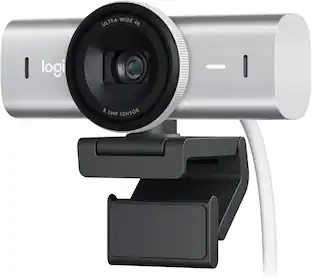 $169.99The price was $199.99
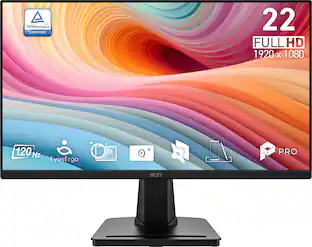 $64.99The price was $69.99
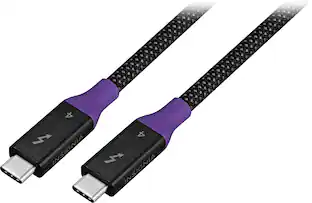






More to consider
 $357.98The price was $445.98
 $119.99The price was $129.99


Explore tech essentials Sponsored
 $111.00The price was $119.99
Discover related products
 $12.99The price was $13.99
 $247.00The price was $275.00
 $149.99The price was $169.99









Keep exploring

Plugable - USB 3.0 and USB-C Universal Laptop Docking Station for Windows, Mac, ChromeOS | Dual HDMI
$99.99The price was $119.99 $219.89The price was $249.99
- $357.98The price was $445.98