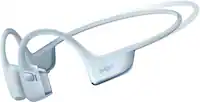
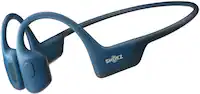
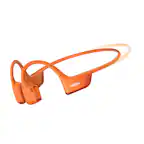
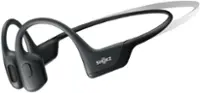
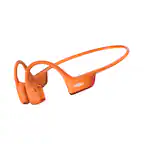
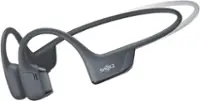
Shokz - OpenSwim Pro Wireless Bone Conduction Open-Ear Bluetooth Sports Headphones - Red
Shokz - OpenSwim Pro Wireless Bone Conduction Open-Ear Bluetooth Sports Headphones - Red
Color
RedMore Buying Options
Related Item

Specifications
- Noise Cancelling (Active)NoConnection TypeWirelessWireless ConnectivityBluetoothTrue WirelessNoMaximum Wireless Range33 feetWater ResistantYes
- Key Specs
- Noise Cancelling (Active): false
- Connection Type: Wireless
- Wireless Connectivity: Bluetooth (The manner in which a device sends data to another device over a short distance without the use of wires or cables.)
- True Wireless: false (These headphones not only lack wires between the device and headphones, they also lack wires between the headphones themselves. (true wireless is really only possible with in-ear headphones))
- Maximum Wireless Range: 33 feet
- Water Resistant: true (Resists some degree of water penetration.)
- Built-In Microphone: true
- Carrying Case: true
- Microphone Features: Fixed
- Headphone Fit: Open-Ear, Behind the neck
- Battery Life: 9 hours (Battery life will vary depending on the product configuration, product model, applications loaded on the product, power management setting of the product and the product features used by the customer. As with all batteries, the maximum capacity of this battery will decrease with time and usage.)
- Battery Charge Time: 1.5 hours (Battery charge time will vary depending on the product configuration, product model, applications loaded on the product, power management setting of the product and the product features used by the customer. Charging time will likely decrease with time and usage of the battery.)
- General
- Brand: Shokz
- Model Number: S710-ST-RD-US
- Product Name: OpenSwim Pro Wireless Bone Conduction Open-Ear Bluetooth Sports Headphones
- Color: Red
- Audio
- Noise Cancelling (Active): false
- Sound Isolating: false
- Environmental Noise Control: false (A technology that automatically or manually adjusts, or eliminates, ambient background sound to allow conversational voices to be heard clearer.)
- Minimum Frequency Response: 20 hertz (Describes the maximum range of frequencies or musical tones a product can reproduce, from very low tones to very high treble tones. The minimum frequency or musical tone the speaker can reproduce. High treble tones have higher frequencies while low tones and deep bass have lower frequencies.)
- Maximum Frequency Response: 20 kilohertz (Describes the maximum range of frequencies or musical tones a product can reproduce, from very low tones to very high treble tones. The maximum frequency or musical tone the speaker can reproduce. High treble tones have higher frequencies while low tones and deep bass have lower frequencies.)
- Sensitivity: 105 decibels adjusted
- Connectivity
- Connection Type: Wireless
- Wireless Connectivity: Bluetooth (The manner in which a device sends data to another device over a short distance without the use of wires or cables.)
- True Wireless: false (These headphones not only lack wires between the device and headphones, they also lack wires between the headphones themselves. (true wireless is really only possible with in-ear headphones))
- Bluetooth Version: 5.4 (The Bluetooth specification formalized by the Bluetooth Special Interest Group. All versions of the Bluetooth standard are backwards compatible with previous versions.)
- Maximum Wireless Range: 33 feet
- Number Of Devices Connectable Simultaneously: 2
- Features
- Water Resistant: true (Resists some degree of water penetration.)
- Waterproof: true (Designed or treated to be impervious to water in certain situations. Products are tested under controlled laboratory conditions and then assigned an Ingress Protection (IP) rating to denote the degree of protection from water ingress. The level of protection may decrease over time with natural wear of the product.)
- Built-In Microphone: true
- Carrying Case: true
- Microphone Features: Fixed
- Controls: Call, Volume, Track selection
- Bone Conducting Technology: true
- Maximum Talk Time: 9 hours
- Stand-By Time: 6 days (Amount of time it takes for the device to deplete a single battery charge when powered on but not in active use. This length of time is dependent on the network environment the device is connected to, if applicable, and the applications running.)
- Design
- Headphone Fit: Open-Ear, Behind the neck
- Style: Sports and Exercise
- Power
- Rechargeable: true
- Battery Life: 9 hours (Battery life will vary depending on the product configuration, product model, applications loaded on the product, power management setting of the product and the product features used by the customer. As with all batteries, the maximum capacity of this battery will decrease with time and usage.)
- Battery Charge Time: 1.5 hours (Battery charge time will vary depending on the product configuration, product model, applications loaded on the product, power management setting of the product and the product features used by the customer. Charging time will likely decrease with time and usage of the battery.)
- Battery Capacity: 160 milliampere hours (The amount of energy stored in the battery.)
- Charging Accessory Included: Cable
- Fast Charging: 10min=3hrs (Quick charge technologies typically use higher voltages and/or charging interfaces to fill a device's battery capacity faster than standard charging speeds.)
- Charging Interface(s): Proprietary (The connection for transmitting power to charge the device.)
- On/Off Switch: Yes
- Dimensions
- Product Height: 1.78 inches (The out of box height of the item. Height is measured as the vertical distance from the bottom of the item to the top as it would be primarily used or placed.)
- Product Width: 3.94 inches (The out of box width of the item. Width is measured as the horizontal distance from one side of the item to the other as it would be primarily used or placed.)
- Product Length: 4.88 inches (The out of box length of the item. Length is measured as the longest dimension of the item.)
- Product Weight: 0.06 pounds (The out of box weight of the item.)
- Warranty
- Warranty - Parts: 2 years
- Warranty - Labor: None
- Other
- UPC: 810092678601
Water to Land, the Music Never Ends. Seamless transition from water to land, thanks to OpenSwim Pro's durable IP68 waterproof rating. Submerge your OpenSwim Pro up to 2 meters for 2 hours, seamlessly playing your tunes with perfection. Switch between Bluetooth and MP3 mode for uninterrupted music with a button press or in the Shokz App. OpenSwim Pro is tailored waterproof, versatile, while fitting safe and secure for your workout routine — in the water or on the land.
- IP68 Waterproof Rating, Adventure-Ready: Transition from water ventures to rugged terrains with OpenSwim Pro's IP68 waterproof rating. Integrated technology and a triple-sealed design ensures worry-free water resistance. The microphones’ breathable membrane, along with the innovative layered design safeguard against sweat and splashes. Confidently take on depths of up to two meters for two hours, thanks to enhanced durability — keeping you prepared for every adventure.
- Bluetooth + MP3 Dual Modes: One Device, Dual Functionality, Limitless Possibilities; Music Anywhere, Anytime with MP3; Seamless Bluetooth Syncing
- Open Ears, Safety First: Boost your workouts with enhanced safety thanks to our signature open-ear design. Easily perceive potential hazards during outdoor activities, whether hiking in the mountains or extended swimming sessions. With OpenSwim Pro’s open-ear design, you stay engaged and connected.
- Stability in Motion: No more readjusting with slips and tumbles – OpenSwim Pro is engineered for a secure fit. With flexible, ergonomically shaped ear hooks and a nickel-titanium alloy headband, it stays comfortably in place whether you're running, jumping, or making a splash.
- Comfort Beyond Boundaries: Open-ear design ensures a non-intrusive fit, preventing discomfort during extended wear and maintaining a cleaner ear canal. Additionally, the lightweight build and soft texture guarantee easy listening that's comfortable and effortless. OpenSwim Pro offers flexible ear hooks with a slim design for a comfortable, pinch-free fit. Seamlessly integrates with swim goggles, swim cap, helmet, and other sports gear, striking the perfect balance between proficiency and comfort.
- Sports-Optimized Physical Buttons: Designed for optimal sports use, OpenSwim Pro's physical buttons deliver instant feedback, allowing you to effortlessly navigate music and calls with simple key combinations. Feel strong rebound feedback with every tap and stay worry-free about accidental touches, underwater or during sweaty workouts.
- Vivid Sound, Versatile Listening: Enjoy clear sound, powerful volume, and rich bass with PremiumPitch 2.0+ bone conduction technology. Switch seamlessly between sound modes for music playback, calls, and swimming, ensuring great audio wherever you go.
- Noise-Free Conversing: Dual noise reduction technologies, ENC, and DNS, intelligently adapt to your environment, identifying specific audio characteristics and eliminating ambient noise and echoes. Enjoy crystal-clear calls that feel like an in-person conversation.
- Expanded 32GB* of MP3 Storage: More Memory, More Moments. Enjoy more music with 32GB of MP3 storage. Store up to 8,000 songs* and enjoy a music library as expansive as your taste in music.
- Swift Transfers, Enhanced Compatibility: No more waiting – transfer up to 225 songs* in just 1 minute with OpenSwim Pro. Enjoy the freedom to choose your favorite workout music, thanks to enhanced compatibility with a wide variety of music formats*.
- Up to 9 Hours of Listening: Enjoy up to 9 hours* of battery life. A quick 10-minute charge gives you 3 hours* of listening time.
- MultiPoint Pairing: Pair OpenSwim Pro with two Bluetooth devices simultaneously, including smartwatches, smartphones, tablets, and more. Switch effortlessly via the Shokz App or button controls* for versatile listening.
- Customize Your Experience with the Shokz App: Personalize your OpenSwim Pro experience with the Shokz App. Enjoy control functions like Bluetooth V5.4 and MP3 switching, MultiPoint Pairing, EQ mode management, access to real-time battery information, and receive firmware updates.
- IP68 Waterproof Rating, Adventure-Ready: Transition from water ventures to rugged terrains with OpenSwim Pro's IP68 waterproof rating. Integrated technology and a triple-sealed design ensures worry-free water resistance. The microphones’ breathable membrane, along with the innovative layered design safeguard against sweat and splashes. Confidently take on depths of up to two meters for two hours, thanks to enhanced durability — keeping you prepared for every adventure.
- Bluetooth + MP3 Dual Modes: One Device, Dual Functionality, Limitless Possibilities; Music Anywhere, Anytime with MP3; Seamless Bluetooth Syncing
- Open Ears, Safety First: Boost your workouts with enhanced safety thanks to our signature open-ear design. Easily perceive potential hazards during outdoor activities, whether hiking in the mountains or extended swimming sessions. With OpenSwim Pro’s open-ear design, you stay engaged and connected.
- Stability in Motion: No more readjusting with slips and tumbles – OpenSwim Pro is engineered for a secure fit. With flexible, ergonomically shaped ear hooks and a nickel-titanium alloy headband, it stays comfortably in place whether you're running, jumping, or making a splash.
- Comfort Beyond Boundaries: Open-ear design ensures a non-intrusive fit, preventing discomfort during extended wear and maintaining a cleaner ear canal. Additionally, the lightweight build and soft texture guarantee easy listening that's comfortable and effortless. OpenSwim Pro offers flexible ear hooks with a slim design for a comfortable, pinch-free fit. Seamlessly integrates with swim goggles, swim cap, helmet, and other sports gear, striking the perfect balance between proficiency and comfort.
- Sports-Optimized Physical Buttons: Designed for optimal sports use, OpenSwim Pro's physical buttons deliver instant feedback, allowing you to effortlessly navigate music and calls with simple key combinations. Feel strong rebound feedback with every tap and stay worry-free about accidental touches, underwater or during sweaty workouts.
- Vivid Sound, Versatile Listening: Enjoy clear sound, powerful volume, and rich bass with PremiumPitch 2.0+ bone conduction technology. Switch seamlessly between sound modes for music playback, calls, and swimming, ensuring great audio wherever you go.
- Noise-Free Conversing: Dual noise reduction technologies, ENC, and DNS, intelligently adapt to your environment, identifying specific audio characteristics and eliminating ambient noise and echoes. Enjoy crystal-clear calls that feel like an in-person conversation.
- Expanded 32GB* of MP3 Storage: More Memory, More Moments. Enjoy more music with 32GB of MP3 storage. Store up to 8,000 songs* and enjoy a music library as expansive as your taste in music.
- Swift Transfers, Enhanced Compatibility: No more waiting – transfer up to 225 songs* in just 1 minute with OpenSwim Pro. Enjoy the freedom to choose your favorite workout music, thanks to enhanced compatibility with a wide variety of music formats*.
- Up to 9 Hours of Listening: Enjoy up to 9 hours* of battery life. A quick 10-minute charge gives you 3 hours* of listening time.
- MultiPoint Pairing: Pair OpenSwim Pro with two Bluetooth devices simultaneously, including smartwatches, smartphones, tablets, and more. Switch effortlessly via the Shokz App or button controls* for versatile listening.
- Customize Your Experience with the Shokz App: Personalize your OpenSwim Pro experience with the Shokz App. Enjoy control functions like Bluetooth V5.4 and MP3 switching, MultiPoint Pairing, EQ mode management, access to real-time battery information, and receive firmware updates.
Whats Included
- OpenSwim Pro Headphone
- 4-Pin Magnetic Charging Cable
- Silicone Rubber Carrying Case
- Swimming Earplugs
- User Guide & Legal Statement
- Warranty Card
- OpenSwim Pro Headphone
- 4-Pin Magnetic Charging Cable
- Silicone Rubber Carrying Case
- Swimming Earplugs
- User Guide & Legal Statement
- Warranty Card
Product Manuals
Q: Does the headphone have a built-in microphone?
A: This headphone does have a built-in microphone.
Q: How long does it take to fully charge the headphones?
A: It takes 1.5 hours to fully charge the headphones.
A: The battery life of the OpenSwim Pro Bone Conduction Sports Headphones is 9 hours.
Q: What is the maximum depth and time the headphones can be submerged in water?
A: The OpenSwim Pro headphones can be submerged up to 2 meters deep for a duration of 2 hours.
Q: Can you switch between Bluetooth and MP3 mode while using the headphones?
A: You can switch between Bluetooth and MP3 mode for uninterrupted music with a button press or in the Shokz App.
Q: What is the size of the band, will it fit a large head?
A: I have medium head and I have extra room. So I assume that it would fit L and XL heads too.
Q: Can these be used with water ear plugs and still be able to hear playback well?
A: Yes, they actually work best with earplugs while swimming. I have custom molded earplugs and swim laps often. They sound great.
Compare similar products

Water to Land, the Music Never Ends. Seamless transition from water to land, thanks to OpenSwim Pro's durable IP68 waterproof rating. Submerge your OpenSwim Pro up to 2 meters for 2 hours, seamlessly playing your tunes with perfection. Switch between Bluetooth and MP3 mode for uninterrupted music with a button press or in the Shokz App. OpenSwim Pro is tailored waterproof, versatile, while fitting safe and secure for your workout routine — in the water or on the land.
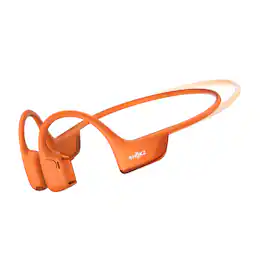
OpenRun Pro 2 Mini - Open Your Ears to a World of Groundbreaking Audio. The OpenRun Pro 2 rewrites the rules of open-ear listening with DualPitch technology, blending bone conduction for clear mids and highs with air conduction for deep bass. Experience the depth and clarity of 3D audio with a custom algorithm placing every sound with precision, all while staying aware of your surroundings for enhanced safety. The secure, ergonomic fit with a weight-optimized frame guarantees stability without sacrificing comfort, even during intense workouts.

Experience unparalleled audio versatility with the TRI 2 PRO Multi-Sport Headphones, designed for all your athletic endeavors, whether on land or in water. Whether you're swimming, running, biking or padding the TRI 2 PRO has you covered. These headphones feature advanced bone conduction technology, delivering unparalleled clear and crisp sound while allowing you to stay aware of your surroundings. For above-water activities, the TRI 2 PRO connects seamlessly to your smartphone or smartwatch via Bluetooth for live direct Streaming. Planning a swim? Utilize the NEW - Playlist+ feature to capture, load & store any live streaming content from all of your favorite apps which you can then access from memory mode offline, underwater for uninterrupted playback. Or, easily direct download your favorite music or content in multiple audio formats, including M4A, MP3, WMA, FLAC, and APE. The Playlist+ feature, allows you to enjoy offline eBooks, podcasts, and music. Since Bluetooth isn't functional underwater, we recommend using Playlist+ feature or direct download for your aquatic adventures. Built to seamlessly transition between different sports, these headphones boast beyond IPX8 waterproof technology, making them perfect for swimming and sweat resistance. With up to 6.5 hours of mixed-use playtime and 8 GB of storage, you can enjoy a diverse listening experience on a single charge.

Level up with QuietComfort Ultra headphones – immersive, personalized sound meets premium, next-level noise cancelling headphones in striking colors. Pushing the boundaries with breakthrough spatial audio, these wireless headphones take what you’re hearing inside your head and place it in front of you for more natural, real sounding music. Whatever your music source, it’s just like listening to it live when you’re wearing the QC Ultra headphones. Unique to Bose, the QC Ultra headphones feature CustomTune technology which analyzes your ear’s shape and adapts the audio performance so everything you listen to hits exactly as it should. You won’t want to take them off because of the refined and premium materials. The cushions wrap your ears in a soft hug. The headband spreads pressure evenly. And sleek metal arms add a statement of sophisticated design. Connect to your devices with advanced Bluetooth 5.3 headphones and keep track of what you have paired in the Bose app. It also walks you through setup, gives you access to Adjustable EQ settings, and more. The QuietComfort Ultra headphones, sound just got real.
| Pros for Shokz - OpenSwim Pro Wireless Bone Conduction Open-Ear Bluetooth Sports Headphones - Red | |||
|---|---|---|---|
| Sound Quality, Battery Life, Comfort, Fit, Water Resistance | Sound Quality, Comfort, Fit, Battery Life, Portability | There were no pros for this product— | Sound Quality, Comfort, Battery Life, Weight, Connectivity |
| Cons for Shokz - OpenSwim Pro Wireless Bone Conduction Open-Ear Bluetooth Sports Headphones - Red | |||
| Volume | Volume, Button Functionality, Design | There were no cons for this product— | Volume, Price |
Specs
Reviews
Customers are saying
Customers express satisfaction with the OpenSwim Pro Bone Conduction Sports Headphone's sound quality, battery life, comfort, and fit. Many appreciate its water resistance, making it suitable for swimming and shower use, as well as its Bluetooth connectivity and onboard storage. However, some customers have noted that the volume could be improved. Overall, the headphones seem to be well-received for their various features.
Customer Images
The vast majority of our reviews come from verified purchases. Reviews from customers may include My Best Buy members, employees, and Tech Insider Network members (as tagged). Select reviewers may receive discounted products, promotional considerations or entries into drawings for honest, helpful reviews.
- Rated 4 out of 5 stars
Best Waterproof headphones or ear buds.
It has the most amazing battery. Clarity on the receiving end of a phone call is super good. Max Waterproof leaves me feeling free to always use it. Only problem is volume in crowed spaces isnt always loud enough. Trick adjust them to sit in ear canal turn volume down a little after and your all set. Sleek desing for phones.
This review is from Shokz - OpenSwim Pro Wireless Bone Conduction Open-Ear Bluetooth Sports Headphones - Gray
JustinS Posted
- Rated 5 out of 5 stars
Worth the money
Came as described.Very light to use, can't even tell I'm wearing it.Not to mention the sound quality was really good in the water, the bass music almost feels cinematic.I thought it was going to fall but it really stayed in place while doing flip turns, butterfly, breastroke, etc, they really hold up.If anything I was surprised by how easy it was to download music onto it.Overall the money's Worth it.
This review is from Shokz - OpenSwim Pro Wireless Bone Conduction Open-Ear Bluetooth Sports Headphones - Gray
Cesar Posted
- Rated 5 out of 5 stars
Must Buy
Great quality. Love the way they fit and are comfortable
This review is from Shokz - OpenSwim Pro Wireless Bone Conduction Open-Ear Bluetooth Sports Headphones - Gray
ErikG Posted