Staples TECH - 4-Port USB 2.0 Hub - White
About this product
Never be without enough connection ports again. Connect USB-A peripheral devices - like mice, keyboards, headphones, and charging cords - for a completely connected workstation. Powered by USB 2.0, this hub promises fast data transfer speeds up to 480 Mbps. Measuring at just 3" x 5" this hub is compact and portable, perfect for on-the-go workers or smaller work spaces. Enjoy reliable and fast connectivity with the Staples TECH Four-Port Hub. Backed by Staples 100% Satisfaction Money Back Guarantee.
Color
WhiteFeatures
Connects through a laptop's USB-C port
USB 2.0 supports data transfer speeds of 480 Mbps
4 USB-A ports
Comes in white
Limited 1 year warranty
Backed by Staples Brands 100% Satisfaction Money Back Guarantee
Specifications
- Connector Type (End 1)USB-AConnector Type (End 2)USB-A, USB-A, USB-A
Reviews
This product doesn't have any reviews yet.
Compare similar products
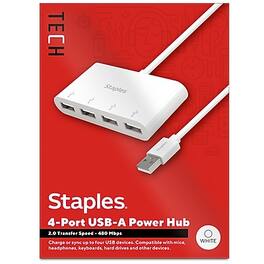
Never be without enough connection ports again. Connect USB-A peripheral devices - like mice, keyboards, headphones, and charging cords - for a completely connected workstation. Powered by USB 2.0, this hub promises fast data transfer speeds up to 480 Mbps. Measuring at just 3" x 5" this hub is compact and portable, perfect for on-the-go workers or smaller work spaces. Enjoy reliable and fast connectivity with the Staples TECH Four-Port Hub. Backed by Staples 100% Satisfaction Money Back Guarantee.

This mini 3-port USB hub is the perfect way to add more USB ports to your laptop, PC, or notebook. It features one USB 3.0 port and two USB 2.0 ports, allowing you to connect multiple devices simultaneously. The USB 3.0 port supports data transfer speeds of up to 5 Gbps, making it ideal for transferring large files or streaming HD video. The USB A male connector on this hub can be rotated 180 degrees, making it easy to use even in tight spaces.
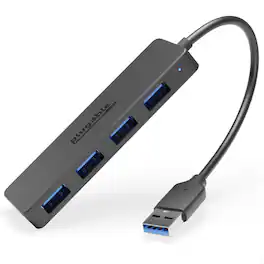
The Plugable USB3-HUB4A might look pretty simple, and that’s because it is. Simply plug it in and sprout 4x USB 3.0 data ports. For MacBook Air. For Dell XPS. For just about anything with a USB port. Each port can transfer data up to 5Gbps. At that speed it would only take about 21 seconds to transfer the entirety of the 1984 science fiction hit, The Last Star Fighter. So, yeah, it’s pretty fast. That means you can transfer files from a flash drive on USB port 1, connect a keyboard to port 2, a mouse in 3, and download clips from your camera on 4. Sure, these hubs are quite handy to have on your desk, but they’re just as happy to hit the road. Lightweight and compact, the hubs are encased in black plastic with a matte finish to resist scuffs and scratches. The plastic carapace also helps to avoid damaging the other gadgets in your bag. It is worth mentioning, however, that the hub is only designed for data. This USB port expander will not charge. Plug it in and go. No driver downloads required. This data hub transfers data at up to 5Gbps. Small and durable with an integrated 15cm flexible cord, this hub is handy to have on your desk, but it’s just as happy to hit the road. Compatible with Wind ows, macOS, ChromeOS, and Linux systems with a USB port. Designed for data, this device doesn’t charge.

The Insignia 4-Port USB 3.0 Hub lets you connect up to four USB devices with the use of a single USB 3.0 port. An LED indicator light lets you know when the hub has been plugged in and is ready for your keyboard, mouse, or other USB accessories. A 5 V, 900 mA total output delivers quick and consistent power, while a data transfer speed of up to 5 Gbps performs quickly so you can get more done. Its compact design makes this hub easy to store and carry.
| Pros for Staples TECH - 4-Port USB 2.0 Hub - White | |||
|---|---|---|---|
| There were no pros for this product— | There were no pros for this product— | There were no pros for this product— | Overall Performance, USB Ports, Ease of use, Connectivity, Size |
| Cons for Staples TECH - 4-Port USB 2.0 Hub - White | |||
| There were no cons for this product— | There were no cons for this product— | There were no cons for this product— | Cable Length, Power |
Specs
Be the first to ask a question.
We’ll try to get your question answered within 24 hours by a Best Buy customer or brand representative.