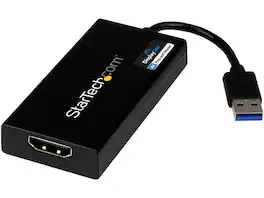
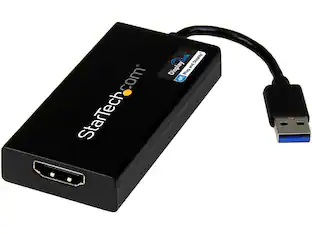
StarTech.com - USB32HDPRO USB 3.0 to HDMI DisplayLink Certified Video Adapter - HD 1080p
More Buying Options from Marketplace sellers
Related Item

About This Item
- Key Specs
- Connector Type (End 1): USB-A
- Connector Type (End 2): HDMI Type A
- General
- Brand: StarTech.com
- Model Number: USB32HDPRO
- Product Name: StarTech.com USB32HDPRO USB 3.0 to HDMI DisplayLink Certified Video Adapter - HD 1080p
- Connectivity
- Cable Type: USB
- Product Type: Adapter
- Connector Type (End 1): USB-A
- Connector Type (End 2): HDMI Type A
- Warranty
- Warranty - Parts: Limited Warranty period (parts): 2 years
- Warranty - Labor: Limited Warranty period (labor): 2 years
- Other
- UPC: 065030857505
StarTech.com USB32HDPRO USB 3.0 to HDMI External Multi Monitor Video Graphics Adapter for Mac & PC - DisplayLink Certified USB Video Card - HD 1080p
- Works with USB 3.0 and HDMI devices: Compatible with USB 3.0 enabled computer systems such as Apple Mac & MacBook Pro / Air and HDMI enabled televisions and projectors
Whats Included
- 1
Reviews
This product doesn't have any reviews yet.

Compare similar products

StarTech.com USB32HDPRO USB 3.0 to HDMI External Multi Monitor Video Graphics Adapter for Mac & PC - DisplayLink Certified USB Video Card - HD 1080p

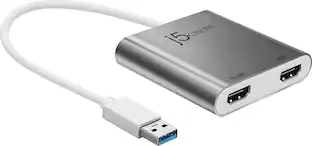
This USB 3.0 to Dual HDMI Multi-Monitor Adapter acts as an external video card for your MacBook or Windows computers. It allows you to add two additional displays through your USB 3.0 port, boosting your productivity by giving you more screen space to work from. One of the HDMI ports can output resolutions up to 4K, while the other can output resolutions up to 2048 x 1152. This is the perfect alternative to a costly video card. With this USB 3.0 Multi-Monitor Adapter, you can quickly install the driver with a simple USB plug-in. Afterwards, connect the device to your monitors using HDMI cables and then you will have a dual-display workstation!
StarTech.com USB32HD4K USB 3.0 to HDMI Display Adapter 4K Ultra HD, DisplayLink Certified, Video Converter w/ External Graphics Card - Mac & Windows

The USB-C to Dual HDMI Multi-Monitor Adapter acts as an external video card for your MacBook or Windows laptops. It allows you to add two additional displays through your USB-C port, boosting your productivity by giving you more screen space to work from. One of the HDMI ports can output resolutions up to 4K, while the other can output resolutions up to 2048 x 1152. Simply install the driver for the USB-C to Dual HDMI Multi-Monitor Adapter by plugging-in the adapter and then connect your monitors using HDMI cables for a dual-display workstation!
| Pros for StarTech.com - USB32HDPRO USB 3.0 to HDMI DisplayLink Certified Video Adapter - HD 1080p | |||
|---|---|---|---|
| There were no pros for this product— | Ease of use, Overall Performance, HDMI, Connectivity, Compatibility | There were no pros for this product— | Ease of use, Overall Performance, Connectivity, HDMI, Price |
| Cons for StarTech.com - USB32HDPRO USB 3.0 to HDMI DisplayLink Certified Video Adapter - HD 1080p | |||
| There were no cons for this product— | Price, Driver, Lag, Resolution, Heat | There were no cons for this product— | Compatibility |
Specs
Find more like this







More to consider
 $101.99The price was $140.88
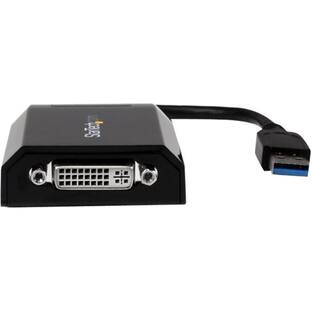
Explore tech essentials Sponsored
 Black Friday in July Deal$139.99The price was $199.99
 $31.49The price was $36.99
 Black Friday in July Deal$99.99The price was $159.99
 Black Friday in July Deal$369.99The price was $531.99
Keep exploring
 Black Friday in July Deal$15.99The price was $17.99
 $10.99The price was $12.99