Targus - DOCK419USZ Docking Station-for Notebook - 100 W - Silver
About this product
Targus DOCK419USZ compact USB-C DP Alt Mode Single Video 4K HDMI Docking Station with Card Reader, 100W PD Pass-Thru, and Removable USB-C Cable. Connect your USB-C-enabled devices to a single HDMI display, while also connecting to a Gigabit Ethernet network, and plugging in your key peripherals – like mice, keyboards, flash drives or hard drives – into the USB-A and USB-C ports.
Features
Functionality
Whether you want to run a presentation on a larger display or use an external display, this single video docking station supports Ultra HD video resolutions up to 4K@30Hz.
Connection
Connectivity Made Simple-Enhance your productivity and connect to more with 3 USB-A 3.2 Gen 1 ports 1 fast-charging and 1 USB-C 3.2 Gen 1 port.
Compatibility
Plug and Play Simplicity-With no need for additional software, this adapter easily attaches to your USB-C or Thunderbolt 3 host device e.g. laptop to help you connect to a wired network, more peripherals, and transfer data.
Convenient Cabling
The detachable, hideaway cable disappears within the adapter when stored to create a compact travel accessory. When needed, the cable easily slides out of its secure enclosure to provide a convenient connection to the host device.
Ports/connectors
USB 3.2 G1, USB-C
Specifications
- BrandTargusModel NumberDOCK419USZProduct NameTargus DOCK419USZ Docking Station-for Notebook - 100 WColorSilverNumber of USB Ports (Total)4Brand CompatibilityChrome, Mac, Windows
Reviews
This product doesn't have any reviews yet.
Compare similar products
Targus DOCK419USZ compact USB-C DP Alt Mode Single Video 4K HDMI Docking Station with Card Reader, 100W PD Pass-Thru, and Removable USB-C Cable. Connect your USB-C-enabled devices to a single HDMI display, while also connecting to a Gigabit Ethernet network, and plugging in your key peripherals – like mice, keyboards, flash drives or hard drives – into the USB-A and USB-C ports.
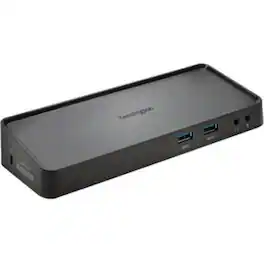
Preserve the convenience of one-cable connectivity to your entire desktop setup with the SD3650 Universal USB 3.0 Docking Station from Kensington, a trusted leader in productivity solutions for more than 30 years. What makes the SD3650 unique from the SD3600 is that you can output dual HD video using DisplayPort and HDMI ports, plus we increased the USB 3.0 accessory expansion ports to four, ideal for a flash drive so it can transfer data at 5Gbps. The dock also features Zero Footprint Mounting, so it can be mounted to the back of a VESA-compatible monitor using a Docking Station Mount (sold separately), perfect for desks with limited space.

Customize your USB-C supported laptop with this Targus USB-C to four-port USB-A hub. The data transfer speed of up to 5Gbps lets you copy large volumes of data swiftly, while the compact, lightweight design is easy to carry. A USB-C connector creates a secure connection between your laptop and this Targus USB-C to four-port USB-A hub, providing access to up to four USB-A peripherals simultaneously.
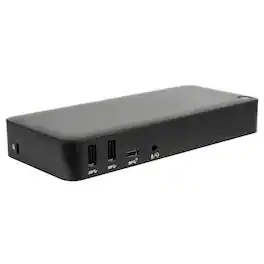
Create a more powerful, productive workstation with the Targus USB-C™ DisplayPort™ Alt. Mode Triple Video Docking Station with 85W Power. This Alternate Mode dock packs all of the ports and power you need and is designed to support and power a wide variety of laptop brands and operating systems – up to 85W. With video performance up to 3840x2160 p60 for single display, 2560x1440 p60 for dual displays, and 1920x1080 p60 for three displays, you are sure to get crisp and clear images. Connect all of your favorite accessories with a combination of USB-A (4 USB 3.2 Gen1 ports, 1 fast-charging) and USB-C (1x 3.2 Gen2), plus Ethernet and audio ports.
| Pros for Targus - DOCK419USZ Docking Station-for Notebook - 100 W - Silver | |||
|---|---|---|---|
| There were no pros for this product— | There were no pros for this product— | Connectivity, Overall Performance, USB Ports, Ease of use, Compatibility | Connectivity |
| Cons for Targus - DOCK419USZ Docking Station-for Notebook - 100 W - Silver | |||
| There were no cons for this product— | There were no cons for this product— | Cord Length, Power, Price | There were no cons for this product— |
Specs
Be the first to ask a question.
We’ll try to get your question answered within 24 hours by a Best Buy customer or brand representative.