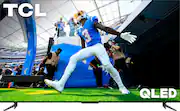
TCL Q6 Class Smart TVs combine premium picture technology with outstanding value for endless entertainment. QLED Quantum Dot technology and HDR PRO+ with Dolby Vision you can enjoy enhanced contrast, accurate colors and fine details utilizing all the most advanced HDR formats with Motion Rate 240 with MEMC frame insertion for exceptional motion clarity. TCL’s High Brightness Direct LED Backlight produces brighter images for an enhanced viewing experience for all your favorite movies and TV shows. Beyond movies and TV shows you can get in the game with Game Accelerator 120 together with Auto Game Mode and AMD Freesync automatically optimizing for the lowest latency for a more responsive gameplay without lag, designed to keep you at the top of any leaderboard. TCL Q Class Smart TVs: Compelling Color and Choice.
Q: Can I reposition the legs on the tv?
A: For this 65 inch TCL TV when the feet are attached in the traditional way, the feet spacing is approximately 54.3 inches. When the feet are reversed, the feet spacing is approximately 36.6 inches. Hope this helps! Thank you, TCL Customer Support
Q: What is the difference between this model (65Q65OG) and the TCL model 65R655? Thank you!
A: I don't think the original answer to thi question is accurate. The new Q6 is not a straight replacement for the old 6-series. For example, Q6 has no local dimming, and the ol 6-series did. I don't know all of the differences, but do not expect the Q6 to live up to the old 6-series - that's more likely the new Q7 or higher lines.
Q: can the tv be hung up on the wall ?
A: This TCL TV is compatible with most wall mounts that support a 300mm x 300mm VESA mounting pattern. Hope this helps! Thank you, TCL Customer Support
Q: Is a Roku device compatible with this TV?
A: The TV is not native with Roku OS but you can definitely install an external Roku streaming device!
A: Our game Accelerator 120 is a gaming feature, that will automatically be activated when a compatible game Console is set to output at 1440p/120 Hz. Hope this helps! Thank you, TCL Customer Support
Q: How do I enable Alexa controls for this TV? I can't find it in the settings.
A: To Enable Alexa you would go to either: (1) Settings > Apps > Show all Apps > Work with Alexa; OR (2) GTV Home page > Apps > Your Apps > see All > Work with Alexa. Hope this helps! Thank you, TCL Customer Support
Q: Can I use smart view from Samsung phone or tablet to this TV?
A: Our TCL TVs featuring Google TV come with Chromecast built-in. Casting to your TV is a simple way to enjoy photos, videos, music, and other content on the big screen. You can watch entertainment from a laptop, tablet, mobile, or other compatible device device. Hope this helps! Thank you, TCL Customer Support
Q: what is the length of the tv
A: Without the feet attached, the dimensions of this 65" TCL TV are as follows: (W x H x D) 56.9" x 32.8" x 3.2". Hope this helps! Thank you, TCL Customer Support