Rating 3.8 out of 5 stars with 682 reviews
3.8- Reception (147)
- Ease of use (82)
- Picture Quality (59)
- Installation (38)
- Channel Count (33)
- Signal Strength (48)
- Range (28)
- Cord Length (4)
Customer Images
The vast majority of our reviews come from verified purchases. Reviews from customers may include My Best Buy members, employees, and Tech Insider Network members (as tagged). Select reviewers may receive discounted products, promotional considerations or entries into drawings for honest, helpful reviews.
- Rated 5 out of 5 stars
Excellent Signal-Boosting Power for Free HD TV!
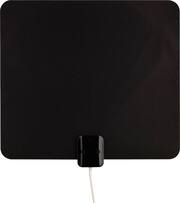
The Voxx Terk amplified ultra-thin signal-finder HDTV antenna is an inexpensive and effective way to deliver free, over-the-air high quality HD signals to your television. While most homes have access to cable or satellite television providers (for a monthly fee) it is still possible to watch all of the major networks for free using digital antennas. All over-the-air television broadcasting in the United States has been digital since 2009. This has greatly improved signal reception (compared to the old analog transmissions) and all televisions built in the past ten years include the ability to receive these digital signals. Access to a wide variety of free programming just requires the use of an appropriate HDTV antenna. The Voxx Terk model ThinTV3M is the best such antenna I have ever used. Besides access to free over-the-air television stations, this antenna can serve as a game-saver if your cable ever goes out during a major network event (such as the SuperBowl) which you planned to watch. Here are its key features: • Voxx Terk Amplified Ultra-Thin Signal Finder HDTV Antenna: Model ThinTV3M • Integrated two stage amplifier boosts weak signals • Built-in LED signal strength meter • Includes Terk directional signal finding app • Ultrathin flat antenna, white on one side, black on other • Substantial surface area: 13” Wide x 12” Tall • 12 foot integrated coax connection cable • Two-sided mounting tape pads included • Full easy to follow illustrated instructions • Lifetime limited warranty Setup is easy. First, download the Terk Signal Finder app and enter your address and check the stations you are most interested in viewing. Then use your phone to determine the optimal direction to align the flat HDTV antenna. Next, plug in the integrated amplifier and observe the LED signal meter as you position the antenna . Attach the coax connector to the television and scan for stations. In just a couple of minutes, you should have access to a wide variety of HD stations! But a word of caution – follow the instructions and you will get much better results! I live in a high rise on the lakefront in Downtown Chicago, near the buildings which house the broadcast antennas for all local channels. I have to confess that the first time I tried the antenna I did not bother to use the Signal Finder app. I thought I could just attach the antenna to a window (see photo) with some painter’s tape and that would be sufficient. I ran a channel scan and it showed 60 channels being received. I was impressed, but when I tried to watch the channels some were pixelated and some important local stations were not even on the list. I was frustrated, so I did what I should have done in the first place – I read the instructions and downloaded the Signal Finder app to my phone. The Terk Signal Finder app is just a great piece of software – you simply enter your address or let the app use the phone’s location finder and then check off the stations you want to receive. I selected two local stations which had not appeared after my first scan. The app then shows you which direction to point the antenna. A red vector appears on a map and you rotate your phone until that red vector overlaps a green vector which shows the station you want. (See photo) Then just point your antenna in the same direction as your phone. I did that simple process and repositioned the Terk flat HDTV antenna in the indicated direction, then ran the channel scan again. Boom! 80 channels showed up this time, including every station that had been missing! I was mucho impressed. The Voxx Terk antenna is very well built. It is light in weight and very easy to position. I used some blue painter’s tape (which won’t harm surfaces) to hold the antenna in various locations until I was satisfied with the reception. To permanently mount it you can use thumbtacks in the two holes in the upper corners, the two-sided mounting pads included or just continue to use tape. The connecting cable is very generous – about 12 feet long – so you have a lot of maneuvering room for locating the antenna. There is an inline LED signal strength meter which can aid in positioning (see photo), but I would defer to the Signal Finder app’s direction-finding ability. The power cable to the inline amplifier (which is located in the same housing as the signal strength meter) is long enough to reach the outlet to which the TV is plugged. I am delighted to give this great device my full and enthusiastic recommendation! Buy it and you will be very happy with its ease of installation and outstanding performance.
Posted by JimC
- Rated 5 out of 5 stars
Very nice antenna
I want sure what this antenna would do because of its shape and thin shape, however I was pleasantly surprised that it pickup channels very well and gives very nice reception.
Posted by Kevykev69
- Rated 5 out of 5 stars
Antenna
Very good and I don’t have to keep it on the windows cause work on the wall too.
Posted by Halina
- Rated 5 out of 5 stars
Cut The Cord easily!!!!!
SUMMARY The Trek HDTV offers 65 miles range with signal boast and other vital features that make it very easy for someone to cut the cord from a a cable provider. THE GOOD: Thin Phone app to find channels (antenna placement) Signal meter indicator for channels (antenna placement) Support for the future over the air 4K, 8K broadcasting ATSC 3.0 Smart Boast feature that blocks cell signals and other interference Lifetime warranty THE BAD: No USB port for power The antenna is big Phone app for channels could be better PERFORMANCE: It does the job when it comes to pulling in channels with 98 channels found after a scan, my older Mohu Leaf 50 antenna pulls in 83. The Trek signal finder app tells you where and how far away a TV station is which is good for placing the antenna at an optimal location for usual suspects like NBC,ABC,CW etc. but channels like MyTV or ION can’t be found with the app, so there is no way to search a certain channel from 98 that I have. Picture quality, signal strength is good for most of the channels. GRIPES Really wish they used USB to power instead of a regular A/C plug. FINAL THOUGHTS: Most first-time cord cutters will love this antenna since the guess work for placement is managed by the app and signal meter. The app will tell you in what direction to put the antenna and signal meter tells you if it’s weak or strong, this feature alone is worth 5 stars IMO.
Posted by Mrbell1970
- Rated 3 out of 5 stars
Paper Thin, but non-removable amplifier
I have mixed feelings about the Terk Antenna. Positives. It's paper thin and is able to be (mostly) discretely hidden. The free Terk app (iOS Terk Signal Finder) is a great way to work out 1) what channels are available in your area and 2) make sure you have the antenna positioned for optimal signal strength (see screenshot). Negatives. I didn't realize until later that the antenna signal strength measurement/amplifier is non-removable and requires to be plugged into power. I have another similar style antenna (from another manufacturer) but the amplifier is removable and USB-powered. I wish Terk had offered a similar setup - at least with USB, you can usually power it from your TV. Overall - yes, the Terk Antenna does what it should, I am able to watch HD antenna without cable! But I think this antenna is better if you're in a more remote area and need an always-on amplifier. If you don't need an always connected amplifier, then another antenna may better suit your needs. I'd definitely download the Terk App first (or use their excellent website) to make the right antenna choice.
Posted by teasten