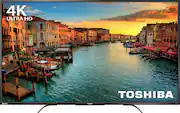
Rating 4.3 out of 5 stars with 614 reviews
4.3- Picture Quality (314)
- Chromecast (85)
- Price (68)
- Ease of use (37)
- 4K (22)
- Remote Control (14)
- Refresh Rate (4)
- Screen (4)
- Reliability (3)
Customer Images
The vast majority of our reviews come from verified purchases. Reviews from customers may include My Best Buy members, employees, and Tech Insider Network members (as tagged). Select reviewers may receive discounted products, promotional considerations or entries into drawings for honest, helpful reviews.
- Rated 5 out of 5 stars
Nice tv
I got this TV in a Black Friday deal. It was an awesome deal. The Tv works perfectly with excellent picture quality, although refresh rates are nothing to write home about. It has accurate color representation and the sound seems good for a small living room. I don't think I am going to buy speakers for the TV because he sound is so loud. Would highly recommend the TV, deal or no deal.
Posted by Vicks
- Rated 5 out of 5 stars
Great tv for my room
Easy to set up,enjoying everything about this tv including price
Posted by Granny7
- Rated 5 out of 5 stars
A great tv
Good price. As I use the google ecosystem the chrome cast built in is a plus. The 4K is great. The assembly was easy. You do want a second person to help you lift the "tv bag" out of the box and for final placement. It is a light tv but I wanted to be careful with the new purchase. I have cast YouTube from my phone to the tv and from a chrome browser window to the tv. Works well. The chrome cast is its own "channel" when you cycle inputs on the tv. the tv is connected to my wifi and I get good 4K with it. Right now this is the only way to get 4K for me because the XboxOne doesn't support 4K so we cast from a stream to the tv. The majority of content we display for now is 1080 and it looks fine on this tv.
Posted by CTech9
- Rated 5 out of 5 stars
BEST BUY EVER
Black Friday Doorbuster Reviewer : On Thanksgiving Day, I went to wait in line on Best Buy for the SHARP 50” 4K TV for $180. That was a deal of a lifetime. Unfortunately, they were already sold out by the time I went into the store. Feeling defeated, I vowed to come back early on Friday & go for the Toshiba 55” 4K TV for $280. So, I drove to BB at 5:30am, waited in the car until 6am and then got on line. Waited 2 hours in the cold but it was so worth it because when I brought that baby back home, I fell in love with it. Like actually seeing my baby for the first time. (which I don’t have yet) Every night I turn it on just to stare at how gorgeous it looks. I thought the 5 inches wouldn’t make a difference and it’s true. The 55” is amazing especially the 4K. I play my XBOX ONE & PS4 games on here & the quality is just amazing. The details that this TV provides. It’s also very thin so it fits anywhere very nicely oh, and also it comes with CHROMECAST built in. Now, I can just cast my NETFLIX, SPOTIFY, YOUTUBE or HBO anytime. This TV is a great model and so far, no problems so hopefully it’ll stay that way. Other than that, I am very satisfied and can’t wait to go home to see my baby.
Posted by ZEN1TYM
- Rated 4 out of 5 stars
Great buy
The picture on this unit is very good and the sound is better than I expect for a thin TV. For $450 it is a great TV. The only serious problem is that the screen is extremely fragile. The packaging makes a big deal of not touching the screen. It is in a huge plastic bag the says all over it to only lift the unit by the bag only. I thought we were carefull but the first unit we installed was cracked when we turned it on so we had to return it, which Best Buy quickly exchanged. Next time I would let them install it.
Posted by DonH