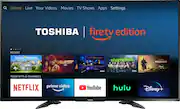
Rating 4.5 out of 5 stars with 1663 reviews
4.5- Picture Quality (860)
- Ease of use (263)
- Smart TV (133)
- Price (126)
- Color (26)
- Remote Control (44)
- Storage (16)
- Performance (13)
- Internet Connectivity (8)
- Volume (8)
Customer Images
The vast majority of our reviews come from verified purchases. Reviews from customers may include My Best Buy members, employees, and Tech Insider Network members (as tagged). Select reviewers may receive discounted products, promotional considerations or entries into drawings for honest, helpful reviews.
- Rated 5 out of 5 stars
Love this TV!
First 4k TV, I had been holding off until I needed a replacement rather than wanting one. Should have bought sooner! I'll get the negative out of the way first and I'm not even sure it is the TV's fault as opposed to an outside issue. When I was trying to log into my TV providers account on the Fire TV it would not let me. Every time I put in my info and tried to login it would just go back to the screen to pick my provider over and over again. Then it just magically worked for no apparent reason. Now to the good stuff! Picture quality is amazing. Almost too good. The clarity almost takes me out of the show because it looks so lifelike I can actually tell it's a set the actors are on. Hard to describe but I'm getting used to it and it'd not a problem, just an adjustment to make. The smart TV functions are cool. My local OTA channels now appear in a guide and I can always tell what is on, while my previous TV I had to actually tune to the channel to find out what was on at that time. All the extra apps I loaded work flawlessly and the TV is very responsive when pressing a button on the remote. Would have liked a number keypad on remote but it's fairly easy to tune to a channel so not a big deal. Having 3 HDMI ports is nice and many TV's at this price point only have 2. Light as well. I was able to hang it on my wall mount very easily. Overall having only owned this for about a week, so far I am very satisfied with it and very happy I finally upgraded. I missed the chance it had been on sale for another $60 cheaper than I payed a couple weeks prior but I was not ready to purchase and was comparing models. You won't regret this purchase.
Posted by JohnnyVegas
- Rated 5 out of 5 stars
Great Pic and Great Feature
We enjoy the picture and sound from this unit. It is the right size for our family room at a great price. The Fire TV features make it a great entertainment center easily finding movies and shows. It helps that we are Amazon Prime members and have a service subscription which make many apps free to use. There is a setting to allow the TV to come on with the last input source which is convenient. The storage for apps and games is not huge. I added a usb thumb drive thinking I could move apps over to it, but only a few can move to external Storage. That was a big surprise. My wife finds it more difficult to use than our previous Toshibs, but it has more features. It’s fine for those who are more technically oriented.
Posted by bbCharlie
- Rated 5 out of 5 stars
Oh my god
I was thinking for awhile about 4k and I went to Best Buy stores for awhile looking at them. Finally ordered a 55 inch toshiba and wow Is it gorgeous. I got a 4 k player and watched some things in 4 k and it’s stunning. The tv arrived safe and for me I put it up on my tv stand with ease Took me awhile to learn the controls but that’s my issue. Thanks best buy
Posted by Lamman
- Rated 5 out of 5 stars
Love this tv!
Very good picture quality! It has beautiful color and the picture is sharp all the way to the edges. Also, audio is great!
Posted by Cdrury
- Rated 4 out of 5 stars
Good tv quality bad Alexa experience
Tv quality I’m ok with price bought on Black Friday. Better than my Visio I previously had. The bad part is the Alexa amazon experience. It will lag, stop , or reset a lot and it’s plugged in manually to my network. My Xbox one runs the tv much better so I use it as my entertainment center than the amazon one. Other than that I’m good with tv.
Posted by Jelan