Rating 4.2 out of 5 stars with 173 reviews
4.2- Ease of use (45)
- Wi-Fi Range (22)
- Setup (14)
- Signal Strength (10)
- Performance (9)
- Compatibility (4)
- Connection (4)
Customer Images
The vast majority of our reviews come from verified purchases. Reviews from customers may include My Best Buy members, employees, and Tech Insider Network members (as tagged). Select reviewers may receive discounted products, promotional considerations or entries into drawings for honest, helpful reviews.
- Rated 5 out of 5 stars
Sure did help !!!
This product was easy to install. Just plug into outlet, then push the WPS button on your router, go to the extender and do the same thing with their button and it will link up quickly and return to encryption mode on its own. Then go to your device and search for the new WIFI signal ending in -ENT and connect. You will have to enter your routers password. The device tripled my Mbps on my devices.
Posted by John
- Rated 3 out of 5 stars
Decent extender with some limitations
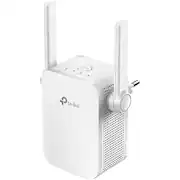
Bought the AC1200 Extender to address inconsistent reception of a desktop PC in one of the bedrooms. The instructions and video for setting up the extender are very clear and easy to follow. I used the Tether app for the iPhone, which made the set up much easier. The extender must be set up near the router, which necessitated using an extension cord, as all the outlets are behind furniture. Because my router has the same SSID for both the 2.4 and 5 Ghz bands, it was difficult assigning the separate 2.4 and 5 bands on the extender to the matching band on the router. It would have been helpful to have not only the SSID name, but either the MAC address or IP address from the router, for each band. Finding the best spot for setup is also relatively easy by plugging in the device and ensuring all the lights are solid blue. Because the 5 Ghz light was not lit, the device needed to be moved a number of times until it finally did; however, the range from the router was only about 30 feet away (and in an outlet higher up on a wall then a normal outlet is found). The Tether app also said the signal was strong enough to be moved farther from the router, but when it was, the signal strength dropped too much. The desktop PC in the bedroom found the 5 Ghz band on the extender as it had a unique SSID name, different from the router and the extender's 2.4 Ghz band. The wireless antenna on the desktop PC needed to be positioned towards the extender to get the best reception, although, the fastest download speed was 150 Mbps, about 35% of the available bandwidth speed. This is enough for most all of the streaming needs, but is a bit disappointing. It maintains a good, steady signal, making it worth having. A concern with this is the manufacturer recommends not doing firmware updates wireless, but using a wired connection. This seems cumbersome, particularly using the web browser to find and download the needed update files. Overall, the construction quality, ease of setup including videos and helpful manual, and apparent consistent signal strength are good, it does not seem the best solution to extend router signals, especially the 5 Ghz band, throughout a large home.
Posted by CaliTK
- Rated 5 out of 5 stars
TP-Link AC1200 Dual Band Wi-Fi Range Extender
The TP Link AC1200 Dual Band Range Extender was Very easy for me to set up. I am a senior, living in an apartment. Even though I have a high internet connection, I kept losing connection when I would use my iPad. It was very frustrating. I called the company for my internet connection problem, and was told that after “checking” my signal strength was fine. I started looking on the internet for a solution, and saw that the brand TP-Link was the favorite of many people with the same problem. I ordered the TP-Link AC 1200 Dual Band from Best Buy. It was very inexpensive compared to many other brands. I’m not very good with anything that is technical, and my children are out of town. I took my time, looking at the illustrations and read how to install. It didn’t take long at all. I tried 2 different areas to find the strongest signal and just plugged the unit in. That was all I had to do. My internet connection is much improved without losing connection. I would have to say, if it was easy for me to connect with the internet, as a senior, that anyone who purchases a TP Link range extender won’t have a problem setting one up to their internet
Posted by Cadillac
- Rated 4 out of 5 stars
Not bad!
It has been a mixed experience so far! Most of the time it delivers a seemless connection. However, sometimes it just fails to connect! The speed and coverage are excellent so far :)
Posted by ataluk
- Rated 4 out of 5 stars
Works well
Some reviews commented on the set up. This was a snap. Download the ap and follow the steps. My only complaint is it occasionally looses contact for a minute or two. Nice and small. I do have it about a 100 ft from the router.
Posted by David