Rating 4.3 out of 5 stars with 115 reviews
4.3- Ease of use (30)
- Coverage (17)
- Speed (16)
- Setup (12)
- Signal Strength (8)
- Heat (3)
Customer Images
The vast majority of our reviews come from verified purchases. Reviews from customers may include My Best Buy members, employees, and Tech Insider Network members (as tagged). Select reviewers may receive discounted products, promotional considerations or entries into drawings for honest, helpful reviews.
- Rated 5 out of 5 stars
Great Distance Range
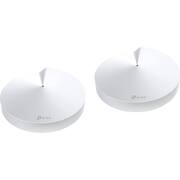
I have a separate router and modem. My router was performing OK for PC use but too often there was buffering issues with sports and other TV streaming via a Roku that was in a different room than the router/modem. The M9 two pack solved the buffering problem by engulfing my home with continuous WIFI coverage. One main disk was placed in my office and the other satellite disk was placed in the living area in an unobtrusive place; a bottom shelf of a small table. The M9 Deco also replaced the unattractive router that was sitting on my desk so I eliminated a device that was taking up desk space. I set the main Deco smart hub disk on a shelf underneath my desk out of sight. BTW: if your space is such that you can not place the Deco disks out of sight, don't worry because they are well designed and look like ornamental art.
Posted by Iriszone
- Rated 4 out of 5 stars
works well but still waiting on firmware updates
Overall the TP-Link Mesh is good. It works well, we haven't had any drop outs, and tri-band helps keep the 2.4 and 5 channels open and fast for your devices while using the 3rd band for back-haul communications. This works well and, like I said, we have not had any dropouts or slow downs and have had this system for a month or more. My speeds have been better than when I was using one router for the whole house, we have a 2 story and basement at about 2500sqFt with drywall walls. Setup: Setup was really easy and has a pretty good walk through like most tech devices these days. The part I didn't like is this must be done on the app. Now there was some confusion on this for awhile among myself and others in the TP-Link forums until we found out that there is a V1 and a V2 of the Deco 9+ system. The newer (and only available that I can find) is the V2 which is what I purchased from best buy. The reason this is so important is because V1 has already received an update that allows you to access the UI on a web page (192.168.x.xxx) as well as see which device is on which wifi band and which mesh unit. Currently as of writing this review on 6/17/20, the promised update for the V2 9+ has still not been released, however there is a beta that can be found with some searching around the forums. It's worth noting this update has been "coming soon" for 9 months to a year so the fact that it is in beta is promising but don't hold your breath waiting for TP-Link to contact you back with any actual dates. So as it stands right now, the V2 does not show you which devices are connected to each mesh unit or if they are on the 2.4 or 5 channel. This is something that frustrates me and hence 4 out of 5 stars, but for most people who just want to set up a wifi system, have strong and reliable signal, and do not care about technicalities like which deco you are connected to or which channel you are on, will be plenty happy. And SOME day you have to figure the update will come for the V2. The other side of the argument is that TP-Link is delaying the update to make sure it works fully and is not full of bugs and errors like I've read about other systems from netgear tend to have. There is nothing worse than a backward firmware update, so for that, I can wait for them to do it right. Last note on setup and connecting to the correct band; even though you can not see which band your device connected to, I do have a few older devices that have to connect to a 2.4ghz band and the deco system correctly added it to the right band and those devices have not disconnected or had issues trying to "jump" to the 5ghz. So even though I can not monitor it right now, the system is doing a good job controlling the devices. Operation: Like I said already, I wasn't a huge fan of using an app to set up and monitor the system, I'm old school like that I guess, but that said, the app does actually operate really well. It's pretty user friendly and finding a setting or option is quick and easy. There's a more "basic" front page with information the average user will need like device lists and status, but then there are still more advanced options available to dive into if you need. That said, a web page UI would come in handy here and is probably what people who use the advanced features would prefer to use for port forwarding, device control etc. The system features some pretty cool parental controls that I do not use because we do not have children, but I played around with them anyway and did things like limited my wife's phone access and time just to mess with her and it worked pretty good, as well as gave me the same reaction as what I assume anyone with teenagers would get. You can make a profile and set devices to that profile as well as an age range, websites blocked, time limits for weekdays and weekends and bedtimes and a few other things. Best of all, it's free. No add on or subscription. That's not the case with the security and virus protection but that's more of an add on throw in type thing anyway. I activated the one month free which should be ending soon but I will probably not pay for it, we did not receive any alerts or warnings and have not really "needed" it. But it's there if you prefer to. As far as WiFi signal strength, I found our signal to be a lot stronger and consistent across the house. I put one unit upstairs and one unit on the ground/middle floor connected to the main modem. The basement still receives a strong signal and if I need to, I could always add another mesh unit there, but for now we have strong WiFi in all the places we need it. I also now have Ethernet ports available upstairs via the mesh unit so I can hard wire in my computer and other items that need a direct connection. Overall thoughts: Despite the annoyance of waiting on a firmware update to make features available that should have come with the unit out of the box, I am still happy with this system and am reluctantly sticking with it in hopes of a brighter future to come. I figure it does 90% of what I want and it does that 90% very well. That's not something I read consistently about any other tri-band system. The price is reasonable and the ability to work with most other TP-Link mesh routers promise longevity. I think most people looking for better wifi signal throughout their house would enjoy this system.
Posted by anickname
- Rated 5 out of 5 stars
At Last: Reliable Whole House Internet
Never noticed before I retired that my WIFI services were spotty— calls dropping, intermittent internet access, poor signal strength, etc. I called my ISP and asked them to resend the signal which only helped for a limited time (couldn’t stream a movie and binge watching anything was simply....painful). Then I learned from my ISP about whole house mesh WIFI systems (for an additional monthly fee) and started researching (decided to buy outright as I did with our Arris modem). TP-Link performed well in reviews, Best Buy offered this as a Deal of the Day and I jumped on it. It was one of my Best Buys ever. Here’s why: 1) set up was incredibly easy, 2) linking my devices to the system was easy, 3) checking WiFi speed is easy, 4) guest WIFI services is easy, 4) no more streaming issues, 5) whole house coverage is great ( l live in a tri-level single family home) — no dead zones, no dropped calls. In addition, I have the option to control my smart devices through my TP-Link (Alexa and TP are compatible) and free access to their Malware protection services for three years. TP-Link also offers the ability to regulate WI-FI usage for family members which might be important for families with young ones, but our nest is empty, so it’s a nice feature but not a determining one for me. This second generation TP-Link ticks all my boxes.
Posted by HappyLady2
- Rated 4 out of 5 stars
Great coverage so far
Purchased 4 units to replace an AMPLIFI mesh unit that wasn’t giving me enough coverage in a 5600 sq ft home 3 story home. 4 was probably overkill but I wanted no dead zones. I have 2 in the basement and then 1 on each of the other floors. I have had no problems since using these for the last 30’days with a strong signal and the speed is much better.
Posted by Bmwm3racer
- Rated 3 out of 5 stars
Issue connecting; wall & ceiling mount not allowed
I was installing this in my 1700 square foot home and each unit was less than 50 feet from each other with only 2 walls between them and I still had a very difficult time getting the 2nd unit to connect to the base unit. It required 6 attempts and me finally moving the 2nd unit right next to the base unit and then gradually moving it further away until I was able to get it to connect in my home office. Once connected the speed was good. I have a 300MBS plan with Xfinity and I was getting 280-320 consistently when I tested. The other reason for the 3 stars is TP Link doesn't state anywhere in the ad description that the disks can only be flat on a surface. I wanted to mount them on a wall or even my ceiling to get them out of plain sight. However, I discovered through a user forum and then verified on the TP-Link Website that this is discouraged and will likely degrade your speed. They could have included this in the description because I'm sure there are many people that want to mount them this way. I say this because there are numerous companies on Amazon selling wall and ceiling mounts for this product. Overall a solid performing unit just not 5 stars due the issues I had connecting the two disks and the disks very restrictive placement positions.
Posted by parkview