Rating 4.5 out of 5 stars with 6 reviews
4.5Customer Images
The vast majority of our reviews come from verified purchases. Reviews from customers may include My Best Buy members, employees, and Tech Insider Network members (as tagged). Select reviewers may receive discounted products, promotional considerations or entries into drawings for honest, helpful reviews.
- Rated 5 out of 5 stars
Small and Powerful!
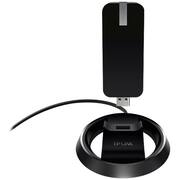
If you’re looking to upgrade your desktop or laptop wirelessly, you do not have to open up your computer to install a wireless network card. This is the easiest and safest way to upgrade your computer wirelessly, and you’ll simply plug this device into one of your USB ports to do it. The adapter will work with desktops and laptops. And it’s even small enough to travel with you when you hit the road. But don’t let its small size fool you. TP-LINK has managed to pack in some amazing technology inside this little guy. In fact, as of this writing, this is TP-LINK’s most powerful wireless USB adapter to date. Providing you a buttery smooth experience for online gaming and HD content streaming, with up to 600 Mbps on the 2.4GHz band, and up to 1300 Mbps on the 5GHz band. So now with the Archer T9UH, you no longer have to suffer from Cry-Fi, you know, Wi-Fi that makes you cry every time you try and use it. Here’s a look at some of its features: • AC1900 Wi-Fi for faster connections while gaming and streaming • Selectable 2.4GHz (600Mbps) and 5GHz (1300Mbps) dual band • Four High-gain antennas (built inside of device) • Dock and cable design for easy portability, placement and adjustment • Beamforming sends and receives targeted Wi-Fi signals for better performance • Supports Mac OS X (10.11-10.7), Windows 10 /8.1/8/7/XP (32 and 64-bit), and Linux operating systems • Works with with any Wi-Fi router • WPS button included for quick and easy setup • Connect to a USB 3.0 port for best performance results • Protect and secures your data with advanced WPA/WPA2 encryption • Utilizes 802.11ac (backwards compatible with 802.11 a/b/g/n) 2yr warranty, 24/7 unlimited technical support by phone (1-866-225-8139) and email (support.usa@tp-link.com) You can use the adapter without the dock by plugging it directly into a USB port on your computer, but I actually prefer to use it connected to the dock, which allows me to place it out of the way. Plus, being able to place it up a little higher may increase Wi-Fi performance. The adapter’s outer body is made of plastic, with a glossy black finish. Build quality seems decent. The dock has a nice, soft padded bottom, which will keep the adapter from scratching the surface you place it on. It is also slightly heavy, which should help keep it from being tipped over too easily. The built-in USB 3.0 cable is plenty long enough to place the dock out of the way when using it with the dock. The cable is not stiff and can easily be positioned. As for the performance of this little guy. It packs a serious punch! I am very surprised, and extremely pleased, with the performance. I am getting the exact same speed results using this adapter as I do when I am connected directly to my modem using an Ethernet cable. I am getting 90+ download / 12+ upload over Wi-Fi! I do have a high speed Internet plan, and I am also using the adapter with a high-end AC router, which certainly helps in allowing me to achieve those great results. So do keep this in mind. And if you own a wireless AC router, the Archer T9UH would be a great wireless adapter to pair with it. I wish you the best of luck with your decision. Submitted as part of a free sample program
Posted by TechOnDeck
- Rated 4 out of 5 stars
REVIEW OF: TP-Link Dual-Band Wireless-AC Adapter
REVIEW OF: TP-Link - Dual-Band Wireless-AC USB Network Adapter - Black, ARCHER T9UH Model: Archer T9UH SKU: 5689640 [PRO's] - stylish - easy installation set-up (requires CD-ROM) - fast reliable 5GHz Wireless connections (supports ac only, ac/n, ac/n/c) and others including 2.4GHz dual band frequencies. [CON's] - none
Posted by solarpm
- Rated 5 out of 5 stars
Excellent adapter
Powerful adapter that receives a signal anywhere in the house. Stays connected to the Wi-Fi network even if Internet connection is lost. Using troubleshooting always resolves any Internet connectivity issues.
Posted by Nalebranc
- Rated 4 out of 5 stars
works as stated
easy to install, easy set upworks well, great range,
Posted by BestBuyFan
- Rated 4 out of 5 stars
Pleased with my purchase
I have used this wireless adapter a lot and I am very happy with it. Helped me a lot with my projects...
Posted by KMK88