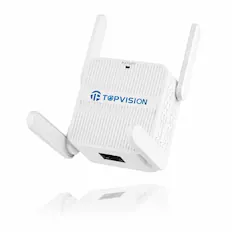
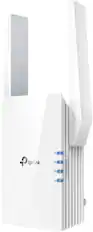
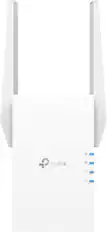
TP-Link - RE220 - Dual Band IEEE 802.11ac 750 Mbit/s Wireless Range Extender - Covers Up to 1200 Sq.ft and 20 Devices - Unknown
About this product
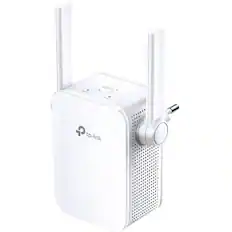
TP-Link RE220 - Dual Band IEEE 802.11ac 750 Mbit/s Wireless Range Extender - Covers Up to 1200 Sq.ft and 20 Devices - WiFi Booster to Extend Range of WiFi Internet Connection
Features
Boost Your Wi-Fi to hard-to-reach Areas
Place the RE220 between your wireless router and wireless devices, expanding Wi-Fi coverage while eliminating Wi-Fi dead zones. The dual-band Wi-Fi up to 750 Mbps can not only extend to 32,00 sq. ft. (300m2) with the router, but also make good use of your high ISP speed , ideal for HD video streaming, online gaming and other bandwidth-intensive tasks.
Stable Dual Band Connection for More Devices
The RE220's Wireless AC technology creates faster and stronger Wi-Fi connections across your home and extends dual band Wi-Fi up to 750 Mbps. Dual 2.4 GHz and 5 GHz bands provide Wi-Fi connections to up to 32 devices, allowing you to enjoy stable and drop-free experience on all your devices.
Simple Two-Step Setup
Step 1: Press the WPS button on the router and RE220 to easily connect the extender to the network. Or connect theextender via Tether app or Web UI if your router doesn't support WPS. Step 2: Relocate the extender to a better location for optimal Wi-Fi coverage with the help of the smart signal indicator light.
An Access Point as well as a Wireless Adapter
The Ethernet port of RE220 can easily turn your wired Internet connection into a wireless access point. And it can also function as a wireless adapter to connect wired devices.
High Speed Mode for Maximized Performance
High Speed Mode uses one dedicated Wi-Fi band as backhaul and another dedicated Wi-Fi band as an access point to maximize the bandwidth on extender Wi-Fi.
Specifications
- Wireless StandardAC
Reviews
Rating 4.5 out of 5 stars with 2 reviews
The vast majority of our reviews come from verified purchases. Reviews from customers may include My Best Buy members, employees, and Tech Insider Network members (as tagged). Select reviewers may receive discounted products, promotional considerations or entries into drawings for honest, helpful reviews.
Compare similar products

TP-Link RE220 - Dual Band IEEE 802.11ac 750 Mbit/s Wireless Range Extender - Covers Up to 1200 Sq.ft and 20 Devices - WiFi Booster to Extend Range of WiFi Internet Connection

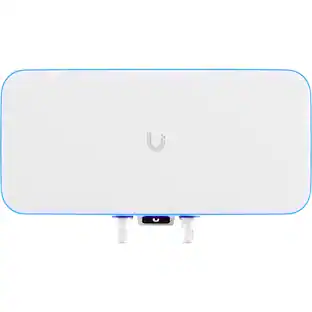
Experience fast and reliable wireless connections by expanding your network with the UniFi U7 Pro Tri-Band Wi-Fi 7 Access Point from Ubiquiti Networks. Supporting over 300 concurrent connections, this Wi-Fi 7 (802.11be) access point mounts onto a wall or ceiling to provide up to 9335 Mb/s transfer speeds over the 2.4 GHz, 5 GHz, and 6 GHz bands. You can also isolate guest traffic to ensure optimal security and speed.
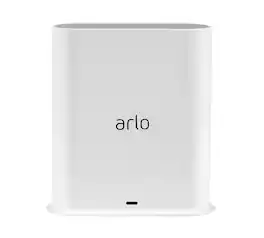
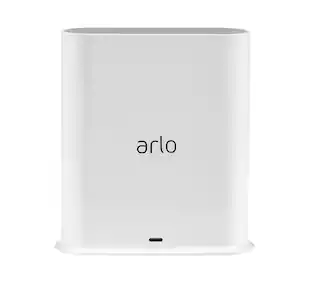
The Arlo Pro SmartHub securely connects your Arlo cameras to the Internet via your home router, while providing long range connectivity and better battery life for your cameras. VMB5000-100NAS Works with: Arlo Ultra, Ultra 2 & 2 XL Cameras, Arlo Pro & Pro 2 Cameras, Arlo Pro 3 Cameras, Arlo Pro 4 & Pro 4 XL Cameras, Arlo Pro 5S 2K Cameras, Arlo Essential Spotlight Cameras, Arlo Essential Spotlight XL Cameras, Arlo Essential Indoor Cameras, Arlo Essential Wireless Video Doorbell, Arlo Essential Wired Video Doorbell, Arlo Audio Doorbell
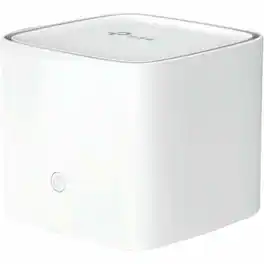
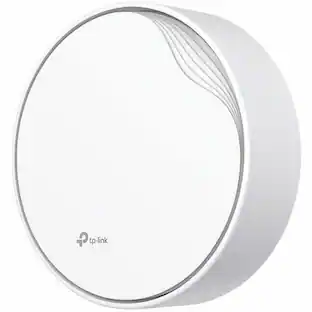
TP-Link HC220-G5 Dual Band Wi-Fi 5 IEEE 802.11 a/b/g/n/ac 1.14 Gbit/s Wireless Access Point - 2.40 GHz, 5 GHz - MIMO Technology - 3 x Network (RJ-45) - Gigabit Ethernet - 1
Specs
Be the first to ask a question.
We’ll try to get your question answered within 24 hours by a Best Buy customer or brand representative.
Customers often buy these together
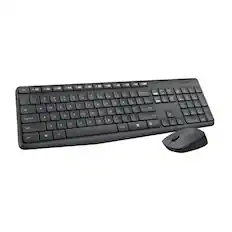
Logitech - MK235 Wireless Membrane Keyboard and Optical Mouse Bundle for PC - Black
$25.42The price was $27.99


More to consider
 $123.60The price was $138.00
 $192.44The price was $200.40






Explore tech essentials Sponsored


Keep exploring
 $352.02The price was $372.30
- $123.60The price was $138.00
- $192.44The price was $200.40