Rating 4.6 out of 5 stars with 41 reviews
4.6- Security (21)
- Ease of use (18)
- Display (7)
- Setup (6)
- USB-C (6)
- Size (4)
Customer Images
The vast majority of our reviews come from verified purchases. Reviews from customers may include My Best Buy members, employees, and Tech Insider Network members (as tagged). Select reviewers may receive discounted products, promotional considerations or entries into drawings for honest, helpful reviews.
- Rated 5 out of 5 stars
Very sufficient
I love this product! I am not tech savy using this device was easy. The insturction where clear making the process a quick one.
Posted by DebraW
- Rated 5 out of 5 stars
Perfect First Wallet
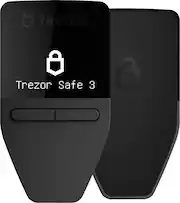
The Trezor Safe 3 is a great crypto wallet, with an easy to read 0.96” monochromatic OLED display and a 2 button interface it offers a security and simplicity. Setting up the device was a breeze. The Safe 3 comes factory sealed, with security foil over the USB C port for peace of mind. In addition, it features a Secure Element (EAL6+) which combined with a PIN ensure your coins are secure. Included in the box is a USB C to USB C cable for interfacing with the Trezor Suite on your computer, recovery seed cards, snd some stickers. After installing the Trezor Suite and connecting the Safe 3, it walks you through the setup which is a breeze. You can use the device with multiple coins but Trezor also offers a bitcoin only mode which is a nice touch. You choose your recovery method such as 12, 20, or 24 word seeds for simplicity or advanced multi-share for redundancy. Despite only 2 buttons, the Safe 3 has an intuitive interface and is easy to enter your PIN to confirm all wallet actions for security. Trezor also allows you to setup a hidden wallet secured by a passphrase, that is not normally visible, effectively thwarting any wallet thieves. In the event the wallet is lost or stolen, you recover your crypto using your seed words or shares. The Trezor suite has a clean interface to use in conjunction with your hardware wallet, allowing you to not just send/receive coins but also buy, sell, and exchange coins through a variety of third parties. Though the wallet does not interface with a mobile device directly, there is a companion app you can use to check balances and receive coins. The Trezor Safe 3 is an affordable and easy to use crypto hardware wallet that provides a secure way to store your cryptocurrency, making it a great choice for hardware wallets. With the secure element and proven open source design, the Safe 3 is the perfect choice for anyone looking to store and manage their own private keys.
Posted by PeboQuattro
- Rated 5 out of 5 stars
New Cryptocurrency Wallet with EAL6+ Secure chip!
Trezor safe3 The Trezor Safe3 hardware cryptocurrency wallet is a robust and reliable device designed for securing digital assets. Here’s an in-depth review covering various aspects of the device: The Trezor Safe3 has the same form as previous Trezor wallets. The wallet has a sturdy build durability. Its compact size makes it highly portable, allowing users to carry it conveniently. The buttons are responsive and provide good tactile feedback, enhancing the overall user experience. Security is the primary focus this hardware wallet the Trezor Safe3 uses a multi-layered approach: - Verification of the device prior to first use - A EAL6+ certified Secure Element Chip: Ensures that private keys never leave the device. - PIN Protection: Prevents unauthorized access even if the device is lost or stolen. - Passphrase Protection: Adds an additional layer of security by allowing you to set a custom passphrase. - Firmware Verification: Regular firmware updates and open-source code ensure that the device remains secure against potential vulnerabilities. - ability to use 12 or 24 word seed phrases or you can also use Shamir backup 20 word multiple passwords to use for wallet recovery. - ability to use the Tor network for transactions and coinjoin for Bitcoin The Trezor Safe3 features a simple and intuitive user interface using two buttons on the device. You are guided through the various combinations and use by a tutorial when you first set up the device. Setting up the wallet is simple, you download the Trezor suite, connect the wallet to your computer with the included USB C cable. The device ships without firmware. The latest firmware is installed and it is Verified as genuine. You then set up the wallet security options, choosing the type of seed phrase you want to use, Pin and Passphrase. You will also choose the tokens you want to use the wallet with. Some tokens are not supported on the device but may be supported with Metamask or other wallets after you link the Trezor to it. You can even change the name of the wallet and the screen background. The monochrome 128 x 64 OLED display is bright and clear, making it easy to navigate through menus and verify transaction details. did find the text quite small for my eyes. If you are older you may opt for the Safe5 with a larger display, touch screen and the same security features. The Trezor Safe3 supports a wide range of cryptocurrencies, including Bitcoin, Ethereum, Solana and many ERC-20 tokens. It integrates seamlessly with popular wallet management software such as Trezor Suite, Electrum, MyEtherWallet and Metamask. This broad compatibility ensures that users can manage a diverse portfolio of assets from a single device. You can see all the currently supported coins at https://trezor.io/coins additional tokens are being added by the Trezor team all the time. In terms of performance, the Trezor Safe3 is highly reliable. Transactions are processed quickly, and the device handles multiple transactions and complex operations with ease. Trezor provides robust customer support through various channels, including an extensive knowledge base, community forums, and direct support via email. The documentation is comprehensive, making it easy for users to find answers to common questions and troubleshoot any issues that may arise. One of the unique abilities of the Trezor Safe 3 is it can be used as a 2FA hardware key for any account that supports it. Details are here https://trezor.io/learn/a/what-is-u2f . To summarize the Trezor Safe 3 has a lot of great features - Exceptional security features - Easy-to-use interface - Wide cryptocurrency support - Ability to use as a hardware 2FA key - Compatibility with many 3rd party wallets for additional token support - Regular firmware updates - Strong customer support The Trezor Safe3 hardware cryptocurrency wallet is an excellent choice for anyone serious about securing their digital assets. Its combination of advanced security features, user-friendly interface, and extensive compatibility makes it a top contender in the hardware wallet market. For the price, the investment is justified by the peace of mind and protection it offers.
Posted by Idoc
- Rated 5 out of 5 stars
Security is a priority when it comes to crypto!
Regardless of the cryptocurrency of your choice, it is important to maintain secure access to an asset that at the end of the day represents money. One of the options is a Hardware Wallet where we can store and mainly protect the information that allows us to access our cryptocurrencies safely. The Trezor Safe 3 has everything necessary for this task. In the box comes the Trezor Safe 3 hardware wallet, a usb-c to usb-c cable, 2 recovery seed card, a quick start guide and some stickers. The device comes sealed (holographic seal) guaranteeing that the device has not been used before and is genuine, although still in the configuration the app performs a check to confirm it. The configuration process is very simple. First download and install the Trezor Suite app on your PC and connect the device using the usb-c cable. Then follow the instructions to securely configure your hardware wallet. The app gives you options as to what level of security you want to configure, I think this is great because we can add another layer or layers of security. If you have little experience with these devices that is not a problem because the app guides you step by step, also in the more serious security issues or possible inconveniences in transactions, it shows very well explained warnings where it warns us about the risks, I think this is very useful because sometimes we overlook things that seem simple at first glance but can cause major problems. Once we have configured the device then we can start moving our cryptocurrencies to our hardware wallet. You also need to verify and confirm the addresses on both the pc and the device for security. To access the device you need a PIN and within the Trezor Suite to access the wallet you can add a passphrase as another layer of security which I think is very helpful. The device has a compact and elegant design, it also has an oled screen that serves as an interface to manipulate the device. A nice detail is that you can select from various screensavers and they look great. In summary this Trezor Safe 3 hardware wallet is a fairly secure device to store cryptocurrencies at an affordable price, it has a very nice design and is very easy to use along with the Trezor Suit app that adds more layers of security. Without a doubt if there is an alternative to protect a crypto investment is a hardware wallet and the Trezor Safe 3 is a great option, I can recommend it.
Posted by Serv
- Rated 5 out of 5 stars
Compact hardware wallet
This is a nice hardware wallet that will allow you to store your crypto currencies offline. Just out of the box, the most noticeable thing is that the device is extremely compact; about the size of a key-fob, except thinner and lighter. The device comes with security foil covering the USB-C port, which allows you to make sure the unit hasn’t been accessed previously. Setup is simple and straight-forward; install the Trezor Suite, connect the device using the included cable, then follow the instructions. During setup, you choose either 12, 20 or 24 word seed phrases, and then there is also the added protection of a PIN that you choose. All device interactions are conducted using 2 buttons under the small OLED display which is built into the unit. The OLED is quite small, but it’s quite easy to read and interact to prompts. The buttons are responsive, and although at first, I thought this interface was going to be a pain to work with, it proved me wrong. The device allows the use of the TOR network to anonymize/obfuscate transactions, However, this option is not on by default, and has to be enabled using the software Suite. The Trezor Suite software has a streamlined/uncluttered layout which makes sending/receiving coins very easy. It also allows the buying, selling, and exchanging of coins. The device supports the following coins: Bitcoin, Litecoin, Ethereum, Ethereum Classic, XRP, Bitcoin Cash, Dogecoin, Zcash, Cardano, Solana, Polygon. This list doesn’t cover all of the coins I currently own, but it does cover a substantial number where I’m holding the most value. Overall, I think this is a very robust product and I would recommend it to someone looking for an offline crypto storage product.
Posted by Chuck