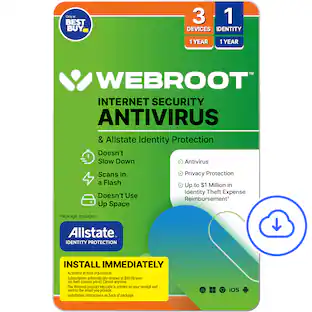
Webroot - Internet Security & Allstate Identity Protection (3 Devices/1 Identity) (1-Year Subscription – Auto Renewal) - Android, Apple iOS, Chrome, Mac OS, Windows [Digital]
Customers are saying
Customers often highlight the overall performance of Internet Security & Allstate Identity Protection, expressing satisfaction with the results. Users also appreciate the virus protection feature, noting that it consistently scans for viruses. There are no cons mentioned for this product.
Features
Automatically renewing
After the initial term, Internet Security with Antivirus & Allstate Identity Protection subscription will renew each year at $99.99 (or the then-current price) unless canceled by phone before yearly renewal date by calling 1-888-BestBuy.
System Analyzer, only at Best Buy
Webroot Analyzer runs and scans to check for any signs of trouble and then provides a detailed report, highlighting your device’s overall health, pointing out any areas that need attention.
Identity, credit and account monitoring
Monitor your identity, credit and financial accounts and get alerts if potential fraud is detected.
Advanced dark web monitoring
Get notified if your personal data is found in a data breach or your credentials are compromised.
24/7 U.S.–based support
Get help from experts to restore your stolen identity or mitigate fraud on your accounts.
Up to $1 million
Get to $1 million in expense reimbursement* for stolen funds and out-of-pocket costs due to identity theft including up to $150k for 401(k)/HSA saving accounts.
Antivirus
Anti-phishing, malware, ransomware protection against existing and emerging threats.
Password manager
Helps you create and store strong and unique passwords and secure your logins credentials.
*Identity theft insurance covering expense and stolen funds reimbursement is underwritten by American Bankers Insurance Company of Florida, an Assurant company.
*The description herein is a summary and intended for informational purposes only and does not include all terms, conditions, and exclusions of the policies described. Please refer to the actual policies for terms, conditions, and exclusions of coverage. Coverage may not be available in all jurisdictions. Product may be updated or modified. Certain features require additional activation.
Specifications
- Number of Devices3Operating System CompatibilityAndroid, Apple iOS, Chrome, Mac OS, WindowsSoftware FormatDigitalSubscription Period1 Year
Reviews
Rating 4.6 out of 5 stars with 31 reviews
- Overall Performance (5)
- Virus Protection (3)
Customer Images
The vast majority of our reviews come from verified purchases. Reviews from customers may include My Best Buy members, employees, and Tech Insider Network members (as tagged). Select reviewers may receive discounted products, promotional considerations or entries into drawings for honest, helpful reviews.
Compare similar products
![Webroot - Internet Security & Allstate Identity Protection (3 Devices/1 Identity) (1-Year Subscription – Auto Renewal) - Android, Apple iOS, Chrome, Mac OS, Windows [Digital]](https://pisces.bbystatic.com/image2/BestBuy_US/images/products/a03952de-acda-4bf2-a1b8-786ae396a8dd.jpg;maxHeight=422;maxWidth=264?format=webp)
The all-in-one protection for your Devices, Privacy and Identity. Keep your devices and identity safe with Webroot Internet Security with Antivirus & Allstate Identity Protection. The advanced anti-virus solution that proactively blocks emerging threats. Our lightweight and fast software won't slow down your computer. Plus, with our partnership with Allstate Identity Protection, you'll have advanced ID protection with active monitoring and rapid alerts alongside coverage for up to $1 million in expense reimbursement* for stolen funds and out-of-pocket cost's due identity theft. Protect yourself while you do everyday activities like banking, shopping, and browsing online with Webroot Premium, the all-in-one solution for device and identity protection. Installing your Webroot and registering with Allstate Identity Protection is easy. Simply visit webroot.com/safe, create an account, and enter your Webroot 20-digit keycode. Click on the Download and Identity Protection tabs and follow the on-screen instructions.
![Webroot - Premium Antivirus Protection (10 Device) with Allstate Identity Protection (1 Identity) - Android, Apple iOS, Chrome, Mac OS, Windows [Digital]](https://pisces.bbystatic.com/image2/BestBuy_US/images/products/c1e0c478-e54c-48c8-9c07-312aa059f0f9.jpg;maxHeight=422;maxWidth=264?format=webp)
Award-winning, Webroot Antivirus has partnered with Allstate Identity Protection to provide customers with the peace of mind they deserve. With Webroot Premium, you’ll have antivirus protection against emerging threats for up to 10 devices, a password manager, plus a system optimizer to clean your devices and erase traces of online activity. And now with Allstate Identity Protection, you get Credit, Dark Web, Identity, and Financial Monitoring and alerts on threats to your identity. If there’s an issue, you have 24/7 U.S.-based support with identity restoration experts and up to $1 million in expense reimbursement for stolen funds and out-of-pocket costs due identity theft†. Webroot Premium – protection for your devices, privacy and identity.
![Webroot - Internet Security with Antivirus Protection (3 Devices) (1-Year Subscription – Auto Renewal) - Android, Apple iOS, Chrome, Mac OS, Windows [Digital]](https://pisces.bbystatic.com/image2/BestBuy_US/images/products/a6b7908a-ac21-4bfa-a411-42023ba1cee3.jpg;maxHeight=422;maxWidth=264?format=webp)
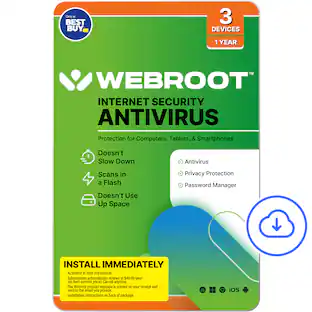
Real-time protection for PC, Mac, Chromebook Android and IOS devices.Cloud based Webroot Internet Security Plus with Antivirus proactively shields households from the latest malware, phishing scams and other cyberattacks—all without slowing down your computer.We continuously analyze and classify billions of apps, files, websites and more so you bank, shop and browse online worry-free. Our leading rollback technology automatically returns infected devices to their original state.Installing in seconds and designed to work with any software, the full package features Chromebook security and system optimizer. Webroot empowers you with peace of mind without slowing you down.
![Webroot - Internet Security Plus + Antivirus Protection (6 Devices) (1-Year Subscription) - Android, Apple iOS, Chrome, Mac OS, Windows [Digital]](https://pisces.bbystatic.com/image2/BestBuy_US/images/products/91134ad2-3809-4186-bff8-04e16cd944c4.jpg;maxHeight=422;maxWidth=264?format=webp)
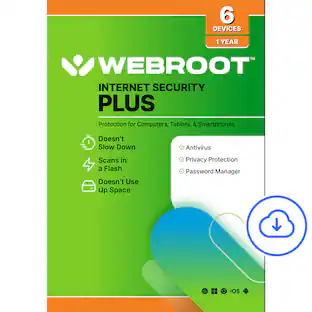
Webroot Internet Security Plus offers real-time, always up-to-date protection for multiple connected devices. It safeguards your personal data from online threats like viruses, phishing attempts, ransomware attacks, and more. With the included password manager, you'll be able to easily secure and access all your logins and passwords, without having to memorize them!
| Pros for Webroot - Internet Security & Allstate Identity Protection (3 Devices/1 Identity) (1-Year Subscription – Auto Renewal) - Android, Apple iOS, Chrome, Mac OS, Windows [Digital] | |||
|---|---|---|---|
| Overall Performance, Virus Protection | Overall Performance, Installation, Ease of use, Identity Protection, Scan Speed | Overall Performance, Protection, Ease of Use, Installation, Antivirus Performance | Overall Performance, Protection, Ease of Use, Installation, Antivirus Performance |
| Cons for Webroot - Internet Security & Allstate Identity Protection (3 Devices/1 Identity) (1-Year Subscription – Auto Renewal) - Android, Apple iOS, Chrome, Mac OS, Windows [Digital] | |||
| There were no cons for this product— | Firewall, User Interface | There were no cons for this product— | There were no cons for this product— |
Specs
Questions & Answers
Can Webroot be used on an iPhone and laptop
Answered by WebrootTeamThank you for your question and for choosing Webroot. Yes! Webroot Internet Security & Allstate Identity Protection can be used on both an iPhone and a laptop, provided they are among the supported devices covered by your subscription. Webroot supports: iPhone and iPad (iOS) Windows PCs Mac computers Android devices You can use the same subscription to protect multiple compatible devices up to the number allowed by your plan. Webroot helps protect against online threats, while Allstate Identity Protection provides identity monitoring and related protection features. To get started, simply visit https://www.webroot.com/secure, create or sign in to your account, and follow the instructions to install and activate protection on your devices. We appreciate your interest in Webroot and are happy to answer any additional questions.
I have a 1 year subscription which is renewed every year. . how do I download WEBROOT to other devices? One computer does not have a CD drive.
Answered by WebrootTeamThank you for your question and for choosing Webroot. You do not need a CD drive to install Webroot on additional devices. Simply visit https://www.webroot.com/secure, sign in to your Webroot account, and use your existing 20-character keycode to download and install Webroot on your other supported devices. To install on another computer: Go to https://www.webroot.com/secure. Sign in to your Webroot account or create one if needed. Download the Webroot installer. Run the installer and enter your existing keycode when prompted. Follow the on-screen instructions to complete the installation. Your subscription can be installed on up to the number of devices included in your plan. If you need assistance locating your keycode or managing your devices, please visit https://answers.webroot.com. We appreciate your patience and look forward to assisting you.
Does this webroot antivirirus have vpn protection
Answered by WebrootTeamThank you for your question and for choosing Webroot. No, Webroot Internet Security & Allstate Identity Protection does not include a VPN as part of this subscription. This product provides protection against viruses, malware, phishing attacks, online scams, and identity-related threats, but Webroot Secure VPN is a separate product. The current Webroot Best Buy assortment does not include a VPN option, but we are looking at adding it in the near future. We appreciate your interest in Webroot and are happy to answer any additional questions.
How do you add internet security to your devices
Answered by WebrootTeamThank you for your question and for choosing Webroot. To add Webroot Internet Security to your devices: Visit https://www.webroot.com/secure. Sign in to your Webroot account or create one if you haven't already. Enter your 20-character Webroot keycode. Download the Webroot application for your device. Follow the on-screen instructions to install and activate Webroot. You can install Webroot on supported Windows PCs, Macs, Android devices, and iPhones/iPads, up to the number of devices included with your subscription. If you need assistance with installation or activation, please visit https://answers.webroot.com. We appreciate your patience and look forward to assisting you.
How many devices can be protected with this subscription?
This subscription allows you to protect up to three devices.
This question and answer was generated by AI based on customer and product data.

Customers often buy these together
 Top Deal$699.99The price was $1,199.99
 Top Deal$899.99The price was $1,499.99
 $32.04The price was $39.99
 $643.99The price was $879.99
 $23.99The price was $29.99





More to consider
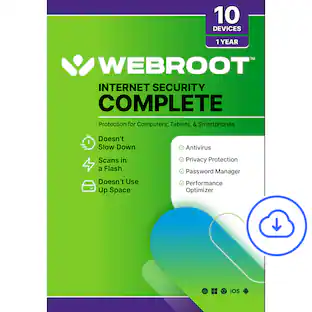 $39.99The price was $79.99
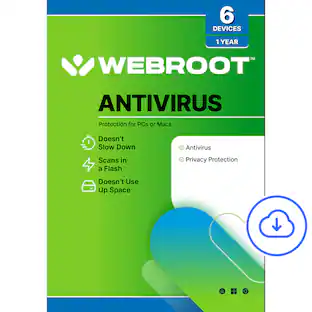 $29.99The price was $39.99
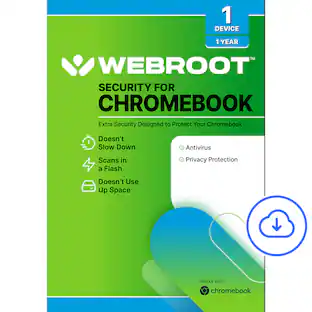 $14.99The price was $24.99
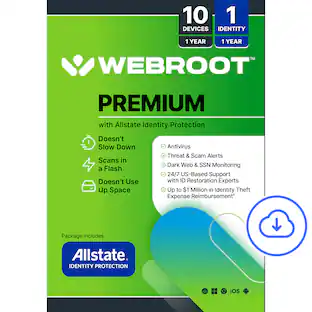

Explore tech essentials Sponsored
 $44.99The price was $84.99



Discover related products
 $249.99The price was $275.00
 $12.99The price was $13.99
 $149.99The price was $169.99