Webroot - Premium Antivirus Protection (10 Device) with Allstate Identity Protection (1 Identity) - Android, Apple iOS, Chrome, Mac OS, Windows [Digital]
Customers are saying
Customers are enthusiastic about the Premium Antivirus Protection's overall performance and ease of use, highlighting its dependability and strong security features. Many appreciate the identity protection provided by Allstate and find the installation process straightforward. Some customers have expressed concerns regarding the absence of a firewall and the outdated feel of the user interface.
Features
Powerful, lightning-fast antivirus
Protects your computer from viruses and malware through the cloud; Webroot scans faster, uses fewer system resources and safeguards your devices in real-time by identifying and blocking new threats.
Identity theft protection and anti-phishing
Webroot has partnered with Allstate Identity Protection. Webroot Premium protects your identity with dark web, identity, and financial monitoring and safeguards your personal information with rapid alerts on threats to your identity.
Full-service Identity Theft remediation
Should something go wrong; Allstate Identity Protection’s 24/7 U.S.-based support will help you with full-service remediation.
Identity theft expense reimbursement
Up to $1 million in expense reimbursement for stolen funds and out-of-pocket costs due to identity theft including up to $150k for 401(k)/HSA saving accounts†, it makes it easier to cover lawyer, expert and other fees related to remediation, or funds stolen from your bank account.
Stay up to date against threats
Webroot scours 95% of the internet three times per day including billions of web pages, files and apps to determine what is safe online and enhances the software automatically without time-consuming updates.
Protect up to 10 devices
Compatible with PC, MAC, Chromebook, Mobile Smartphones and Tablets including Windows, macOS, Apple iOS and Android.
Manage your passwords
Secure password manager helps you create, store and manage strong and unique passwords and saves you time with autofill when you sign-in to your favorite apps and sites.
Protect Chromebooks
Chromebooks are susceptible to fake applications, bad browser extensions and malicious web content; close these security gaps with extra protection specifically designed to safeguard your Chromebook.
† Identity theft insurance covering expense and stolen funds reimbursement is underwritten by American Bankers Insurance Company of Florida, an Assurant company.
The description herein is a summary and intended for informational purposes only and does not include all terms, conditions, and exclusions of the policies described. Please refer to the actual policies for terms, conditions, and exclusions of coverage.
Coverage may not be available in all jurisdictions. Product may be updated or modified. Certain features require additional activation.
Specifications
- Number of Users1Number of Devices10Operating System CompatibilityAndroid, Apple iOS, Chrome, Mac OS, WindowsSoftware FormatDigitalSubscription Period1 Year
Reviews
Rating 4.5 out of 5 stars with 106 reviews
- Overall Performance (19)
- Ease of use (16)
- Identity Protection (14)
- Installation (7)
- Scan Speed (4)
- Firewall (3)
- User Interface (3)
Customer Images
The vast majority of our reviews come from verified purchases. Reviews from customers may include My Best Buy members, employees, and Tech Insider Network members (as tagged). Select reviewers may receive discounted products, promotional considerations or entries into drawings for honest, helpful reviews.
Compare similar products
![Webroot - Premium Antivirus Protection (10 Device) with Allstate Identity Protection (1 Identity) - Android, Apple iOS, Chrome, Mac OS, Windows [Digital]](https://pisces.bbystatic.com/image2/BestBuy_US/images/products/c1e0c478-e54c-48c8-9c07-312aa059f0f9.jpg;maxHeight=422;maxWidth=264?format=webp)
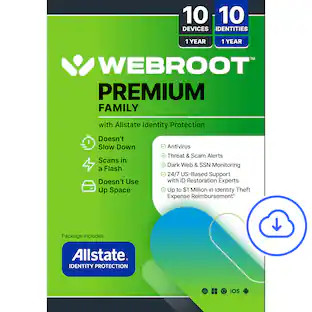
Award-winning, Webroot Antivirus has partnered with Allstate Identity Protection to provide customers with the peace of mind they deserve. With Webroot Premium, you’ll have antivirus protection against emerging threats for up to 10 devices, a password manager, plus a system optimizer to clean your devices and erase traces of online activity. And now with Allstate Identity Protection, you get Credit, Dark Web, Identity, and Financial Monitoring and alerts on threats to your identity. If there’s an issue, you have 24/7 U.S.-based support with identity restoration experts and up to $1 million in expense reimbursement for stolen funds and out-of-pocket costs due identity theft†. Webroot Premium – protection for your devices, privacy and identity.
![Webroot - Complete Internet Security + Antivirus Protection (10 Devices) (2-Year Subscription) - Android, Apple iOS, Chrome, Mac OS, Windows [Digital]](https://pisces.bbystatic.com/image2/BestBuy_US/images/products/967b9af9-7ec0-46bc-adbd-c4ad3a9c8f7d.jpg;maxHeight=422;maxWidth=264?format=webp)
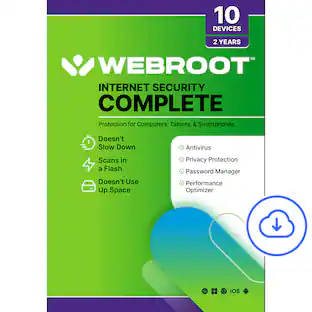
Webroot Complete's comprehensive protection offers real-time, always up-to-date protection for your connected devices. It safeguards your personal data from online threats like viruses, phishing attempts, ransomware attacks, and optimizes your computer performances. With the included password manager, you'll be able to easily secure and access all your logins and passwords, without having to memorize them!
![Webroot - Internet Security Plus + Antivirus Protection (6 Devices) (1-Year Subscription) - Android, Apple iOS, Chrome, Mac OS, Windows [Digital]](https://pisces.bbystatic.com/image2/BestBuy_US/images/products/91134ad2-3809-4186-bff8-04e16cd944c4.jpg;maxHeight=422;maxWidth=264?format=webp)
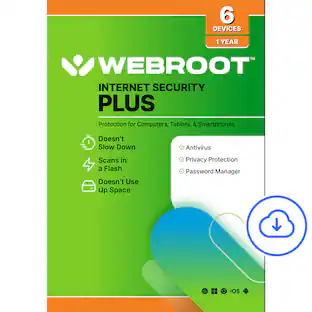
Webroot Internet Security Plus offers real-time, always up-to-date protection for multiple connected devices. It safeguards your personal data from online threats like viruses, phishing attempts, ransomware attacks, and more. With the included password manager, you'll be able to easily secure and access all your logins and passwords, without having to memorize them!
![Webroot - Complete Internet Security + Antivirus Protection (10 Devices) (1-Year Subscription) - Android, Apple iOS, Chrome, Mac OS, Windows [Digital]](https://pisces.bbystatic.com/image2/BestBuy_US/images/products/28e96c22-d138-4458-bdb8-733198865a10.jpg;maxHeight=422;maxWidth=264?format=webp)
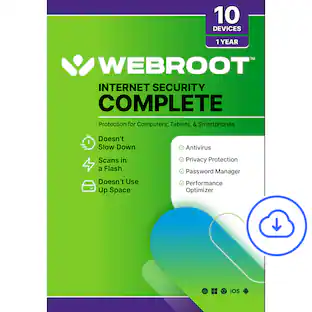
Webroot Complete's comprehensive protection offers real-time, always up-to-date protection for your connected devices. It safeguards your personal data from online threats like viruses, phishing attempts, ransomware attacks, and optimizes your computer performances. With the included password manager, you'll be able to easily secure and access all your logins and passwords, without having to memorize them!
| Pros for Webroot - Premium Antivirus Protection (10 Device) with Allstate Identity Protection (1 Identity) - Android, Apple iOS, Chrome, Mac OS, Windows [Digital] | |||
|---|---|---|---|
| Overall Performance, Installation, Ease of use, Identity Protection, Scan Speed | Overall Performance, Ease of Use, Installation, Security | Overall Performance, Protection, Ease of Use, Installation, Antivirus Performance | Overall Performance, Ease of Use, Protection, Installation, Device Compatibility |
| Cons for Webroot - Premium Antivirus Protection (10 Device) with Allstate Identity Protection (1 Identity) - Android, Apple iOS, Chrome, Mac OS, Windows [Digital] | |||
| Firewall, User Interface | There were no cons for this product— | There were no cons for this product— | There were no cons for this product— |
Specs
Questions & Answers
Does this have all the features that are in Webroot Internet Security Complete? Does this include the Internet firewall, Password Manager, and Clean-up?
Answered by WebrootTeamThank you for your question. Yes. Webroot Premium Antivirus Protection with Allstate Identity Protection includes all of the features found in Webroot Complete Internet Security, plus additional identity protection services. In addition to the security features included with Complete Internet Security, Premium Antivirus Protection includes: Up to $1 million in identity theft expense reimbursement coverage 24/7 U.S.-based identity restoration specialists Advanced dark web monitoring Identity protection and fraud monitoring services Antivirus and anti-malware protection Real-time cloud-based threat intelligence Password management features Firewall and network protection features System optimization and cleanup tools Multi-device protection For customers looking for both device security and identity protection, Webroot Premium Antivirus Protection with Allstate Identity Protection is our most comprehensive consumer offering. Thank you for considering Webroot! Nate - Webroot
If allstate finds any issues, does it recover identity and reimbursement and dispute charges
Answered by WebrootTeamHi SoundHound, Yes. If identity theft or fraud is detected, Allstate Identity Protection includes 24/7 access to U.S.-based identity restoration specialists who help guide you through the recovery process. The service also includes reimbursement coverage for eligible identity theft-related expenses and stolen funds, subject to policy terms and conditions. Allstate assists with identity restoration and remediation to help you recover from fraud and regain control of impacted accounts. Thanks for your question! Nate - Webroot
Does it work on cellphone
Answered by WebrootTeamThank you for your question! Yes, Webroot can be installed on compatible Android and iPhone devices. For Android: Download Webroot Mobile Security from the Google Play Store. Open the app and sign in to your Webroot account. Enter your keycode if prompted. Follow the on-screen instructions to activate protection. For iPhone: Download Webroot Mobile Security from the Apple App Store. Open the app and sign in to your Webroot account. Enter your keycode if prompted. Complete the setup process to enable available security features. If you need help locating your keycode, check your Best Buy order confirmation, Best Buy order history, Best Buy Digital Library, or your Webroot account. For additional assistance, Best Buy customers can contact 1-800-BESTBUY. Nate - Webroot
How do I recover my key?
Answered by WebrootTeamThank you for your question and for choosing Webroot. If you've misplaced your 20-character Webroot keycode, you can typically recover it in one of the following ways: Check your Best Buy purchase receipt or order confirmation email. Sign in to your Best Buy account and review your Order History if the product was purchased online. Sign in to your Webroot account at https://my.webrootanywhere.com if the subscription has already been registered. If you're still unable to locate your keycode, please contact 1-800-BESTBUY if the purchase was made through Best Buy, or visit https://answers.webroot.com for additional assistance. We appreciate your patience and look forward to helping you get back up and running. Nate - Webroot
Is this software subscription based?
Yes, this software is subscription based.
This question and answer was generated by AI based on customer and product data.

Customers often buy these together
 $669.99The price was $899.99







More to consider
 $24.99The price was $49.99
 $149.99The price was $249.99
 $19.99The price was $29.99

Explore tech essentials Sponsored
- $24.99The price was $49.99
Discover related products
 $399.99The price was $479.99
 $45.00The price was $50.49
 $249.00The price was $275.00
 $12.99The price was $13.99