Webroot - Internet Security with Antivirus Protection (3 Devices) (1-Year Subscription – Auto Renewal) - Android, Apple iOS, Chrome, Mac OS, Windows [Digital]
Customers are saying
Customers are satisfied with the Internet Security with Antivirus Protection, highlighting its effectiveness in providing internet security and protection. Users appreciate its ease of use, simple installation process, and its ability to operate efficiently in the background. Many also find the antivirus performance meets their expectations.
Features
Extra security designed specifically for Chromebook
Added layer of security protection that is always-on proactively alerting you in advance about malicious activity, websites, apps and extensions.
Blocks viruses and malware
Protect your PC, Mac, Chromebook and mobile device with an all-in-one antivirus, firewall, antiphishing, password encryption and identity protection solution
Never slows you down
Conserve system resources and save time, as the software uses minimal system memory and scans at swift speeds.
Regular updates
Stay up to date on all of the latest threats without having to download new security updates thanks to cloud-based detection that automatically updates itself.
Password encryption
Keep your passwords safe and secure using the MyPasswords feature that encrypts your passwords, securely fills in online forms and automatically logs you onto your favorite websites.
Identity shield
Safeguard your personal information against cybercriminals.
Safer web browsing
Avoid malicious sites and search results before they have a chance to infect your system thanks to advance warnings that alert you to dangers before you click.
Mobile device protection
Remotely lock, wipe, or locate your Android or iOS device if it's lost or stolen.
Remote access
Manage and monitor security settings for your PC, Mac, Android and iOS devices, even when you're away, using the online security portal for remote access.
Specifications
- Number of Devices3Operating System CompatibilityAndroid, Apple iOS, Chrome, Mac OS, WindowsSoftware FormatDigitalSubscription Period1 Year
Reviews
Rating 4.7 out of 5 stars with 3181 reviews
- Overall Performance (941)
- Protection (512)
- Ease of Use (154)
- Installation (77)
- Antivirus Performance (53)
Customer Images
The vast majority of our reviews come from verified purchases. Reviews from customers may include My Best Buy members, employees, and Tech Insider Network members (as tagged). Select reviewers may receive discounted products, promotional considerations or entries into drawings for honest, helpful reviews.
Compare similar products
![Webroot - Internet Security with Antivirus Protection (3 Devices) (1-Year Subscription – Auto Renewal) - Android, Apple iOS, Chrome, Mac OS, Windows [Digital]](https://pisces.bbystatic.com/image2/BestBuy_US/images/products/a6b7908a-ac21-4bfa-a411-42023ba1cee3.jpg;maxHeight=422;maxWidth=264?format=webp)
Real-time protection for PC, Mac, Chromebook Android and IOS devices.Cloud based Webroot Internet Security Plus with Antivirus proactively shields households from the latest malware, phishing scams and other cyberattacks—all without slowing down your computer.We continuously analyze and classify billions of apps, files, websites and more so you bank, shop and browse online worry-free. Our leading rollback technology automatically returns infected devices to their original state.Installing in seconds and designed to work with any software, the full package features Chromebook security and system optimizer. Webroot empowers you with peace of mind without slowing you down.
![Webroot - Complete Internet Security + Antivirus Protection (10 Devices) (1-Year Subscription) - Android, Apple iOS, Chrome, Mac OS, Windows [Digital]](https://pisces.bbystatic.com/image2/BestBuy_US/images/products/28e96c22-d138-4458-bdb8-733198865a10.jpg;maxHeight=422;maxWidth=264?format=webp)
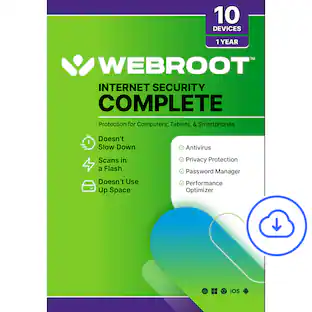
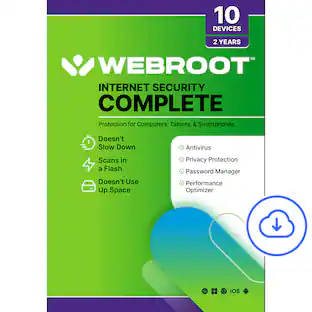
Webroot Complete's comprehensive protection offers real-time, always up-to-date protection for your connected devices. It safeguards your personal data from online threats like viruses, phishing attempts, ransomware attacks, and optimizes your computer performances. With the included password manager, you'll be able to easily secure and access all your logins and passwords, without having to memorize them!
![Webroot - Internet Security Plus + Antivirus Protection (6 Devices) (1-Year Subscription) - Android, Apple iOS, Chrome, Mac OS, Windows [Digital]](https://pisces.bbystatic.com/image2/BestBuy_US/images/products/91134ad2-3809-4186-bff8-04e16cd944c4.jpg;maxHeight=422;maxWidth=264?format=webp)
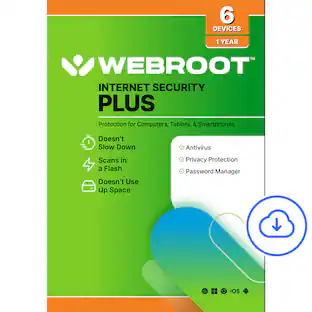
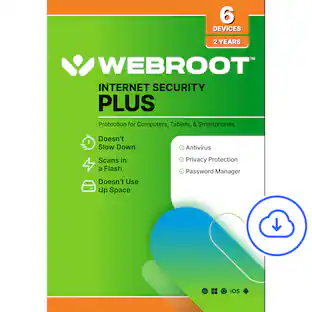
Webroot Internet Security Plus offers real-time, always up-to-date protection for multiple connected devices. It safeguards your personal data from online threats like viruses, phishing attempts, ransomware attacks, and more. With the included password manager, you'll be able to easily secure and access all your logins and passwords, without having to memorize them!
![Webroot - Premium Antivirus Protection (10 Device) with Allstate Identity Protection (1 Identity) - Android, Apple iOS, Chrome, Mac OS, Windows [Digital]](https://pisces.bbystatic.com/image2/BestBuy_US/images/products/c1e0c478-e54c-48c8-9c07-312aa059f0f9.jpg;maxHeight=422;maxWidth=264?format=webp)
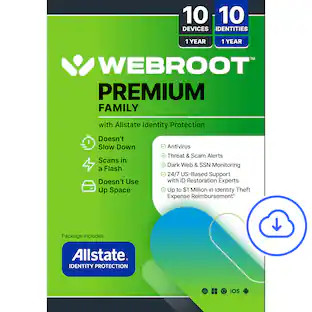
Award-winning, Webroot Antivirus has partnered with Allstate Identity Protection to provide customers with the peace of mind they deserve. With Webroot Premium, you’ll have antivirus protection against emerging threats for up to 10 devices, a password manager, plus a system optimizer to clean your devices and erase traces of online activity. And now with Allstate Identity Protection, you get Credit, Dark Web, Identity, and Financial Monitoring and alerts on threats to your identity. If there’s an issue, you have 24/7 U.S.-based support with identity restoration experts and up to $1 million in expense reimbursement for stolen funds and out-of-pocket costs due identity theft†. Webroot Premium – protection for your devices, privacy and identity.
| Pros for Webroot - Internet Security with Antivirus Protection (3 Devices) (1-Year Subscription – Auto Renewal) - Android, Apple iOS, Chrome, Mac OS, Windows [Digital] | |||
|---|---|---|---|
| Overall Performance, Protection, Ease of Use, Installation, Antivirus Performance | Overall Performance, Ease of Use, Protection, Installation, Device Compatibility | Overall Performance, Protection, Ease of Use, Installation, Antivirus Performance | Overall Performance, Installation, Ease of use, Identity Protection, Scan Speed |
| Cons for Webroot - Internet Security with Antivirus Protection (3 Devices) (1-Year Subscription – Auto Renewal) - Android, Apple iOS, Chrome, Mac OS, Windows [Digital] | |||
| There were no cons for this product— | There were no cons for this product— | There were no cons for this product— | Firewall, User Interface |
Specs
Questions & Answers
Does the time start at purchase or does it start when it's install ?
Answered by WebrootTeamThe product is activated during the point of sale.

Greetings, I purchased webroot security for my computer in August 2019(good for a year) & it said it was good for 3 computers, I installed one x on my computer, but how can I find access to install one on my daughter's computer? Thanks E Cullition
Answered by WebrootTeamTo install on other devices, please use this download link: https://www.webroot.com/us/en/home/products/wsa-installer-download Simply download, install, and then put your subscription key in manually. If you need any assistance, please reach out to our support team here: https://www.webroot.com/us/en/support/home-contact
Can I access and manage the security settings remotely?
Yes, you can use the online security portal for remote access to manage and monitor security settings for your devices.
This question and answer was generated by AI based on customer and product data.What can I do if my mobile device is lost or stolen?
You can remotely lock, wipe, or locate your Android or iOS device.
This question and answer was generated by AI based on customer and product data.Is this software compatible with Chromebook?
Yes, it offers extra security designed specifically for Chromebook, providing always-on protection and proactively alerting you about malicious activity.
This question and answer was generated by AI based on customer and product data.

Customers often buy these together
 Techtober Deal$799.99The price was $1,499.99
 Techtober Deal$329.99The price was $399.99
 Techtober Deal$119.99The price was $149.99






More to consider
 $39.99The price was $79.99
 $20.99The price was $114.99

Explore tech essentials Sponsored
- $39.99The price was $79.99
 $29.99The price was $39.99
 $14.99The price was $24.99
Discover related products
 Techtober Deal$10.99The price was $13.99