Appreciation EventEnds Sunday. Limited quantities. No rainchecks.Shop now

Skip to contentGo to Product Search
Main Content

Webroot - Security for Chromebook Antivirus (1 Device) (1-Year Subscription) - Windows [Digital]

Model: WEB803800V500
SKU: 6476247
Sold byBest Buy

Customers are saying

Customers appreciate the Security for Chromebook Antivirus for its ease of use, seamless installation, and fast scan speeds. Users report that the software provides great protection without impacting device performance. The antivirus capabilities and secure web browsing features are also well-received. Overall, customers seem satisfied with the product's functionality and user-friendly design.

Generated by AI based on customer reviews.
Features
  • Designed for Chromebooks

    Extra security specifically designed to protect your Chromebook.

  • Enhanced virus protection

    Always-on, automatic scans of your device and files for viruses and malware.

  • Privacy protection

    Blocks malicious websites and apps that try to steal personal information.

  • Web Threat Shield

    Warns about high-risk websites and automatically blocks them from installing anything dangerous.

  • On-demand scans

    Run additional scans with the click of a button.

  • Secure web browsing

    Identifies and blocks unsafe websites while using Google Chrome.

See all features
Specifications
  • Number of Devices
    1
    Operating System Compatibility
    Windows
    Software Format
    Digital
    Subscription Period
    1 Year
Sponsored

Reviews

Customers are sayingCustomers appreciate the Security for Chromebook Antivirus for its ease of use, seamless installation, and fast scan speeds. Users report that the software provides great protection without impacting device performance. The antivirus capabilities and secure web browsing features are also well-received. Overall, customers seem satisfied with the product's functionality and user-friendly design.
This summary was generated by AI based on customer reviews.
  • Ease of use (23)
  • Performance (13)
  • Security (10)
  • Installation (7)
  • Scan Speed (6)

Customer Images

The vast majority of our reviews come from verified purchases. Reviews from customers may include My Best Buy members, employees, and Tech Insider Network members (as tagged). Select reviewers may receive discounted products, promotional considerations or entries into drawings for honest, helpful reviews.

  • Rated 4 out of 5 stars

    Securing the Chromebook

    I’m glad that Webroot has come out with a security program aimed at protecting Chromebooks. We have two Chromebooks that are used by the family for general web surfing, learning apps and video watching. Now with the Webroot Security installed I feel a little less worried about using the Chromebooks. This software is supposed to provide Antivirus protection against malware and spyware as well as preventing access to unsafe web sites. It provides live scanning as well as virus scans on demand. The main software installation was simple and quick. I downloaded the app from the Google store and entered in my software key. Once it is installed it will scan your Chromebook and from that point on it does live scans on its own. To get the Secure Web Browsing you have to use the Webroot browser which is included in the software or add the Threat Shield extension to your existing Chrome browser which takes some additional downloading and software registration. This makes the installation process a little more tedious if you want the full protection. I couldn’t see any performance hits on my Chromebook or browser so I think its light on the resource demands. So far we haven’t seen any security warnings but I am glad that the Webroot software is there protecting us.

    Posted by explore42

  • Rated 4 out of 5 stars

    Simple and basic protection

    Not much to write about in regards to Webroot Secure Anywhere mobile device protection. I installed it on my Chromebook, the process was easy, from the Google Play store, asks if you have an activation key. The installation asks you to grant permissions to your photos and videos. Also asks if you want to install the the Secureweb browser app which I didn’t because it wasn’t compatible with my Chromebook. The set up did an initial scan prompted to fix items found (it did not find anything). My entire Chromebook (or at least the areas deemed likely for threats) were scanned, which took about 75 seconds. Not much to the interface or items to configure (which seems the norm for Android protection products) a pretty simple product which seems to work and to protect my Chromebook.

    Posted by Bappy

  • Rated 5 out of 5 stars

    simple and lightweight protection

    I normally don't like to have virus protection installed on my computers because in the past they were very resource heavy and would slow down my browsing experience. Virus protection has come a long way and Webroot Security for Chromebook is an excellent example of it. It was very easy to download and install from the google play store. You install the app and just put in your email and key. It starts up along with chrome OS when you boot up and has not slowed down my chromebook boot up or browsing experience. It is so lightweight and un-intrusive that i sometimes forget that it is even running in the background at all times. I have a macbook and a chrome book, and I let my family and kiddos use my chromebook when they want to browse the web or watch some online videos. I trust Webroot Security to keep my chromebook free of virus or malware. One thing that I really like about it is that it has a built in web browser, if you want to take an extra measure to keep your chromebook secure. That is pretty awesome. Sometimes the kiddos or grandparents will click a sketchy advertisement or web link , So its nice to have the built in web browser for added security! All in All, I would recommend Webroot to you if you share your chromebook with younger family members, or even the elders! We all know they are prone to accidentally stumble onto sketchy untrustworthy webpages. Pros : Easy to install Lightweight- doesn't slow down Chrome OS Always runs in the background Built in Web browser One simple pre paid price! Cons; None

    Posted by Ponskippa

  • Rated 3 out of 5 stars

    Security for Clickers

    In a world with malware and hackers trying to steal your intel, you must think worst-case scenario, even on something like a Chromebook. We all remember when iOS came out, and there were "NO viruses" on Mac... fast forward a few years, and EVERYONE is looking for the next attack, even checking for vulnerabilities in a smart light switch - and your cars can now be hacked! The Chromebook is known amongst the most secure types of computer you can buy, but it still stands that the user is the weakest link to any security system. This means you/me/we can install a fake app or click a bad link and compromise EVERYTHING on your device and expose sensitive data to the net, and that's where Webroot comes in. Webroot says they can secure your device, so let's give it a go! First, like anything on Chrome/Google you must use either the Chrome Webstore or Play Store to install an app unless you are sideloading. Search for Webroot Security, install, create a login, add your license info, and it is activated and starts running instantly. This app runs in the background and comes with a secure browser as well. Installation and setup were a breeze! What happens next is what gets me searching for answers. Let's get into the actual product, which has me a bit baffled as to what it is doing and what it did. Webroot is always on and does not hesitate to tell you that when you click SCAN NOW. It essentially states, "we are already working, but if you want to tell us to work, that's fine go ahead." Afterward, a little box shows the word SCANNING for a few seconds, then it goes away. But wait… what happened? What did you actually scan? What did you find or not find? There is no actual way to know what it is actually doing or a record of what was done. Blind faith and trust are sold here - in my opinion, besides giving me a secure browser to use as a layer of security, I do not know how to measure protection here. It doesn't even inspire confidence in me that it scanned anything at all. Chromebook being cloud-based, is it scanning my Google Drive? Is it scanning the physical device only? I have lots of questions without answers. I have not been able to get it to detect anything as my machines are clean, so I don't know if it is actually protecting me. With all this being said, I cannot recommend this. There is too much uncertainty surrounding its ability to detect something already on the device. It is not advertised as antivirus - it is security, so I can say if you buy this, you will only find out if it works when it doesn't. Testing is a bit harder without malware and fake apps to use for infection to verify protection, like in the PC/MAC world. In short, this is software layer of protection at best for the user to stop them from clicking on bad things and installing apps.

    Posted by nkpstudios

  • Rated 3 out of 5 stars

    MAYBE IT WORKS for CHROME ANTI-VIRUS

    REVIEW: WEBROOT - SECURITY FOR CHROMEBOOK ANTIVIRUS (1 DEVICE) (1-YEAR SUBSCRIPTION) [DIGITAL] MODEL:WEB803800V500 MAYBE IT WORKS for CHROME ANTI-VIRUS I was not sure what to expect from WEBROOT - SECURITY FOR CHROMEBOOK, but I did expect a little more. I assume it is working, but there is no console or any reporting to let me know it is working. If you click on the app, then the scan now, it says in effect, I’m already running, but if it would make you feel better go ahead and press SCAN NOW. I spent a lot of time trying to find anything that would let me know what is going on. As near as I can tell it is mostly just offering “safe surfing” either through the apps own browser window or via a chrome extension. Eventually, I noticed the “support” button which promises to let you manage your devices from a central web portal. After setting up multi factor authentication and going to the management console, there are no options for managing Chrome devices, only for managing PC. So even the WEBROOT management console has no settings for the WEBROOT - SECURITY FOR CHROMEBOOK ANTIVIRUS. I can see my licenses and that is all. So, I have to assume it working, but there really is no way to tell. SETUP: I clicked on the link provided with the license. It took me to the Google Play Store, where it downloaded the app. My first “red flag” was a giant warning message “This app is designed for mobile devices and might not display correctly”. So, it seems that not only does the management console not know about the Chromebook version, neither does the installation app on the Google Play Store. SUMMARY / RECOMMENDATIONS I guess safe surfing is better than nothing. I assume it is running and if I happen across malware or a virus, then I assume it will do something. In my humble opinion, this is an incomplete product that is not yet fully integrated into the rest of webroot’s product suite. At a minimum it needs some way to give the user confidence that it is doing its job.

    Posted by TheOffice1234

Compare similar products

Webroot - Security for Chromebook Antivirus (1 Device) (1-Year Subscription) - Windows [Digital]
4.1(68)

Webroot Security for Chromebook is enhanced antivirus protection that is always-on, running seamlessly in the background and proactively alerting you about malicious activity, websites, apps and extensions. Included, Webroot Web Threat lets you browse safely and be alerted of dangerous sites in Google Chrome.

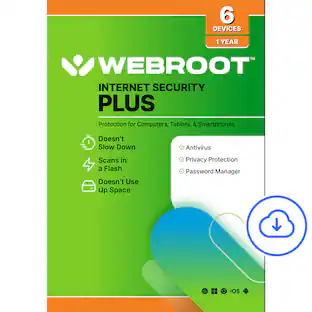
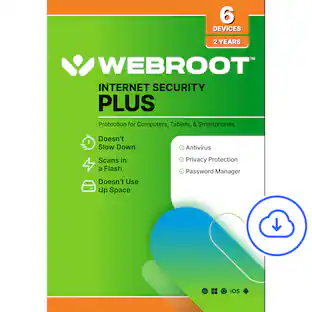
Webroot - Internet Security Plus + Antivirus Protection (6 Devices) (1-Year Subscription) - Android, Apple iOS, Chrome, Mac OS, Windows [Digital]

Webroot Internet Security Plus offers real-time, always up-to-date protection for multiple connected devices. It safeguards your personal data from online threats like viruses, phishing attempts, ransomware attacks, and more. With the included password manager, you'll be able to easily secure and access all your logins and passwords, without having to memorize them!

Webroot - Internet Security & Allstate Identity Protection (3 Devices/1 Identity) (3-Month Subscription – Auto Renewal) - Android, Apple iOS, Chrome, Mac OS, Windows [Digital]
5.0(1)

The all-in-one protection for your Devices, Privacy and Identity. Keep your devices and identity safe with Webroot Internet Security with Antivirus & Allstate Identity Protection. The advanced anti-virus solution that proactively blocks emerging threats. Our lightweight and fast software won't slow down your computer. Plus, with our partnership with Allstate Identity Protection, you'll have advanced ID protection with active monitoring and rapid alerts alongside coverage for up to $1 million in expense reimbursement* for stolen funds and out-of-pocket cost's due identity theft. Protect yourself while you do everyday activities like banking, shopping, and browsing online with Webroot Premium, the all-in-one solution for device and identity protection. Installing your Webroot and registering with Allstate Identity Protection is easy. Simply visit webroot.com/safe, create an account, and enter your Webroot 20-digit keycode. Click on the Download and Identity Protection tabs and follow the on-screen instructions. This 3-month Internet Security with Antivirus & Allstate Identity Protection subscription ($29.99) starts immediately and, after the initial term, automatically renews on an annual basis for $99.99 per year unless you cancel before then by calling 1-888-BESTBUY or you turn off automatic renewals online through your Plans & Subscriptions page.

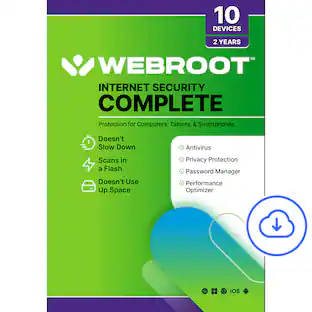
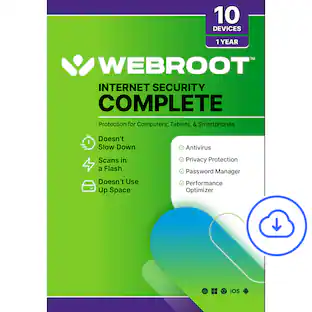
Webroot - Complete Internet Security + Antivirus Protection (10 Devices) (1-Year Subscription) - Android, Apple iOS, Chrome, Mac OS, Windows [Digital]

Webroot Complete's comprehensive protection offers real-time, always up-to-date protection for your connected devices. It safeguards your personal data from online threats like viruses, phishing attempts, ransomware attacks, and optimizes your computer performances. With the included password manager, you'll be able to easily secure and access all your logins and passwords, without having to memorize them!

Pros for Webroot - Security for Chromebook Antivirus (1 Device) (1-Year Subscription) - Windows [Digital]
Installation, Ease of use, Performance, Security, Scan SpeedOverall Performance, Protection, Ease of Use, Installation, Antivirus PerformanceThere were no pros for this productOverall Performance, Ease of Use, Protection, Installation, Device Compatibility

Specs

Questions & Answers
  • What is the minimum subscription period for this antivirus?

    The subscription period is for one year.

    This question and answer was generated by AI based on customer and product data.
  • How does Webroot Security for Chromebook handle unsafe websites?

    The Web Threat Shield identifies and blocks unsafe websites, preventing them from installing anything harmful.

    This question and answer was generated by AI based on customer and product data.
  • Is Webroot Security for Chromebook always actively scanning my device?

    Yes, it provides always-on, automatic scans for viruses and malware.

    This question and answer was generated by AI based on customer and product data.
  • Can I perform scans whenever I want with this software?

    Yes, you can run on-demand scans with a single click.

    This question and answer was generated by AI based on customer and product data.
  • Does Webroot Security for Chromebook offer protection for online browsing?

    Yes, it includes Webroot Web Threat, which alerts you to dangerous sites in Google Chrome.

    This question and answer was generated by AI based on customer and product data.
Ask a question
No content
Sponsored

Similar products from outside of Best Buy

sponsored
Ask BlueAI