Rating 4.5 out of 5 stars with 2120 reviews
4.5- Keyboard Quality (673)
- Ease of use (418)
- Weight (150)
- Size (111)
- Battery Life (55)
- Price (68)
- Connection (30)
- Compatibility (14)
- Magnet Strength (11)
Customer Images
The vast majority of our reviews come from verified purchases. Reviews from customers may include My Best Buy members, employees, and Tech Insider Network members (as tagged). Select reviewers may receive discounted products, promotional considerations or entries into drawings for honest, helpful reviews.
- Rated 5 out of 5 stars
Great new tool for my iPad Pro
I was weary of spending so much money on a keyboard, so I read reviews and several websites about this new tool, I also read about cheaper keyboards and looked at them in stores. I finally decided to dig deep into my shallow teacher pocket and buy this tool designed just for my expensive iPad. If I'm going to invest in this nice computer thingy, well, I might as well get the keyboard thingy to go with it. I now work at a Title I school. All breakfast and lunch is free. Kids are very poor in this neighborhood, but they are great! Being new, I'm setti g up my room. I just got a stapler, staples, tape and a hand held plastic tape dispenser, but no student scissors as we're all out. I went to Staples and bought 10 pairs of Fiskar scissors myself. So, I have no computer yet and I'm just using my own iPad and handy dandy keyboard for the time being. It's very nice. I carry my iPad in a small bag I bought to protect my iPad and hide it. I wrap the keyboard around the iPad when storing it and when I need to use the iPad I unwrap it to just slide touch or set it up on a table or flat surface to type. I am fluent in Spanish and I translated a parent letter for a teacher using Pages and emailed it to her all from my iPad Pro. The Pages program asked me if I wNted PDF, or Word and other things. The iPad was able to sync my program with the other teacher's program so all she had to do was print her letter. No sync problems. I'm still waiting on my 5 reams of precious copy paper. A fellow teacher gifted me two packs of paper until I can get my "fair" share of copy paper. I'm grateful to Apple for how you have helped improve my teaching and my ability to help others using these tools. This keyboard also protects my iPad screen when folded up.
Posted by Carolinamarinemom
- Rated 5 out of 5 stars
APPLE KEYBOARD
Easy to use, light weight, absolutely love that it charges itself through the IPad.
Posted by lbvirtual
- Rated 5 out of 5 stars
Works fine
Really appreciate the security the cover gives my iPad
Posted by Lolly
- Rated 5 out of 5 stars
i like the keys
i like the size of the keys. and the color of keys
Posted by box123
- Rated 4 out of 5 stars
Works well with a slim profile.
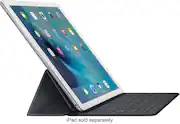
When I purchased my iPad Pro, I initially acquired the Logitech keyboard. I returned the keyboard within a couple days... It was too bulky. Then I tried Apple's Smart Keyboard. This keyboard is not perfect, but it works better than I would have originally anticipated. One of the negatives is that the keyboard is not backlit. This is not too bad as I am a touch typist, but sometimes in a dark environment, I miss the backlit keys which are an option on some other keyboard. What I like, however, is that the keyboard does not need charging... It is charged directly from the iPad Pro. The keyboard is also much studier than I would have thought. It is slim and does not add much bulk to the iPad Pro, which is great, yet it I can also use it on my lap without a problem. (It is not as sturdy as an actual laptop, mind you, but I am able to type with it on my lap on a plane or in bed without any issues.) Having to fold the keyboard several times to actually work is somewhat awkward and is a much less elegant solution when compared to the Microsoft Surface Pro. On the other hand, I am not sure how well the Surface would work on a lap. The Smart Keyboard also provides a "kickstand" for viewing or using the iPad in landscape orientation. The magnets hold well and the iPad does not dislodge from the Smart Keyboard when I am using it, which is good. The feel of the keyboard is not bad and kind of reminds me of the new MacBook, which a very short travel distance in the keys, which have an almost cloth-like feel to them (they do not feel plastic, like a typical keyboard). In comparison, however, I like the feel of the keys on the Microsoft Surface Pro better, which gives you a more traditional "keyboard" like feeling with a little more movement on the keys. The Smart Keyboard is a full-size keyboard, however, and includes an emoji button, which is nice for an iOS device. The iPad does sense when the keyboard is attached and removes the on-screen keyboard, which really lets you use the entire 12"+ screen to work, play, or do whatever you want. Unfortunately, neither the Smart Keyboard nor the Apple silicone case accommodates the Apple Pencil. Such a feature is probably best reserved for a case as opposed to the Smart Keyboard, but this is an oversight that seems odd for a company with such an eye for detail and the user experience. The Smart Keyboard can be flipped directly over and placed under the iPad Pro so that I can use the iPad Pro on my lap or a flat surface, which works well (better than the Logitech keyboard). Because the keyboard itself adds a little bulk and is only about 2/3rds of the width of the iPad, however, this results in the iPad Pro being able to tip back and forth when using it on a flat surface. The movement is very small and not a huge inconvenience or a deal breaker for me. I can see how some may find it annoying, however. I am still convinced that the iPad Pro with a Smart Keyboard (or any other keyboard, for that matter) is not necessarily a laptop killer. Aside from limitations with iOS, however, it comes close and the Smart Keyboard is one of the best options out there right now. It is sturdy and works well. I think Apple did a good job of balancing utility with minimal bulk and, of all the keyboard options out there right now for the iPad Pro, I think this is a very strong option.
Posted by Greg