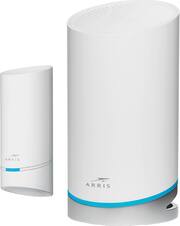
Rating 4.3 out of 5 stars with 27 reviews
4.3- Coverage (13)
- Speed (12)
- Ease of use (6)
- Signal Strength (4)
- Range (3)
- Ethernet Ports (8)
- Setup (6)
- App (4)
Customer Images
The vast majority of our reviews come from verified purchases. Reviews from customers may include My Best Buy members, employees, and Tech Insider Network members (as tagged). Select reviewers may receive discounted products, promotional considerations or entries into drawings for honest, helpful reviews.
- Rated 4 out of 5 stars
Setup was Meh. Great Coverage. Plug and Play
Review: SETUP: This was probably the hardest Wi-Fi system I’ve ever set up. Part of that is through my own incompetence and part of that is due to the system/instructions. - I struggled to find the correct app. The QR code in the box failed to be recognized. iOS app store has 3 – 4 different Arris apps. The correct one is “Surfboard Central”. - I own a modem/router combo device. In order to get this to work to its best ability it needs to be in Bridge Mode. The instructions they give for this is very limited and not helpful. Best to go directly to your manufacture for this. Can’t blame them too much for this as I’m sure it varies a bit from device to device. - If you have a regular modem the last point won’t be an issue. Once you get the modem/router into Bridge Mode setup is relatively simple. Except I kept running into errors where I would have to refresh or try again in the app. Eventually I got through it. Mostly painfree. - Setting up the satellite is also easy. But getting the app to make up its mind isn’t. They give brief and not so helpful instructions on the best place to put it. Again with homes varying greatly this makes sense. But in the app it will say how strong/weak your “Link Rate” (the connection between the main router and satellite is). Mine was constantly all over the place. One second it would be poor the next it would be strong. Tried a dozen places for it. Nothing would be fully stable. And I’m well within the 5500 square feet. So, that’s frustrating. But I don’t think it matters as the coverage and speeds I’m getting are good across my entire home. More on that in a bit. - In the app it also says certain devices are getting a “poor signal”. Usually because it refuses to move those devices to the “Satellite” device over the “Main Router”. You have no control over this as it does it automatically. SPEEDS: I tested several different computers and devices ranging from desktops, laptops, iPads, iPhones, security cameras, smart TV’s, streaming boxes, etc. and they all came back with strong connections and the top speeds that I’m paying for all over my house. However, the signal once I got outside diminished a bit but was still strong. To the point I was able to easily use my phone in my Hot Tub without any interruptions like I was having with my previous Wireless Router. I did have several hiccups of getting slower speeds and spotty connection for a while until I made sure the network was setup correctly and it had been a couple of days and was able to sort itself out. As this device does everything automatically behind the scenes and sometimes that takes a while to get going correctly. As I was getting slow speeds on my Apple devices directly after setting it up but not with my Windows devices. But the next day that was resolved. GAMING: I have low ping times. Not as low or as good as I was getting with my Gaming Router. But close enough to the point I don’t have any complaints. However, it only comes with a SINGLE LAN port. Which is silly. So you’ll need to buy a Ethernet Switch if you plan on hardwiring more than one device. APP: - It works just fine. Layout is simple and easy to read. Navigation is easy. The amount of info you get is nice. As you can see how many devices are plugged into the “Main Router” or “Satellite” along with what Wi-Fi band they are on (2.4 GHz or 5 GHz) along with how strong that connection is. You can enable a “Guest Network” or “Parental” controls. You can also setup UPnP, Bridge Mode, Port Forwarding, and IpV6. So, while there is some customization it is very limited. You CANNOT separate the 2.4 and 5 GHz bands. You CANNOT select which band your device connects to. You CANNOT choose if you are connected to the main hub or satellite. It makes all the choices for you. Which is a bit frustrating to me. But to others will be appreciated. CONCLUSION: It comes with 802.11ax Wi-Fi 6 w/ speeds up to 6.6 Gbps (hence the 6600 part of the name). Which is the newest standard. Both units are supposed to provide up to 5,500 square feet. I don’t really see how that is possible with a single satellite that is supposed to be 20 - 30 feet away. My house is about 2,500 square feet and I get good reception. But if I step outside that declines quickly. So, I’m not sure how something twice the size of my house would fare. Having only two Gigabit Ethernet ports is frustrating. I get that with Wi-Fi becoming faster that more people are using it. But only having the ability to plug in a single hardwired device is ridiculous. But this is easily rectified after buying an Ethernet Switch. I found the 3rd gigabit band for backhaul was hit or miss on speeds. As often I would get either a “good” or “poor” reception despite not changing anything. It was 50/50. The Self-Optimizing Mesh system is nice for those who just want to plug and play. But I found it to be hit or miss in accuracy. As rarely would it switch devices to my satellite even though it would clearly give it the better connection. There were also several times a device was on 2.4 GHz instead of 5 GHz connection. Then would randomly switch like it should. I also don’t like that I don’t have the ability to choose which network I’m choosing (2.4 GHz or 5 GHz) or what hub (Main or Satellite) I’m connecting to. I also don’t like that the entire device is controlled from an App and not a website like everything else. But that app is laid out nicely and easy to navigate and get things done on. I do like that the devices themselves are very low profile. I like that you can dim or brighten the lights on the devices. But you can’t turn them off completely which is a bummer. As I would like that option since it is in the room I sleep in. Having ports on the bottom makes for a clean look but if you don’t have the right cables, it can put a lot of pressure on them. My recommendation is if you want a system that is plug and play (even though the setup may be a bit frustrating at first) this is a solid choice. As the range and connection speeds along with ease of use is great. However, if you want to fully control your wireless system, by separating the 2.4/5 GHz band, or doing more things behind the scenes, then I’d look elsewhere. Personally, I’m more of the ladder.
Posted by SirGalahad
- Rated 4 out of 5 stars
Good Router with Buggy App Based Setup
I should say upfront that I received the ARRIS - SURFboard mAX Pro Wireless-AX6600 Tri-Band Mesh Wi-Fi 6 System for purposes of providing an honest and unbiased review. So far, I have been impressed with the coverage and network speeds, but set up is restricted to a phone app which can be a bit buggy. Firewall and advanced software configurations are non-existent. On top of that, there are only two network ports: the WAN and 1 Lan port. But, if you're simply wanting fast WIFI 6 with great coverage, the SURFboard mAX Pro Wireless-AX6600 is a great option. The included satellite works well and the system can be expanded with additional satellite in the future. Unboxing: There isn't much in the box. The router with AC adapter and CAT cable and the included satellite are basically it. That means there wasn't much in the way of documentation. I had to set this up twice. First time, I tried to set it up in bridge mode behind an existing AT&T Fiber Modem. That didn't work too well. Second time, I set it up as its own router and everything connected pretty painlessly. The app walks you through steps of setting the device up, but occasionally the app would hang and suggest it couldn't find a device only for it to suddenly work when I hit "retry". Coverage has been very good. At the minimum, it has been much better than the WIFI that came with the AT&T modem / router. I recently added an outdoor security camera, and the SURFboard mAX Pro Wireless does a great job getting a strong signal out to the corner of the house where the camera is hanging. I have had good performance. Speed tests behind the network have been good. I just wish the router had more firewall options. I wish I could access the router from a computer and not just a phone. I should point out that my WIFI experiences may not be the same as yours. The more walls, the harder the time that the 5GHZ band will have getting coverage. I had good luck adding this mesh based system at my house, but if you try setting this up in an older building with many devices between the router and your device, you may not has as much luck. Speaking of router configurations, the SURFboard mAX Pro Wireless will set a subnet that does not conflict with an existing router. That seems to be their work around to keep the mesh system compatible with the widest range of devices possible and was a feature I appreciated. A few other observations: The LEDs on the devices are bright. They can be controlled via the APP. In addition, you can remotely check on your network from anywhere with the APP. The app includes limited parental controls that can be configured with the creation of user profiles. I personally wish there were more LAN ports. A lot of people are still working from home and the WIFI speeds are nice, but many employers are requiring employees work from a wired based LAN. As it is, you could always add a cheap switch to this, but that's just one more cog in the machine and device I have to plug-in. If you are seeking a quick way to add a mesh network to your home internet, the SURFboard mAX Pro Wireless Tri-Band Mesh system is a great option. App issues aside, I have enjoyed my time with the router and recommend it. Recommended 4/5
Posted by RedScorpion
- Rated 5 out of 5 stars
Quick setup, fast speeds, good range
The Arris SURFboard max is not our first mesh wireless system, but it is our first system that utilizes a tri-band system with dedicated wireless backhaul channel. It is replacing our current WiFi 6 mesh system that has 1 router and 2 access points and no dedicated backhaul channel. I was a little bit skeptical that we would get full WiFi coverage in our home since the Arris system only comes with 1 additional satellite, and we live in a three-story home that typically needs a node on each floor in order to get full speed and complete coverage. We decided to place the router on the third floor, where the cable modem is located, and the satellite on the first floor, but in a new outlet near the ceiling to reduce its distance to the main router. In order to set the Arris AX6600 router up, you’ll need to download and install the SURFboard Central mobile app on an Android or iOS mobile device and create an account with an e-mail address, if you don’t already have one. Unfortunately, there’s no web interface for app-free setup. The app’s a bit strange too since you don’t need a password to “log in” though they do send you an e-mail with a verification code. In the app, you can follow the onscreen prompts to setup the router. While mostly straightforward, I did run into an issue where the app was unable to connect to the AX6600’s “Onboarding” WiFi network, so after several tries, I ended up manually connecting to the router’s network through my phone setting’s WiFi menu and was able to continue setup after that. The satellite needs to be set up separately, but the process is similar, and I had to use the manual workaround for connecting to its network as well. Be sure to use the included flat Ethernet cable to connect the router to your modem, as it has a shorter connector than a typical CAT5/6 cable in order to fit in the tight space underneath the router where the WAN and LAN ports are located. The Arris system allows you to link up to 3 devices together in its mesh network, including other AX6600 routers so you could add a second satellite or use three routers if you wanted to. The advantage to using another AX6600 router as an access point is that it gives you access to two LAN ports, whereas the satellite has none, however, it occupies less space than the router and doesn’t need a flat surface to sit on; both offer the same amount of WiFi coverage. In a side-by-side comparison of WiFi speed, I was surprised to find that the download speed of the Arris, compared to the mesh network it had just replaced, was consistently almost 50% faster, while upload speeds were the same on both systems. While we don’t get gig speed service from our ISP, the Arris system was able to deliver speeds close to the max bandwidth level that we subscribe to in almost all areas of the home. With this 2-node system, the AX6600 offered similar coverage of our three-story home (~700 sq ft per floor) to our previous 3-node system did, and in most cases, faster download speeds from the same locations in the house. Both the router and satellite broadcast 2.4GHz and 5 GHz signal that your devices can connect to depending on their capabilities and signal strength. One notable exception was a speed reduction in our second floor bathroom where our prior system had a 3rd node with a direct line of sight, whereas the Arris system had no node on the second floor and therefore more obstructions between the signal and two access points. We also experienced slower speeds on our front porch, due to the orientation and height of placement we chose for the satellite on the first floor. However, WiFi reach did extend outside of the home to our side and back patios where we had dead zones previously. Unfortunately, since our property is not flat and the house itself sits at the top of a hill while the rest of our yard is 15-20 feet lower in elevation, we still did not have WiFi signal in the backyard. A minor complaint that I had about this system is the bright blue LED ring at the base of both the router and the satellite. While the brightness can be dimmed in the control app for both, it cannot be turned off completely (only reduced to 10%); this is not ideal as we have the router setup in the bedroom and the light can be a nuisance at night, even at the lowest setting. It also would have been great is the satellite had LAN ports, but I suppose if you want that you could just get the router 2-pack. The app interface is clean and simple, and also offers more advanced setup features like UPnP, port forwarding, DNS configuration, and IP reservation. You can also test/check your download and upload speeds, setup a guest WiFi network, and enable parental controls to block access from certain devices on a schedule or at the touch of a button. You can even enable Amazon features like Frustration-Free Setup, which saves your WiFi network information to the cloud, attached to your Amazon account, for faster setup of new devices, and link the system up with an Alexa account to utilize voice commands. As of this writing, the Alexa voice commands are limited to enabling/disabling the guest WiFi (provided you set one up in advance) and checking the status of the internet connection. Overall, I’m pretty happy with the quick setup and fast performance of this mesh system. I may add a third node to this system to ensure a strong and reliable connection on our second floor so that the satellite has a closer node to communicate with, but even without it, the system works well for our home.
Posted by ReviewedByPhil
- Rated 5 out of 5 stars
Arris Surfboard mAX AX6600 Router
Great speed, security, and setup. Control the router from your phone for ease of use. Buy it!!
Posted by AX6600Router
- Rated 4 out of 5 stars
Good product, not good app!
If one of the main problems is the download speed of your internet or modem range it seems to me that this Arris Tri-band mesh can be of great help, however I think it is important to mention and warn that the configuration, one of the important stages of the installation will require patience and a little knowledge of what you are doing, at least in the section of the Router, Modem or simply how to connect or configure a new router in this case mesh. The unboxing is very simple as everything is in sight ready to be removed from the box, connect and start configuring. Well speaking of the most complex as I mentioned is the configuration, you have to download the app Surfboard central as it is not the only one available but is the one required for this product, once making the registration and follow the steps to configure there are many times that presents errors and you need to try again, you must correctly identify the type of router and / or modem to choose the ideal configuration, if you manage to follow the steps with great patience and manages to install and connect correctly, download speeds are noticeably higher and to some extent more stable, I think that in comparison with the devices that internet companies provide if an improvement is perceived even having home and mobile devices connected and browsing at the same time, at least in my case where having a 400mbps internet barely exceeded 300mbps now I can reach with my PC, tablet and phone just over 390mbps, the use in gaming seems good, no extreme improvement but it does maintain more stability in the connection and the ping despite not being the lowest does not rise as when using my previous router, the range it seems to be more large and have less hiccups than before, I liked that. Regardless of the specifications, I think one of the factors, which in my opinion are important for some users, is the number of Ethernet ports as there is only one, of course, you can add a switch but it will depend on the needs of each person, however, I feel that having at least three compensates for the obvious shortcomings of this product that if it fulfills its function but to achieve it can be a headache, I am not sure if I can recommend it to anyone, it seems to me that if you require simplicity in the installation and connection this is not that kind of product, but if you have a little knowledge about it and have the patience I think it can be worth it.
Posted by Serv