Rating 4.3 out of 5 stars with 78 reviews
4.3- Camera Quality (27)
- Light Brightness (15)
- Ease of use (12)
- Installation (12)
- Motion Detection (7)
Customer Images
The vast majority of our reviews come from verified purchases. Reviews from customers may include My Best Buy members, employees, and Tech Insider Network members (as tagged). Select reviewers may receive discounted products, promotional considerations or entries into drawings for honest, helpful reviews.
- Rated 4 out of 5 stars
Great product overall, app could use work
Once you get past setup, this is a great addition to any “smart home” that doesn’t require a separate hub to function. It would be helpful if there was an alternative option for adding device other that scanning QR code because glossy phone screen + sunlight made the initial pairing process for this device extremely difficult. The app doesn’t seem to be fully optimized for this device quite yet either, because despite having preset schedules (ie. only notify of person detected during nighttime hours) app will still send notifications constantly throughout the day that I’ve just had to silence or shut off all together. While this isn’t the fault of the device simply doing it’s job, this device is only fully compatible with manufacturers app. Other than that, product is great. The built in siren is a great feature and the picture/video quality is alway top notch…would recommend SD card with this so you can filter by type and review video clips very quickly right from app. Overall I would definitely recommend
Posted by TomChase
- Rated 5 out of 5 stars
Rear porch door area spotlight camera
Easy to install and app setup pretty much walks you through all the steps. Works good and got spotlight camera for back door to light up area from dusk to dawn. Great light and good video. Got great price with sale and Best Buy coupon.
Posted by BigD
- Rated 5 out of 5 stars
Great Floodlight Cam System
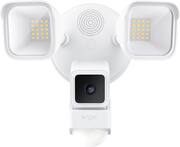
The Wyze Wired Floodlight is a recent addition to Wyze’s suite of home monitoring solutions. The floodlight uses one of Wyze’s V3 cams for the monitoring portion of the solution. This is the same V3 cam that has been out for a few years now. The floodlight acts like an accessory to the V3, so if the cam ever dies you can just swap it out for a new one (I’m pretty sure). I have been V2 user for 2.5-3 years, and recently added V3 cams and the doorbell. All this makes me pretty familiar with the Wyze setup and ecosystem. I have actually reviewed the V3, so I knew what to expect from the camera portion of the floodlight. The V3 is an entry level camera with a decent array of features available to it. It records in HD (1080p) at 20fps and has a 130° field of view. The V3 has color nightvision, which works well and at pretty low light levels before switching to B/W video. You will really only have B/W recordings if you have continuous recording setup. Otherwise, the floodlight is triggered by the motion event (or whatever event parameter you set), and the cam switches over to color. The V3 also uses streaming 2-way audio setup. You can hold a conversation with someone without needing to press and hold or mic button – you just toggle it on and then talk back and forth like a normal conversation. Sound is not produced by the camera, but by a speaker on the floodlight body. This is a good thing because the cam has OK volume, but the floodlight speaker is considerably louder and can be heard from 50+ feet away. For continuous recording you can install a microSD card. The V3 supports 32GB cards formatted in FAT32 and larger cards up to 256GB formatted as exFAT. However, there is a known issue with cards larger than 128GB not using the full capacity (stopping at 90GB or about 9-10 days of continuous). My current firmware is 4.36.9.139 (released in May ’22), but an updated firmware (4.36.10.2864) was released on Nov. 2nd before the rollout was paused on Nov. 10th due to some issues. Setup for the camera and floodlight was very simple. I had a different floodlight cam installed beforehand, so I removed it to install the Wyze floodlight. I killed the power first before removing the first system. Inside my junction box I had hot/neutral/ground. The floodlight wiring harness only had hot/neutral, so you are instructed to tie the ground wire off on the mounting bracket. I used the included hardware to install the mounting bracket, which only took a few seconds. The included hook comes in handy and lets you hang the body of the camera from the bracket while you tie off the wires. The light comes with wire nuts as well, so you don’t have to go and buy any hardware. After that a single screw passes through the center of the floodlight body to attached to the mounting bracket. The body has silicone gasket that gets squeezed against the mounting surface to help lock out the elements – you make still want to caulk around it if the junction box goes to an interior wall or if the sealing surface isn’t very smooth. Mine is into my unfinished garage and its right up under my eaves, so I didn’t feel the need to caulk it. The install took about 20 min total – it was super easy. Connecting the camera was next and it took all of 2 minutes to put it on my network. When you setup the camera you have the option to signup for one of their subscription models. The camera gets basic motion alerts and a picture of the start of the event without a subscription, but you would have to opt in if you wanted anything more advanced. There are 3 tiers – CamPlus Lite, CamPlus, and CamPlus Pro. You can check out their website to see if one of these plans offers something you need. You would have to signup for Cam Plus Lite (at a minimum) if you want recorded events – you get 12 second clips with Lite. Accessing the camera is done through the Wyze app. There’s a couple second startup time before you are viewing the feed. The alerts are very quick so it may only be 10-15 seconds from the time of the event to you watching the feed. Within the app you can set up the types of alerts you want. If you want more advanced alerts like person/vehicle/package/animal detection then you have to opt into the Cam Plus subscription, otherwise you just have basic motion alerts. You can narrow your alerts down and reduce false triggers by using the PIR sensor (Passive Infrared) on the floodlight to filter motion detected by the camera. The camera uses pixel changes to detect motion, but these events can be trigger by moving shadows, passing headlights from cars, etc. By using the PIR sensor to filter things, I was only notified when something actually happened in the detection zone. The detection zone is something you configure by selecting areas of the camera view you want it to monitor. The floodlight itself is fairly responsive to motion events and casts a good amount of light. The lights do a perfectly good job of illuminating my entire drive and walkway when they are on. They also are easy enough to aim, so you can shed light where you need to and minimize it where you don’t (like shining into your neighbors’ windows). You can set the light to turn on from dusk to dawn, when motion is detected, or when sound is detected. For motion detection you can have it trigger via the PIR sensor or via the camera’s motion detection. The PIR sensors range is determined partially by how you aim it. I have mine setup to trigger the light just as a car or person crosses onto my driveway. I don’t want it to trigger when vehicles are passing by, so as not to have my light constantly popping on. The sensor also picks me up when I am exiting my garage, so it will pop on then as well. The sensor also has 3 different zones for detection (left, center, right), which you can toggle on or off depending on your desired operation. You will need to configure the length of time for the light to stay on after an event – 15s to 15min is the range. Overall, this is really a great floodlight/cam setup. For the money I think its one of the better deals out there for what you get. The install and setup processes are very user friendly and straightforward. The app navigation can be a little cumbersome with how things are organized in the menu layers, but once you get things set you rarely have to dive back in. The V3 camera is a very nice little cam with a lot of great features available with or without the subscription. The floodlight looks nice on my house, and it does a great job of lighting my driveway up when I get home at night or when I get back from walking the dog. I have no problem recommending this setup to family, and have already recommended it to a few neighbors.
Posted by DaveW
- Rated 5 out of 5 stars
part light part camera - The 2in1 Wyze floodlight
With a wyze v3 camera and a spare USB power this floodlight is a step above the average motion sensing light. I’m really liking the Wyze floodlight and camera so far. I have a couple V2 wyze cams and the V3 definitely seems like a step up. But this isn’t going to be a deep dive in the V3 camera and more of an overall how the camera and light work together. Setting up the light was pretty easy. I was replacing an existing motion sensing floodlight so it was already wired and set up but still, it was a pretty easy install. Full disclosure, I do have a decent amount of DIY and electrical experience, and obviously if you are uncomfortable, you shouldn’t set it up yourself, but for anyone who has installed a light or light switch in their life should be fine. One thing that made the install easier than any other was such a simple little tool wyze included in the box; a metal hook. Honestly, I sorta laughed when I saw it, but then I found myself using it and it made things so much easier. I’ll attach photos to explain it better, but basically it’s a small hook you can hold the large/slightly heavy floodlight in place while doing the wiring. If you have ever installed a light fixture or ceiling fan, etc, you know how annoying and difficult it can be to hold the fixture up close enough and tie wires together. So as odd as it sounds, this is definitely a top positive in the install process of this floodlight. Once I got everything installed it was time to setup in the app. Already having a few wyze products meant the set up was quick and familiar. Scan a QR code with the camera, the app pretty much does the rest. I put in my preferred settings and away we went. One thing I was bummed about is that over the years Wyze has added subscription based tiers in order to see your motion triggered clips. I thought the short 12 sec clip was still free but apparently you do have to buy the cam plus for that to work on the app. Luckily I have been around long enough to be grandfathered into their lite program and with a local SD card recording I am still able to see the recordings and the playback. I’m not completely sure how it would work for a new user if you put a micro SD card in and didn’t have any subscription. I assume you would be able to view playback but not recorded events. Which seems a bit odd but I get it, Wyze has to make money too. As far as performance, after just a few days of testing, I can say that the camera definitely performs well. It catches motion in my driveway without catching too much extra. Obviously being outside means bugs will be an issue sometimes but for the most part it only triggers on people, large animals and cars. And of course, sensitivity is all adjustable to your needs. Overall I’m really enjoying the Wyze flood light. It’s a budget friendly way of getting a little security and light on a part of your property with no need to run extra wires. The added USB power supply that can power a second wyze cam is really nice as well. I love that you could get a very wide field of view over your property with two cameras powered by the same switch. I’m curious to see how it will hold up to winter temps and conditions but wyze claims it is weather proof and ready for anything.
Posted by bTobin
- Rated 5 out of 5 stars
You won’t find a better bang for the buck
Significantly less than the competition in cost, Wyze continues their mantra of offering more but costing less. Pros: *Easy install *Easy pairing to phone app *Very bright *Great quality *No subscription needed Cons: *Smart alerts and saved recordings require subscription *Can’t easily mute notifications (more on this below) This Wyze spotlight camera replaced an older spotlight camera. Wiring was straightforward and the app even walks you through new installations. Pairing to the app is super easy and fairly intuitive to use. What I’m impressed with is the quality for the cost. The 1080p video is crisp enough to read license plates. The LED spotlights are super bright and the night vision mode when the lights are off is also fantastic. The location I installed the Wyze spotlight camera doesn’t have the strongest wifi signal nor the fastest internet but I’m still able to stream high-definition video to my phone. I was worried that I would need to update my internet speeds but at the location of the spotlight, I’m only getting 2.5mb/s internet slow speeds but its more than enough for this camera. Do keep note that to keep initial costs down, you will need a monthly subscription if you want to save recordings. The free version will alert you of motion and you will manually need to open the app to view the live feed. The paid version will alert you of the motion but also record said motion. The paid version also does smart alerts so you can set to only alert you if the camera detects a person and not just a waving tree branch. After my free trial was over, I opted for the free method as I think the free static photo alert push notification to my phone was enough for my needs. I would consider paying if Wyze had an easier way to mute notifications. Ring cameras allows you to force press a notification to temporarily mute notifications. This comes in handy when you’re shoving your driveway and don’t want your phone to go crazy with motion notifications. Wyze does allow you to toggle off notifications but its buried in menus and not temporary.
Posted by TonyMSP