Rating 3.9 out of 5 stars with 62 reviews
3.9- Print Quality (24)
- Ease of use (10)
- Overall Performance (5)
- Price (4)
- Noise Level (3)
- Connectivity (6)
Customer Images
The vast majority of our reviews come from verified purchases. Reviews from customers may include My Best Buy members, employees, and Tech Insider Network members (as tagged). Select reviewers may receive discounted products, promotional considerations or entries into drawings for honest, helpful reviews.
- Rated 5 out of 5 stars
You’ll need a flashlight
Super quick laser printer at a low price point. Has a Casio-sized display that isn’t backlit, so setting it up is a procedure and takes patience. Can’t imagine entering a network password on this machine. That aside once set up (I used WPS), it works very well. My work laptop has its own IT protocols where I need to approve the print job each time, but if you have a stable network it should be a reliable unit for you. Replaced a 10+ year old Brother laser printer and it’s gotta be 2x as fast. Stuff like this is more expensive than ever, so was nice to get it on sale.
Posted by MobileGuy
- Rated 5 out of 5 stars
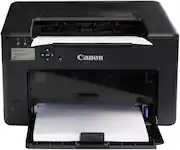
LBP122dw Wireless B&W Laser Printer - Black
Great printer, very fast. The cartridge included lasts for 1,600 pages. I use it in my home office and my space is limited so the small profile works perfectly. It is worth every penny. I have used a lot of color all in one ink jet printers in the past and found that the ink is expensive and they don't hold up.
This review is from Canon - imageCLASS LBP122dw Wireless Black-and-White Laser Printer - Black
Posted by MICHAELH
- Rated 5 out of 5 stars
Great choice for a printer
This printer was such a good choice over the one it replaced. Quick and quiet. The only issue I had was seeing the prompts in the little window to pair the WiFi for a wireless connection. This was challenging because it was dark and hard to see. Great once I did it!
Posted by EdieB
- Rated 5 out of 5 stars
Printer
Easy to use. Pretty quiet and fast printing. Connects to my iPhone and printing without laptop. Price is good for value
Posted by Regina
- Rated 2 out of 5 stars
Caution: Transport guide can fall
It seems like it may be a good printer, but the screen to enter data on the printer was hard to see and navigate. The overall construction when the toner cover is lifted seems a little weak. Lots of flimsy plastic. Watch out for the "transport guide" under the toner lid. I've attached pictures of what can happen if it is not locked into position. The lid will not close. If the green sticker in the center can be seen it may be ok. If not lift the guide and push in to secure it. I did not see documentation of this. It would be simple to put a warning in the manual or video. Others have had the same issue. Also maybe add a way in the remote UI to setup the printer initially if someone does not want to deal with the window.
Posted by Victor