Rating 4.9 out of 5 stars with 844 reviews
4.9- Speed (286)
- Storage (154)
- Performance (135)
- Ease of use (79)
- Price (68)
- Warranty (5)
Customer Images
The vast majority of our reviews come from verified purchases. Reviews from customers may include My Best Buy members, employees, and Tech Insider Network members (as tagged). Select reviewers may receive discounted products, promotional considerations or entries into drawings for honest, helpful reviews.
- Rated 5 out of 5 stars
What do you exspect its a samsung!
Great drive for the price, it performs as it should. I'm using this to put games on, seeing on how games are getting larger and larger and so many great games coming out this year thought i would grab it just in case a shortage were to be in the future. I got it on sale for $169 which is a crazy good price for a Samsung not to mention a 2tb drive!
Posted by shadowlid
- Rated 5 out of 5 stars
Great SSD
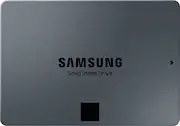
a great 2.5" SSD, great speeds and capacity for what I need, easy install and easy to move around. Very lightweight, and not all that fragile
Posted by John
- Rated 5 out of 5 stars
Go for it
This is the first refurb 2.5 ssd I’ve purchased from Best Buy, but I’ve purchased 3 refurbished nvme ssd’s prior to grabbing this one and there hasn’t been a lemon yet among them. I almost don’t want to oversell the refurb items at Best Buy, because it feels like this lucky money saving secret that if it caught on, could make the chances of getting one harder, or make them not as available , but that’s I know silly. If you’re at all considering an ssd and want more quality or quantity than the price of a new drive, I’d 100% recommend grabbing a refurb. Each of the many I’ve bought have been basically new. Great deal. Don’t spread the word!
Posted by KalF
- Rated 5 out of 5 stars
Fast and affordable
Pros Fast Cheap Includes cloning tools RAPID Mode increases performance substantially Magician software includes a lot of features Cons Doesn’t include any adapter for cloning Doesn’t include screws if adding a new drive Not user friendly for first time installers It is becoming harder every day to justify buying a traditional hard drive. With drives such as the 870 EVO topping out at 8GB the argument of low capacity is no longer a barrier for most. SSDs also take up less space, are lighter, are faster, use less power, aren’t bothered by bumps, don’t make noise, and generate far less heat. Initial Impressions and Installation If you have already used Samsung SSD’s before things won’t look much different. It’s just a deceivingly light metal 2.5” drive and a pamphlet in the box. No cables, adapters, screws, or software included in the box. The instructions do point you to Samsung’s website for their Data Migration Wizard and Samsung Magician. If this is your first time installing a hard drive, be sure to do some research first on how to install. This is even more important if this is to be your OS drive. The reason is, even though it’s a retail kit, there is no adapter included for cloning or any screws for that matter. It does include Samsung’s own cloning software that you must download from their website. None of this is a big deal for an experienced system builder but might a little confusing for first timers. If you have a spare bay to install it, the process is overall pretty straightforward. Just install the drive and the Data Migration Assistant will, in most cases, recognize which drive is the old. You select the new drive and click one button. Usage and Performance For Samsung fans, the drive performs just as you would expect. In testing and usage the speed was very consistent. Without RAPID Mode disabled, sequential reads consistently stayed above 500MB/s with 4KB speeds being a more modest 33 to 35MB/s. Writes clocked in at 480MB/s or greater with 4KB write speeds hovering around 75MB/s. CrystalDiskMark turned in a 550MB/s read and 520MB/s write coming much closer to the stated 560 Mb/s read and 530 MB/s write. Samsung Magician offers a lot of extra features compared to other SSD makers, including integrated performance testing, diagnostics, encryption, and secure erase but the most useful utility for daily use is RAPID Mode. When turned on, Magician uses a portion of your RAM as a cache which in testing consistently returned speed results over 2000MB/s. Of course you can do the same thing with any third party caching system to boost performance and Windows already does this to some extend but what is nice is how Samsung includes it right within their software and doesn’t require any more than turning it on. Keep it on makes a noticeable difference during times, such as starting the computer, or repetitive tasks and overall makes the drive feel a lot faster than competitors that don’t offer such a feature out of the box. Samsung claims the TBW rating has been doubled compared to the 860 QVO series. Looking back at old articles, the 1TB 860 QVO was rated at 360TBW. According to Samsung’s website, the 870 QVO maintains the exact same 360TBW how they can claim it has been doubled is unclear. Similarly, both the old and the new drive have the same 3-year warranty. That said, overall SSD reliability seems to be better than that of a traditional hard drive and Samsung has a reputation of making reliable SSDs. There is no reason to believe the 870 QVO would be any different. Final thoughts It’s really hard to squeeze any more performance out of the SATA III interface, which is why the 870 QVO performance is nearly indistinguishable from the previous generation. What is nice to see is Samsung increasing storage capacity over the previous generation offering up to double the maximum storage of the 860 series. It seems thedays of traditional hard drives is rapidly coming to an end. If you are need of a SATA hard drive or a high capacity affordable SSD, the 870 QVO could server you well and likely for a very long time.
Posted by CraigB
- Rated 5 out of 5 stars
Ssd
I put it in my PlayStation 4 and it runs almost like a ps5
Posted by JR2Anthony