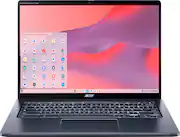
Rating 4.2 out of 5 stars with 228 reviews
4.2- Processor Speed (56)
- Stylus (56)
- Battery Life (37)
- Screen Size (32)
- Weight (14)
- Speaker Quality (39)
Customer Images
The vast majority of our reviews come from verified purchases. Reviews from customers may include My Best Buy members, employees, and Tech Insider Network members (as tagged). Select reviewers may receive discounted products, promotional considerations or entries into drawings for honest, helpful reviews.
- Rated 5 out of 5 stars
Great! Best used on a hard surface.
Great machine. I've had it for over 3 years now, and it's super fast and competent for browsing and emails. I haven't tried gaming with it or anything. It works best on my desk- as it does overheat/heat up (which seems like it wouldn't be good for it, but hasn't caused issues thus far) when I use it on my lap with a pillow, which I would like to do more often. This causes it to heat up when it doesn't get air flow to the vents on the bottom. I don't think this is a flaw per se. I didn't look into this angle when I bought it, so that's on me.
Posted by msfirefly
- Rated 5 out of 5 stars
A nice computer package, with value & versatility
Verdict. This is my first Chromebook… And Chromebooks are great! Who knew?! This Acer laptop provides a lot of value and versatility into an affordable system, with a great operating system (OS). There is a lot to love here. First impressions. It is sleek, light, with a nice display, a comfortable backlit keyboard, and a large touchpad. It comes with a power adapter, a mouse, and a stylus (neatly tucked away in the lower-front-right of the laptop). Features. This is where the laptop shines. The laptop has a very responsive touchscreen that can fold all the way back so you can use the laptop as a tablet. Yes, many laptops do that, but the vast majority do not come with a stylus, and most are much more expensive. Additionally, the high-definition screen is gorilla glass! With convertible laptops, I am always worried about the screen. In this case, I feel much better when hauling around this computer all day, on commutes, to class, and at home. The laptop uses the 12th gen i5 processor and 256GB of SSD memory. While 256GB is not a lot, the SSD paired with the i5 provides a zippy experience and great performance for most daily tasks. The laptop has ample ports too: regular USB, USB-C (x2), and and HDMI port. The computer has a built-in dock that stores and charges the stylus... this is great, because styluses get lost or damaged easily, and you have to remember to charge them. This laptop makes owning a stylus super easy. Chromebook benefits. This is my first Chromebook, coming from the other two main OS. I was concerned about the potential learning curve… and I was pleased to find out that there really isn’t one. The OS is very intuitive for the most part, it is very fast, it has built-in virus protection, and it makes all google tools accessible directly from the desktop. I am very impressed with having access to all of my google things as soon as I login with my google credentials. Native or built-in access to google tools is very very nice since I use many of their tools on a daily basis to email, store documents, watch videos, and create/edit documents. I prefer another suite of document creator in general, and I was able to use my subscription on the Chromebook without any issues, so the Chromebook aspect doesn’t limit the use of your favorite software. In fact, access to the playstore will give me added functionality I think because I haven’t really considered apps on the OS I normally use. Perhaps, I have been stuck in an old paradigm, until now. For students. I used this laptop for a couple days a week when going to class for grad school. The laptop is great for typing notes, accessing stored documents, and communicating with others by messenger or video (with HD webcam!). It is light, so it’s easy to cary around, and I don’t bring the mouse to class. I could access Blackboard normally and login to classes online when needed. While the tablet mode is neat, taking notes with the stylus took some time to adjust. I normally use a different tablet and stylus pencil to write notes, and the feel is different, so it will take some time to get used to this system. Additionally, I had a bit of a hard time to save written notes, then finding where I saved them, and then trying to send them out by email. This is a small learning curve, and the only part of the experience I didn’t find intuitive. Once I figured it out, the workflow was faster on the next try. My daughter, a high school student, absolutely loves this laptop because she uses all google tools, especially all the document creating tools, and her school uses google classroom, so the integration is complete and perfect. Also, the fact this laptop comes with a stylus and mouse adds even more value for students who want a versatile and capable system. Finally, the extended battery life means that you don’t even have to take the charging cable to class! The laptop can go up to 10 hours on a full charge, and in a pinch, you can get four hours of battery on just a 30 minute charge. I haven’t actually tried to go the full 10 hours, but we regularly use it for 4 to 5 hours without charging, it still has more than 50% battery life. Things I love: - Sleek and compact - Sufficient ports - The screen folds all the way back so you can use the laptop as a tablet - It comes with a mouse AND a stylus!! - The stylus has a built-in dock that stores it and charges it - Easy access to apps in the playstore - All-day battery life! 10 hours without a charge, and quick-charge option to get 4 hours in just 30 minutes of charging - HD webcam - i5 processor and SSD provide a fast experience - Wifi 6 - Anti-microbial Gorilla glass screen!! Things I don’t love: - 8GB of RAM and 256GB of storage may not be enough for some people. On the other hand, at the price point of this laptop, this is a fair offering. Moreover, if you are using the google ecosystem, you may already have access to substantial cloud storage, so storage may not be a concern at all. If you don’t run heavy apps and keep tons of tabs open at once, 8GB should be enough Overall, this is great laptop, offering lots of value and versatility in general, and more specifically, it’s a very compelling package for students. The Chromebook OS performs well and enables access to all google tools right from the desktop… I really like this aspect. It’s simple, convenient, and powerful. I will now consider Chromebooks for all future laptop purchases. For students who use google classroom, the utility is even better. I highly recommend this laptop.
Posted by AllAboutTech
- Rated 5 out of 5 stars
A Fine Notebook Computer For Students
Acer Chromebook Spin 714 8GB Ram 256 Disk I have not had a lot of experience with Chromebooks as I have almost exclusively used another operating system for a very long time. Students use these devices and seem to function very well in performing their tasks in school. My daughter uses a Chromebook in school and she has an older model for use at home. I wanted to be familiar with these devices to offer support to my daughter and the students who come to me for help. This Acer Chromebook 714 seems to me to be well built. I’ve looked at these devices since they started to come out and for the most part my impression was that the build and construction were on the cheap side. I was impressed with the construction overall. I did think it seemed a little bulky but not overly so. The keyboard and mouse functioned adequately though it did take me a while to get used to the feel. I was mildly and positively surprised to learn that this computer was equipped with an Intel I-5 processor. I was able to run various applications with no noticeable lag whatsoever. The computer is equipped with a 14 inch touch enabled display which was bright and clear. I thought the display was adequate. The unit that I received came with a generous 8 gigabytes of RAM and a very generous 256 gigabyte hard disk drive. For a Chromebook, it would seem to me that it would be more than sufficient for years to come. As far as ports are concerned, the computer I received came with two USB-C ports (one would be used for charging and running off electricity. The computer also contained a USB port, a HDMI port, a headphone jack. In my opinion, a glaring absence of a micro-SD card slot or a SD card slot was noticeable. Another aspect of this device is that the sound from the speakers is not very good. Its tough listening to music on the computer but I don’t buy computers to listen to music As far as battery life, I averaged about eleven hours on a single charge. That is stellar in my book. You could work all day and still have battery life left over. I would estimate that my use was light so battery life may less or more depending on use. I suppose there is much documentation and evaluating on the Google Chrome operating system. My previous, limited experience with a Google Chromebook made me realize that this is a viable computer, with good specifications and an easy to learn operating system. Without doing too much digging there were a sufficient number of downloadable apps from the Play Store. I still have a lot to learn about what this machine is capable of doing and the apps that are available for it. Overall, I was impressed with the quality of the build of the hardware. Acer has manufactured a very usable, functional computer with and coupled it with an operating system that students find easy to use.
Posted by ERN52
- Rated 5 out of 5 stars
Got an Acer Chromebook Spin714 instead of the iPad
Even though my grand daughter has all Apple products, my wife and I found the Acer Chromebook Spin 714 to be superior in many ways. It is a combination of a Laptop and a Notebook as is the case with the iPad. But it differs in the following ways: 14" vs 13" monitor, Touch Screen, Electronic Pen, and many other features at far less the cost. It was a no brainer. So we bought it for our granddaughter who will be starting college. We just gave it to her and she was thrilled. Check it out.
Posted by Badfit
- Rated 4 out of 5 stars
Fantastic Battery Life
For the last few days, I've been testing the ACER - Chromebook Spin 714 as my daily driver. I've used it for completing my cybersecurity coursework which required the use of emulators, web apps and google docs. I've also used it for work, virtual meetings, and even recreationally to watch movies. In every scenario the Chromebook exceeded my expectations for comfort, performance and battery life. On day one, I immediately fell in love with the Spin 714. The first reason is because the keyboard is so comfortable to type on. All the keys have an excellent amount of feedback and are perfectly spaced. This made typing and completing writing assignments a breeze. Also, since it is thin and light, I was easily able to transport it in my bag and could barely tell it was in there. Another thing I love is the battery life and charging speeds. I was able to get 10 hours of screen-on time. Which is fantastic. This is the first computer I have ever used that can consistently provide me with that much use time. And while using a 65-watt charger I was able to reach 100% state of charge in a little over an hour. The Spin 714 has some other great features that also come with some quirks. The 14-inch screen is bright, has tiny bezels and is a great size for productivity. I just wish it was a little less reflective. The speakers are decent. However, in the first few days I heard a random pop or crackle but that hasn't happened since. Maybe I got an update that fixed it. There is also a stylus built-in which is an accessory that you really don't find on other computers. It worked well but for some reason I was not able to use it to take notes in tablet mode. Maybe that will be fixed in a future update. With that said, Overall, I think this is a great Chromebook that performs well and even with its quirks I still love it. Great Job ACER.
Posted by buckbabes