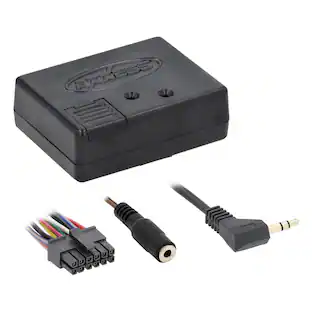
Metra - Amplifier Interface for Select Honda Vehicles - Black
Reviews coming soon
About this product
Upgrade your vehicle's stereo system with this Metra amplifier retention interface for 2016-and-up Honda Civic models. Featuring a factory-compatible circuit, the interface converts the new installed stereo's signal to a format that works with the factory amp. This Metra amplifier retention interface is Micro-B USB updatable, facilitating hassle-free firmware upgrades.
Features
Compatible with select 2016 and up Honda Civic models with amplifier
For use in your existing vehicle.
Micro USB updatable
You can easily update the system with relevant information.
For use with a Metra dash kit
Designed for use with a Metra dash kit for select Honda vehicles (99-7821B model).
Specifications
- BrandMetraModel NumberAXSP-HNProduct NameAmplifier Interface for Select Honda VehiclesColorBlackVehicle CompatibilitySelect Honda Civic with amplifier 2016 and laterProduct CompatibilityAmplifier
Reviews
This product doesn't have any reviews yet.
Compare similar products

Upgrade your vehicle's stereo system with this Metra amplifier retention interface for 2016-and-up Honda Civic models. Featuring a factory-compatible circuit, the interface converts the new installed stereo's signal to a format that works with the factory amp. This Metra amplifier retention interface is Micro-B USB updatable, facilitating hassle-free firmware upgrades.

Install a music system on your 2016 to 2021 Honda Civic with this Metra TurboTouch dash kit. The touchscreen displays the climate and enables seamless setting control, while the included brackets and harness offer easy setup. This Metra TurboTouch dash kit fits single-DIN and double-DIN to accommodate various aftermarket radio brands, and the scratch-resistant finish is long lasting.

Easily add an aftermarket amplifier to your vehicle’s factory audio system with this Amplifier Integration Interface for Select GM Vehicles by PAC. The AOEM-GM1416 provides a 4-channel RCA audio output so you can install an aftermarket amplifier while retaining your vehicle’s factory radio or add an amplifier to an upgraded aftermarket radio. This amplifier integration interface also features a vehicle-specific harness that plugs directly into the vehicle’s wiring for quick installation.

This Metra LC-GMRC-CL29 interface retains your vehicle's warning chimes after the amplified or non-amplified sound system has been removed or replaced. The compact design allows easy integration into your vehicle.
| Pros for Metra - Amplifier Interface for Select Honda Vehicles - Black | |||
|---|---|---|---|
| There were no pros for this product— | There were no pros for this product— | There were no pros for this product— | Ease of use, Installation, Overall Performance, Compatibility, Fit |
| Cons for Metra - Amplifier Interface for Select Honda Vehicles - Black | |||
| There were no cons for this product— | There were no cons for this product— | There were no cons for this product— | Price, Wires |
Specs
More to consider
Metra Axxess Amplifier Interface for Select 2014-2019 Mitsubishi Vehicles
$129.99The price was $166.99Metra Axxess Amplifier Interface for Select 2007-2013 Mitsubishi Vehicles
$180.99The price was $196.99Metra Axxess Steering Wheel Control and Data Interface for Select 2016-2018 Honda Vehicles
$134.99The price was $156.99Metra Axxess Camera Retention Interface for Select 2012-2015 Toyota Vehicles
$35.99The price was $37.99


Enjoy your ride Sponsored

Discover related products
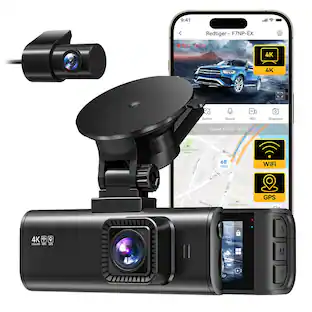
REDTIGER 4K/2.5K HD Dash Cam, WDR, Night Vision, GPS, 5.8GHz WiFi
Holiday Deal$95.99The price was $219.99VEVOR GPS Navigator for Car, 7 inch Touch Screen 16GB GPS Navigation System with Built-in Dash Cam
$80.90The price was $100.99



Keep exploring
Stinger Select Series 1/0-Gauge 1500W Amp Wiring Kit, Ultra-Flexible Copper-Clad Aluminum Cables
$63.99The price was $66.99