Skip to contentGo to Product Search
Main Content
In Chromebooks

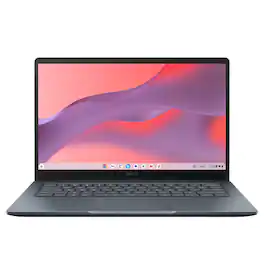
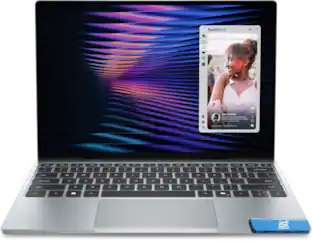
ASUS - CX14 14" FHD Chromebook Laptop - Intel N50 (2023) - 4GB Memory - 64GB Storage - Dusk Gray

Model: CX1405CTA-CL464
SKU: 6669595
Sold byBest Buy

Customers are saying

Customers value the device's overall performance, which users describe as remarkably smooth, alongside its excellent portability and impressive battery life. While the connectivity, keyboard feel, and design are also frequently praised, some users find the audio quality to be basic. Additionally, a few customers noted that the storage capacity is somewhat limited for their needs.

Generated by AI based on customer reviews.
See it in-store: Richfield (12.5 miles away) 
is the closest store with a demo model on display.

Highlights

Features

  • The best of Google, in a laptop

    Chromebooks run ChromeOS, the fast, secure operating system from Google, with built-in Google apps like Gmail, Gemini, Docs, Photos, YouTube, and more.

  • Starts Fast and Last Long

    Powered by the Intel Processor N50, 4GB memory, and 64GB eMMC storage.

  • Lightweight Yet Durable

    Built to meet the US MIL-STD 810H military-grade standard and weighs just 3.06 lbs.

  • Full HD Display

    Enjoy your favorite entertainment with the 14-inch Full HD (1920 x 1080) display.

  • Versatility for Work and Play

    With features including a 720p HD camera with a privacy shutter, Wi‑Fi 6, and a 180-degree lay-flat hinge.

  • Comprehensive Connectivity

    1x USB 3.2 Gen 1 Type-A, 2x USB 3.2 Gen 1 Type-C (supports display/power delivery), 1x HDMI 1.4, 1x 3.5mm combo audio jack.

  • Never had a Virus

    *Breathe easy knowing your security and privacy are covered with built-in protection and the Titan C security chip.

  • Boost Your Productivity and Creativity

    With the Google One AI Premium plan, you get Gemini Advanced, 5TB of cloud storage, and Gemini in Gmail, Docs, and more — all on us when you purchase a Chromebook Plus**

Specifications

  • Screen Type
    IPS
    Screen Size
    14 inches
    Screen Resolution
    1920 x 1080 (Full HD)
    Touch Screen
    No
    Refresh Rate
    60Hz
Sponsored

Reviews

Customers are sayingCustomers value the device's overall performance, which users describe as remarkably smooth, alongside its excellent portability and impressive battery life. While the connectivity, keyboard feel, and design are also frequently praised, some users find the audio quality to be basic. Additionally, a few customers noted that the storage capacity is somewhat limited for their needs.
This summary was generated by AI based on customer reviews.
  • Overall Performance (76)
  • Portability (32)
  • Battery Life (22)
  • Connectivity (8)
  • Keyboard Feel (6)
  • Audio Quality (12)
  • Storage Capacity (4)

Customer Images

The vast majority of our reviews come from verified purchases. Reviews from customers may include My Best Buy members, employees, and Tech Insider Network members (as tagged). Select reviewers may receive discounted products, promotional considerations or entries into drawings for honest, helpful reviews.

  • Rated 5 out of 5 stars

    Pretty decent laptop for a decent price

    I use this laptop ranging from watching anime and doing hvac school work. This is a very good laptop if you need one just to chill and not do anything very extraordinary

    Posted by JEREMIAHS

  • Rated 4 out of 5 stars

    ChromeOS for the casual user

    I am a long-time Chromebook user, and for the first time in a long time, I have to say I am not very satisfied with its performance. The laptop is hard to recommend from a performance-only perspective. Early Chromebooks were slow, underpowered internet devices that everyone kind of expected them to be. Over time, even the low-end Chromebooks got better, so much that I would not hesitate to get a low-end 4GB Chromebook for your child or the senior in your life. In a matter of fact, I have two other 4GB variant Chromebooks from previous years, including one from Asus that I absolutely adore for its weight, functionality, and performance. This particular Asus Chromebook had me in knots. First off, the keyboard is more like that of a Windows machine with a “G” button than a standard Chromebook keyboard. The “G” button is something I have seen in the development images for the new Google Aluminum OS (the next-generation Chrome OS) that's coming out soon. I can't fault the manufacturer for keeping future keyboard layouts in mind, and familiarity helps adoption. The keyboard is workable, but for someone used to ChromeOS shortcuts, it feels a bit different. That said, it didn't take me long to get used to it. It took my senior mother a bit to get used to it, though. The keyboard touch feel is nice, and the trackpad works well. The screen is clear and bright, with full 1080p resolution. The sound output is tinny but workable; the connectivity options are good, with an HDMI port and USB-A and USB-C ports, all on one side of the laptop. The USB-C ports are charging and display-port capable, along with 5GBPS connectivity. The battery life is more than enough for a road workhorse, and the device will receive updates until 2033. The OS setup feels very slick, very familiar, very much ChromeOS. Setup was a doddle, especially if you are an Android user; just scan the QR code with your phone to pair it, transfer your information, and begin its updates. This is where the machine's performance first showed cracks. You see, this is powered by the Intel N50, a 6W dual “efficiency” core processor designed for low-power consumption. With two efficiency cores, anything CPU-intensive would take a little longer. That in itself isn't a huge deal; the problem arises when you have multiple tabs and windows and are swapping between browser tabs and other documents. This is where the two cores really fall short. Quite often, I found myself waiting for the screen to catch up with what I was trying to do. It's frustrating for a power user. I have never experienced this performance issue before. I even reset the laptop to factory settings to see if it was a fluke during setup, but the problem persisted. I still will state that the benefits of the ChromeOS laptop outweigh its flaws. The laptop is of a good weight, size, and rugged build quality. It is very good for a child or a senior. ChromeOS’s native ability to not allow rogue programs to run makes it inherently more secure than any Windows machine could ever be. If the end user is patient, it is well worth giving one to them, but this model is not for the power user. If you run one program at a time, it's perfectly fine. If your entire life runs on the Chromium browser, you have nothing to worry. In the end, I have relegated this unit to my mother, who, despite her age, wants to stay connected to the internet. This has replaced her previous Asus Chromebook, trading the older, smaller screen for this higher-resolution, one-inch-larger screen that is easier on her tired eyes. Overall, not a bad device, and it provides a solution when needed. Just be aware of the limitations that a power user may feel it a bit lacking in the performance department.

    Posted by TheStigenator

  • Rated 4 out of 5 stars

    Lots of potential & great for use cases

    Verdict: This is a tricky one… The ASUS CX14 is a great value on sale; it’s a chrome book that works and can generally do everything you want to do online and in the Google ecosystem. However, at full price, it becomes harder to recommend, and I would stay away if you are looking for a traditional computer (install programs, have lots of files on your hard drive, have many programs and tabs open, etc.). I think that this is a great starter laptop for students, and for people who fully live online AND in the google ecosystem. First impressions. It’s small and portable. Military specs. It has HDMI, and enough ports actually. It can fully lay flat when you open it all the way. I love that the charger is USB-C. Setup. I love the google login experience of Chromebooks. It’s seamless and all your google stuff is immediately accessible. Performance. Specs are barebones basic, but the computer functions thanks to the lightweight Chrome OS. It works well with just one or two tabs open, or one or two programs open, but it starts to struggle quickly as you add more load to the computer. Use cases. It’s important to note that there is something to the google ecosystem… I currently work in a company that does 80% of its work in Google (email, sheets, docs, appsheet, scripts, drive, etc.). If we didn’t need Office and Acrobat, I could see everyone having nice Chromebooks for a fraction of the cost of traditional nice laptops. I also have one more idea with these… I am going to try to use it in a business where we do everything online: google apps and a calling app; this could actually work well. Features. I like the hot keys on the top row; very convenient, especially the refresh, screen capture, and the back button. Things I like: - Solid frame; seems to be built well; actually military-grade standards - Super portable: small and lightweight - Runs fairly smoothly considering the basic specs - Full HD Display - Fast startup - Great battery life - Physical privacy shutter - Built-in antivirus? I don’t think I even knew that about Chromebooks - Full HD webcam Things I don’t like: - Very basic specs, expected at this price range, but manage expectations - The speakers are not loud and average quality – expected at this price range - The hard drive is very small, but with google drive, perhaps that will never be a factor Overall, this is a good laptop for specific use cases… I think this is maybe 4 stars in terms of Chromebooks and price/value. If compared to a normal laptop, then this is 2 stars. Before buying, you need to consider your requirements and your daily use. If you manage expectations and know what you are buying, you will be happy with this Chromebook.

    Posted by AllAboutTech

  • Rated 3 out of 5 stars

    Reporting for light duty

    Asus has brought out this $250 Chromebook aimed for those students and casual home users. As I unboxed this, I couldn't believe how light this thing felt for being a 14 inch Chromebook (3.06lbs). The next thing I noticed was that this thing has some tough plastic, I had to look this spec up and saw it has military grade durability (it meets US MIL-STD 810H standard). The keyboard does have some flex when pressed down, which leaves some concern if left open and it falls to the ground, it might sustain some damage that way. If left closed, I feel like it wouldn't be much of a concern if dropped. The screen resolution being full hd 1920x1080p is reasonable at this price point. The anti glare, IPS LED screen is decent but one of the main drawbacks is that it does not get too bright (peak brightness is 300nits). This means you would be limited to indoor use and away from direct lights. At least the anti glare coating helps in keeping the display looking clearer if you are in a bright environment. Overall use- The 4gb of ram and 64gb flash storage is starting to feel tight for our modern uses. It handles web browsing with different tabs open, and streaming fairly well though. It's when doing more intensive multitasking that you start to notice the bottle neck. Video calls are decent and clear enough with the 720p webcam to use Google Meet or Zoom, Teams. The built in microphone is also decent. The speakers are lacking though. I would highly recommend a dedicated headset. For I/O connections, it is adequate enough with HDMI, 1x USBA, 2x USBC, and headphone/microphone jack combo. They are all located on the left side of the Chromebook. I wish they could have added another USBA on the right but I get keeping costs down. WiFi 6 and Bluetooth are plenty fast and reliable for everyday use. Battery use is also decent, where your usage might vary but I can see all day battery life if taking small everyday tasks. It is pretty efficient for being a 3 year old processor. Asus rates this at 10-12 hours on a full charge, which seems fair to say. To summarize, this is aimed for the budget conscious, students, casual web browsers. It will hold up to everyday use and abuse. It is light enough to not have to worry about throwing it in a backpack. The 4gb memory is a hindrance and you notice it in the Chromebook menus. Don't expect to be doing anything too demanding outside web browsing and streaming.

    Posted by HoMi3

  • Rated 4 out of 5 stars

    Perfect for Travel

    As soon as the Chromebook arrived I fully charged it overnight with the included electrical cord. The next day I started the set-up process. It was so easy to set up but I am always surprised at the updates, drivers and software that are needed to be downloaded. This actually took a long time. The User Guide and manual is online and easy to find using the link included in the packet of information. I was surprised at the tasks I could perform with this ASUS Chromebook. Sometimes when I travel I do not want to take my big heavy laptop. I just need something that will be able to check email, research for my job, and allow me to update notices etc. The ASUS - CX14 14" FHD Chromebook Laptop - Intel Celeron N50 (2023) - 4GB Memory - 64GB storage is perfect for these tasks. It does not take up much room in my backpack nor does it make it too heavy to be uncomfortable. It is well made and sturdy. Accessibility Settings: This Chromebook was so easy to set up and had so many features that I like to use when traveling and everyday use. The Screen Reader is one such task. It is one of the first things I was able to set up. It is normally used for blind or low-vision readers. However I love it and use it often. I can highlight a word or a section and it will read just that section. It can make the mouse curser larger so it is easy to find. It adds a screen or docked magnifier. I love a magnifier so I can really check things out for reports or when I am bird watching, I can zoom into the photo and see if it is the bird I am viewing in real life. You are not required to add these but For me these accessibilities are so very handy. Keyboard: The keyboard is full size and the keys themselves are higher up making them easier to readjust my hand when I move them from their correct place to type. The space on the letters ‘F’ and “J” are so easy to find without looking. So typing is so quick even when I am not as focused as I would like. SCREEN & VOLUME: The screen is small and perfect for traveling and using the accessibilities I listed above. The colors are bright and the volume is perfect for travel. However I like a higher volume at home. I only gave a 4 star because This Chromebook is not up to my standards for everyday use at work or home. That being said I do love it for my travel needs. It serves a purpose for my needs. I feel that it would also be perfect for someone’s first laptop, elementary school students or an elderly person who does not have a need for all the bells and whistles of a larger laptop.

    Posted by Villageanne

Compare similar products

ASUS - CX14 14" FHD Chromebook Laptop - Intel N50 (2023) - 4GB Memory - 64GB Storage - Dusk Gray

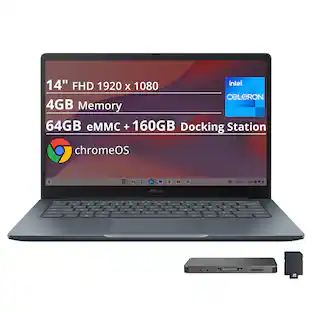
The ASUS Chromebook CX14 makes everyday computing effortless, combining fast ChromeOS performance with the seamless power of built-in Google apps for work and play. Driven by an Intel Processor N50 with 4GB memory, it starts quickly and stays responsive. Its lightweight design, built to meet the US MIL-STD 810H military-grade standard, plus a 14-inch Full HD display, Wi‑Fi 6, and a versatile 180 degrees hinge make it ideal for casual productivity and entertainment on the go.
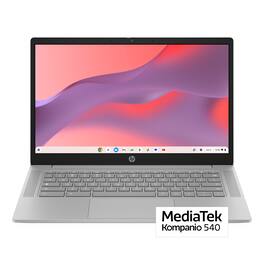
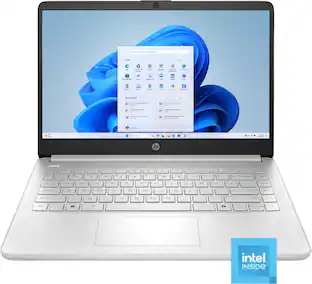
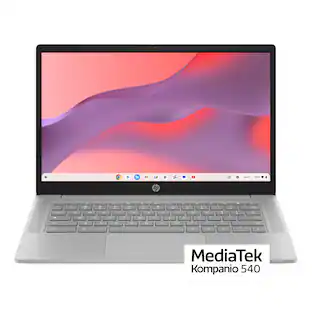
HP - 14" Chromebook - MediaTek Kompanio 540 - 4GB Memory - 64GB eMMC - Modern Gray
4.4(8)

Smartly built for a worry-free day. Master your day without slowdowns and enjoy smooth, stress-free multitasking that keeps up with every tab, task, and spark of creativity, powered by a MediaTek processor. With Gemini ready whenever inspiration hits, your workflow stays fluid from start to finish.
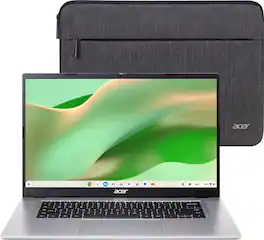
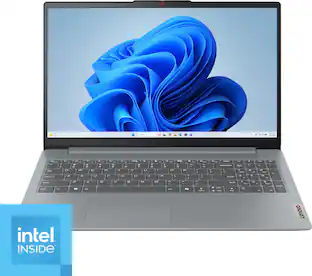
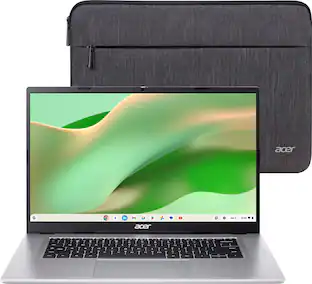
Acer - Chromebook 315 – 15.6" FHD Laptop with Google AI - MediaTek Kompanio 540 – 4GB Memory – 64GB Storage – Wi-Fi 6E - Silver

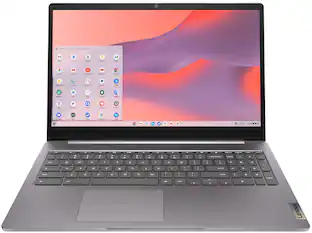
The Acer Chromebook 315 features a 15.6" Full HD screen designed to let you get more done, no matter where you are. Built on the superfast Arm architecture, it delivers speed, smooth graphics, and all-day power. You'll stay focused in either the classroom or the office with a fast processor, and an eco-friendly OceanGlass™ touchpad. Recognized as the perfect multi-media companion, this Chromebook is super thin, extra light and features an impressive FHD Webcam, fast wireless connectivity and long-lasting battery life, so you can run your favorite Google apps or access your photos, videos, music and documents—all day long.
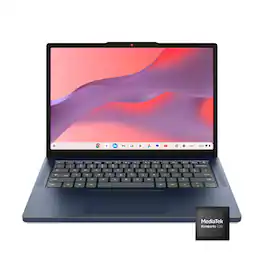
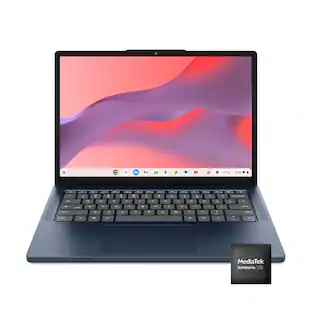
Lenovo - IdeaPad Slim 3 Chromebook - 14" 2K Touchscreen Laptop - MediaTek Kompanio 540 2026 - 8GB Memory 128GB Storage - Cosmic Blue
4.7(91)

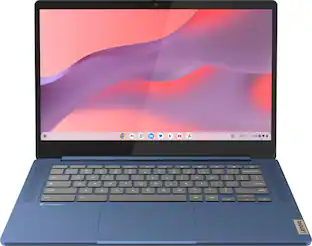
Live animated, live lively, live balanced. When you’re packing the thin and light IdeaPad Slim 3 Chromebook laptop, featuring WiFi 6E and 18 hours of battery life, balancing work and play all day becomes effortless. The 14" 2K IPS touchscreen display and MediaTek Kompanio 500 Series processors are a significant upgrade to your work and entertainment, with front-facing Waves-tuned speakers.

Pros for ASUS - CX14 14" FHD Chromebook Laptop - Intel N50 (2023) - 4GB Memory - 64GB Storage - Dusk Gray
Overall Performance, Portability, Battery Life, Connectivity, Keyboard FeelOverall PerformanceOverall Performance, Portability, Battery Life, Display Size, Keyboard ErgonomicsOverall Performance, Portability, Battery Life, Touchscreen Responsiveness
Cons for ASUS - CX14 14" FHD Chromebook Laptop - Intel N50 (2023) - 4GB Memory - 64GB Storage - Dusk Gray
Audio Quality, Storage CapacityThere were no cons for this product—Memory CapacityThere were no cons for this product—

Specs

Questions & Answers

  • I need a k keyboard that is back lit. Which model has that feature?

    If you are specifically looking for a Chromebook, the following models have keyboard backlit: Chromebook Plus CX34 (CX3402), ExpertBook CX54 Chromebook Plus, Chromebook Plus CM34 Flip (CM3401), Chormebook CX34 Flip (CX3401) Chromebook Flip C536 amd Chromebook Plus CX15.

    Answered by ASUS Answers
    ASUS Answers response
  • I want to update maps on my car. Can this handle map capacity?

    The ASUS Chromebook CX1405CTA has sufficient storage capacity to support map updates for offline use and planning. Please note that the device does not include built‑in GPS hardware, so for in‑car navigation it would need to be paired with a smartphone or an external GPS device.

    Answered by ASUS Answers
    ASUS Answers response
  • How long do you receive updates

    The ASUS Chromebook CX1405CTA will continue receiving official ChromeOS updates until June 2035.

    Answered by ASUS Answers
    ASUS Answers response
  • Does this model have an SD card slot?

    The ASUS Chromebook CX1405CTA does not include an SD card slot.

    Answered by ASUS Answers
    ASUS Answers response
  • I mostly play games, and want touch screen, what is a good notebook or tablet

    The ASUS Chromebook CX1405CTA is a budget‑friendly laptop with a 14‑inch Full HD screen, making it suitable for casual gaming, Android apps, and everyday tasks. However, it is not designed as a high‑performance gaming machine, it performs well with lighter titles and cloud gaming services, but is not intended for demanding PC games.

    Answered by ASUS Answers
    ASUS Answers response
Ask a question
No content

Customers often buy these together

Sponsored