Rating 4.2 out of 5 stars with 37 reviews
4.2- Fall Detection (14)
- Accuracy (8)
- Setup (7)
- Ease of use (5)
- Zone Positioning (5)
Customer Images
The vast majority of our reviews come from verified purchases. Reviews from customers may include My Best Buy members, employees, and Tech Insider Network members (as tagged). Select reviewers may receive discounted products, promotional considerations or entries into drawings for honest, helpful reviews.
- Rated 5 out of 5 stars
Next gen Presence Detector works with Apple Home
Aqara is making excellent next generation products that Integrate seamlessly with Apple Home. Highly recommend the FP2 Presence Sensor. It was very easy to setup, uses AI to maps out the area or room, performs reliable and accurate and best of I can see it's status and make any changes on my Apple Home APP.
Posted by rlcas
- Rated 4 out of 5 stars
Lots of potential for home automation
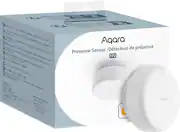
I have to admit, I did not really understand the potential of the Aqara FP2 when I first got it. I assumed it was like a motion sensor that would trigger things like my lights when I walked into a room and turn them off when I left. However, it’s much more powerful than that if you use the right home automation ecosystem. The unit is a small white hockey puck about 2.5” in diameter. It sits on a double-hinged arm attached to a base with a rubber foot and can be oriented vertically (upside-down), at a right angle to or parallel to its base. The base also happens to be magnetic and can be attached to a metal surface or the metal mounting disc (two are included) attached via a screw or adhesive sticker. Setting up the unit in the Aqara Home app is simple and straight forward, since you don’t need an additional hub to connect to, however, you will have to have a 2.4 GHZ WiFi network or use Bluetooth to manage the device settings. The FP2 sensor uses a 60-GHz mmWave RF sensor and has a 120° detection radius (up to 19.5 ft wide and 26 feet away) and covers about 430 sq ft of space. You can also divide up the sensing area into 30 separate zones and setup unique automations for each one. It can do this because unlike infrared, sound, or motion sensors, this technology can detect very slight movements, even if you're sitting or standing still, and captures data like range, velocity, and angle or movement for high accuracy tracking. This allows it to detect and monitor up to 5 people in a room simultaneously and trigger different actions locally for each person without actually capturing any real “images” of them. There is also a lux light sensor built in so you can trigger automations based on ambient light conditions as well. The unit is powered via a 6ft USB-C to USBA cable, though doesn’t come with a power adapter, so you’ll need to provide a 5V 1Amp brick and choose a location close to where you’ll plug it in. Note that there’s no internal battery, so the unit will stop functioning if your power goes out but still functions if only the internet is out. Once the sensor is set up, you’ll be able to map its sensing area and mark where furniture, doors, and windows are. This helps you visualize your space, so you can divide it into zones and create various triggers in more than one location for you home automation. Just note that if you set the sensor up in the corner of a room, the map grid won’t really line up well. It’s up to you how you want to use its sensing data when integrating with home automation ecosystems like Apple Home Kit/Assistant, Google Home, Alexa, and IFTTT. Aqara is also planning on including Matter integration at some point in the future as well. In the Aqara app, you can set up automations to trigger under a variety of scenarios including when presence is detected in a zone, for a specific duration, or even entering/leaving a room from a specific direction. However, we use Alexa for home automation and although the zones were each pulled into the Alexa app as separate motion detectors, it seems the only trigger conditions currently available are ‘motion detected’ and ‘motion not detected', which essentially is whether someone enters or leaves a zone. So while I'm in my kitchen, it'll turn on the overhead lights, when I'm by the coffee machine it'll switch on the under cabinet lights, and when I leave the room everything turns off. There also wasn’t a way to setup routines using the FP2’s light sensor in Alexa, though I was able to do so with IFTTT. While not as robust as what Aqara supports natively, the routines did work as advertised and the sensor was very accurate in sensing where in the room multiple people were. In general, the responsiveness was quite fast, not exactly instantaneous but a short enough delay between trigger and automation that it felt seamless as I moved about my space. There are two other ways it can be used: when ceiling mounted it can detect when an individual falls and send out alerts, which may be helpful if caring for an elderly individual, and if used bedside can be used to monitor sleep (for one person) and tracks things like heart rate, sleep stages, and respiratory rate. There’s also some beta functions available right now for people counting and AI detection of robot vacuums and pets, though these features may not be permanent or included in the future. Overall, what I like about the FP2 sensor is that with zone control, it can essentially take the place of multiple PIR motion sensors, and there are a number of different ways it can be used. For me, the potential is there for it to do pretty some advanced automation sequences, but your mileage may vary depending on with automation ecosystem you’re using.
Posted by ReviewedByPhil
- Rated 5 out of 5 stars
Impressive Presence Sensor!
This presence sensor from Aqara is nicely made. It is small but very capable. It has some water resistance. It is rated IPX5 and can be placed outdoors even in the bathrooms. This sensor uses 2.4Ghz Wi-Fi band, Bluetooth. According to the manufacturer, Matter will be supported in the near future via OTA update. It detects light, presence, sleep and can be used for fall detection. It is easy to set up with the use of the Aqara Home app. This sensor and its capabilities is targeted mostly for home automation thinkers. You can link your Aqara account with Google, Alexa, and IFTTT to create automations or use its own Aqara app. This device also works with Apple HomeKit out of the box. It is capable of creating multiple zones within a room and can detect up to 5 people at once. The sensor itself is small, light and can be placed practically anywhere. It is extremely accurate and the automation that can be created with it is crazy. However, you required mostly Aqara own equipment (for now). The reason I say that is because at the time of my review the sensor does not support Matter and if you don’t have Aqara devices the automations are kind of limited. I created several zones within my bedroom highlighting 3 entrances/exit and my bed. What I wanted to create was, if the sensor sees me going in entrance 2 which was my bathroom to turn on the bathroom light. Another one was, if it detects presence on the bed for x period of time, to turn on the ceiling fan. Since I cannot link the sensor to Smartthing where I have most of my connected devices, I cannot do that. I tried with IFTTT and created a few applets and it did not go well. I hope with Matter support that can change. Even though Aqara supports Smartthing are mostly old devices via Zigbee, not the new ones. When I created some automations using the Aqara app and using Aqara products, it worked. The sensor is very accurate but is a hit or missed when doing automation in dedicated zones. This sensor also detects falls but it has to be mounted on a ceiling and the cable provided it is too small for that type of application. It is approximately 6 feet. I came up with an idea to replicate the fall. I mounted the sensor on my ceiling fan and connected it to a powerbank and to my surprise it actually worked. I was impressed, I simulated falling several times and it nailed it every single time. Using the Aqara doorbell chime I created a fall alarm detection. Everytime a someone falls, the chime will sound an alarm. That also went flawlessly. The alarm sounded every single time I simulated the fall. The accuracy doesn’t stop there. I also tried the sleep detection feature which is in beta at this moment, and that was crazy. I compared the sleep data with my smartwatch and it was just slightly off. I can attest that the accuracy this device works on is something to be impressed by. The numbers were extremely close for a device that doesn’t have to be worn. The sleep time was just off by 20 min and the heart rate was practically on par with my smartwatch only off by single digits, WOW. The features don't stop there, it has few AI settings. One of them was AI learning, the sensor will learn to detect pets and cleaning robots when someone is not present. Despite mostly being positive about this sensor, unfortunately it can only do one thing at a time. In other words if you use it for detection it has to be mounted in a certain way and it is only going to do just that. The same goes for sleeping and fall detection. I'm pretty sure when this device matures they can make some type of update and make it all in one with a single point of installation (ceiling). Overall I am very impressed with this presence sensor. It is super accurate, small and easy to install. Its capabilities for home automation can be endless once it starts playing nice with third parties. At the price point it is definitely a must have for home automation thinkers. In the box you get Sensor, USB-C to USB-A cable, mounting kit with magnets and manual.
Posted by Wishkid
- Rated 5 out of 5 stars
Great addition
Zone positioning is really important because it only reaches around 430 square feet. When you take that into consideration it’s really only equipped to sensor 1 decent size room. And since it can detect up to five people this device is good for a busy part of your home. Like kitchen, living room, dining room, play room. We are also able to integrate our google home device which makes controlling all our devices fairly easy. Syncing up requires the app, so that step can’t be skipped. Fall detection is pretty funny. I think this is great for older people but it has glitched a couple times thinking someone in the home fell and it was just our dog jumping from the couch to the floor. The device is super small so it can be easily mounted anywhere. It doesn’t move in a 360 rotation so mount it in a way that it can bend to your preference. Overall this is a good device to add to a full home kit. Don’t replace this with a home alarm, this is in addition to help keep your home and the people in it safe.
Posted by Maclemoor
- Rated 4 out of 5 stars
Amazing little package
Aqara FP2 Presence Sensor is a capable device in the smart device sector. Being able to utilize one device as multiple sensors is a small package is great. The precision accuracy is also a plus to not deter false positive notifications. The ability to detect up to 5 people in a room is also amazing to track your room and positions up to 430 square feet. The Aqara Home app is easy enough to setup. I give it points for the simplicity of setup. For the install, I wish the hardware did not need to be plugged in all the time but I believe for the amount of functionality behind this small device, the constant power is needed. Luckily the connection is USB-C. I did have issues with the network functionality of this device. Randomly I would open the app and click into the sensor only to not have it depict data accurately. It happens sporadically but worth a call out. Bonus - If you have someone you care for in a healthcare setting, you can install this as a trip/fall sensor on the ceiling. It will be able to detect and notify as soon as the fall occurs. Zone and presence detection is void in this fall detection mode. It would be nice if maybe in a future version the ability to expand on this feature could be included.
Posted by HoMi3