Rating 4.4 out of 5 stars with 48 reviews
4.4- Ease of use (18)
- USB (9)
- Video Quality (9)
- Size (8)
- Setup (6)
- Resolution (4)
Customer Images
The vast majority of our reviews come from verified purchases. Reviews from customers may include My Best Buy members, employees, and Tech Insider Network members (as tagged). Select reviewers may receive discounted products, promotional considerations or entries into drawings for honest, helpful reviews.
- Rated 4 out of 5 stars
Good capture device for a beginner.
Right off the bat it was a little frustrating. The link provided for the software in the instructions was no good. I did a search and found it -- or so I thought. After installing it the capture software couldn't find my device. After a bit more research I found another version with the same title, and after uninstalling the first one and installing the second, it found my device. The software was actually very easy to use, however it shouldn't have been such a chore to find and install the correct on. It has an HDMI passthrough which is very useful. Unfortunately you're limited to 1080P so my Xbox One X wasn't useful. It's great that is so small (about the size of a credit card, but of course thicker) but I'm not sure that's an advantage as while it's portable, it doesn't actually record to the device meaning you will have to have a laptop or pc to store a recording. I would recommend this capture box, but with a caveat; If you want to get started in streaming or creating youtube content, this is good device at a reasonable price for beginners, but if you're already into it, I would look for a more capable version with a better feature set. Of course, you should also expect to pay more.
Posted by hahanson
- Rated 5 out of 5 stars
Great beginners capture card!!
AverMedia does it again with this one. Compact in size and comes with a really nice braided USB to micro USB 2.0 with gold plated plug ends for best connection. It supports up to 1080p at 60fps or frames per second via HDMI 1.4b. It does not have HDR or 4k capability. It supports all of the major gaming platforms and PC. Overall I'd recommend it to those who are just starting with streaming. It's easy to setup, easy to use and again great quality
Posted by GameOverSuckas
- Rated 5 out of 5 stars
Compact Design
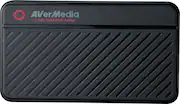
This capture box really does stand up to its name. Mini. Prior to opening the box, I was not expecting for it to be as compact as it was and be able to capture everything i needed for my streaming. I was pleasantly surprised. The sleek design was everything i wanted and more. Its about the size of a deck of cards and is able to fit nearly anywhere it needs to, plus its touch outer shell made me feel sure it would hold up in case it was bumped or nudged. The design itself is pretty self explanatory too. HDMI in, HDMI out, usb min., that's it!. Its hard to screw up the set up with only 3 options for ports. Setup was also a breeze on my PC. Overall i am very pleased with this product, primarily because of its design and ease of set up.
Posted by JorgeST
- Rated 5 out of 5 stars
Content Creators Dream
Are you a content Creator or Streamer? The AverMediaGC311 LiveGamer MINI is the perfect compliment to the creator at home or on the go! I have been creating content on Streaming platforms for over 5 years and have always found external capture cards on the go cumbersome. That has changed with the GC311 its small form factor is lightweight and small enough to store in my laptop bag to take with me on the road when I go to conventions. It also worked great for at home using my PS4 and Xbox One X. As a streamer the standard is 1080P 60 if your bandwidth can handle it, but what about recording the content at a pure 1080/60 form? It looked amazing capturing content for YouTube videos. I saw no frame stutters or frame loss with the device. The biggest upside I liked was it took less than 5 minutes setting up till I was ready to go! Once streaming I didn’t experience any errors or video loss from device. It truly lived up to its Plug and Play promise! Pros: - Lightweight - Easy to use - Small Form Factor - 1080/60 - Built in Encoder - Intuitive Streaming Software - Works with laptops Cons: - Micro USB 2.0 Overall The product comes in at a price point that is appealing to gamers and streamers looking to get into the content creation space without breaking the wallet. If you’re looking to create awesome looking videos this device is for you!
Posted by DocCupCake
- Rated 5 out of 5 stars
Adequate and Works
This was tested on a Windows 10, Dell G7 laptop. In the box you'll find the GC311 Live Gamer Mini and a micro USB cable. The quick start guide will give you a link to download the RECentral 4 software, drivers and utility. And that’s it. Everything is straight forward and it just works. The GUI is intuitive for its purpose of Streaming or Saving the video files. A wizard walks you through the settings with a minimal learning curve. Max Resolution is 1080p and the H.264 + ACC compression is a welcome de facto for the purpose. I use this for both video screen capture as well as gaming. On max settings the file size grows quickly, but doesn’t bog down the system or mess up the capture regardless of time, in my experience. I would recommend this if you are streaming your game experience or capturing the games or even just screen video recording for teaching/reference. 1080p is more than adequate for the onlookers and history videos. I do appreciate the small size, name brand, refined software and overall simplicity. Video capture has come a long way since inception with PC’s and this is about as small, powerful and simple as it can get. This is something you can throw in the bag and it just works when you need it.
Posted by UncleRico