Rating 4.5 out of 5 stars with 764 reviews
4.5- Touch Screen (115)
- Speed (106)
- Ease of use (94)
- Performance (90)
- Weight (46)
- Fingerprint Reader (5)
- Heat (3)
Customer Images
The vast majority of our reviews come from verified purchases. Reviews from customers may include My Best Buy members, employees, and Tech Insider Network members (as tagged). Select reviewers may receive discounted products, promotional considerations or entries into drawings for honest, helpful reviews.
- Rated 4 out of 5 stars
Nice but somewhat large 2-in-1
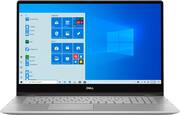
This Dell 15" convertible is a pretty good laptop. It's not perfect, as most aren't, but it has some really nice points. Here are my observations: Build: Build quality is pretty good. The aluminum body is attractive and feels solid and substantial. The weight is about what I expect for a 15-inch laptop. It has some heft although I wouldn't consider it overly heavy for regular laptop use. It's a convertible and the screen folds back to allow the laptop to be used in tablet mode. Performance: Performance is very good. The 10th generation i5 processor and 8GB of RAM provide quick, snappy performance. Windows open and close quickly, tasks execute quickly and reliably and multitasking is a breeze. Office 365 works like a charm on this system as well as more demanding apps like Photoshop. The 512GB SSD is spacious and quick. The system boots and shuts-down quickly as well. The out-of-the-box configuration has a feature where simply opening the lid powers on the laptop. It works similar to a Chromebook. Some may like or even love this feature but I'm not among them. I was happy to discover it could quickly be disabled in the BIOS. I initially encountered an issue with Windows activation on first boot. I kept getting an error that there was no valid product key. A subsequent reboot and activation attempt didn't solve the issue. I finally solved it by running the Windows activation troubleshooter. In fairness to Dell, I recently encountered this exact same issue on another new laptop from a different manufacturer that was also running Windows 10 Home. I'm fairly certain Microsoft is responsible for this glitch rather than Dell. The Thunderbird 3 port is awesome and true Thunderbolt 3 versus merely USB-C. It's fast and works with all my Thunderbolt 3 peripherals. Display: The display panel quality is okay. I' not a big fan of Dell’s mainstream display panels. I find them a little dim and warmer than I typically prefer. It's not just their consumer panels but professional machines as well. We have hundreds of Dell business laptops in use where I work. I manage them, so I have a very good point of reference. Dell has better panels available but they’ll cost you. I have a Latitude that I use for work with an upgraded panel. It's tack sharp, bright, vivid and has excellent color saturation. That laptop also cost quite a bit more than a nearly identical model lacking that particular screen and a few other minor extras. This is definitely more of a personal preference because my wife has a 14" version of this laptop and she likes her screen. The touch panel responsiveness on this model seems pretty good. I've never really warmed up to using a touchscreen on a laptop, so I honestly have no intention of using the touchscreen regularly, especially on a laptop this size. On the flip side, my wife uses the touchscreen all the time. So, again, my feelings are more a personal preference rather than a flaw. Features: The back-lit keyboard has a number pad and nice feedback. The keys don't feel mushy or stiff. The silver keyboard is color coordinated with the laptop chassis. It looks nice but the lack of contrast sometimes makes finding the keys a little more difficult. This is especially true when using the keyboard back-lighting in darker conditions. The silver keys, grey letters/numbers and white light all tend to blend into one another at times. It's much less contrasty compared to black keys. The back-lighting works well and is adjustable in three steps (off, low, high). The track-pad is average. There is nothing particularly great nor terrible about it. I'm simply not fond of track-pads and have never found a one that I truly like on either Windows or Mac platforms. It's sufficient for use in a pinch but I purchased an external laptop mouse for regular use as I always do with a new laptop. The fingerprint sensor is integrated into the power button and works well the majority of the time. It occasionally requires me to re-swipe due to a failed read but no more than most of my other fingerprint enabled devices. Camera quality is average. It's a basic webcam with no notable bells or whistles. Sound is okay but the speakers crackle when playing sound. It happens with all sounds, regardless of source or format. I've been trying to find a solution but thus far, new drivers and reinstalling the device haven't solved the issue. Bloatware is minimal. Other than Mcafee Security and Dropbox, the only other bloatware are Dell's OEM system management apps. Conclusion: This Dell 7000 2-in-1 has mostly good points but there are also a few not so good points as I've noted above. Of the cons, only the sound issue is something I'd consider major if I'm unable to get it resolved. My wife has an almost identical 14” Inspiron 5000 2-in-1. I believe the form factor of her machine is slightly more suitable for a convertible laptop. With that said, even her machine looks and feels a bit large, heavy and cumbersome in tablet mode although she doesn't seem to mind. This isn’t like a typical 10-inch or even 12.9-inch tablet that weighs under a pound and has a smooth flat back. It’s a five-pound laptop that is thick, heavy and forces you to rest your hand against the keyboard in handheld tablet mode. Once a machine hits or exceeds 15 inches, it makes for a clumsy convertible, especially when your hand has to rest against the keys. I don't see any practicality in convertible laptops larger than 11-13 inches. I also like the keyboard on her machine better. Although hers doesn't have the number pad, the black keys have better contrast. I included photos to show the difference in contrast. Lastly, hers is the i7 version although there is no noticeable difference in speed when using for regular desktop tasks and web browsing. They're both around the same price, so I'd recommend this for someone looking for a larger convertible but if looking for the most practical option, I'd recommend Dell's 14" model.
Posted by JMan
- Rated 4 out of 5 stars
Great Device with Some Trade Off
I will start by saying this laptop is pretty, with a nice display, it is fast but with some trade off. This is a 2 in 1 which can be folded all the way and be used as a tablet. This specific model has an Intel i5 10th Gen, with 8GB of Ram, 512GB solid state hard drive and Intel UHD graphics card. The machine is pretty fast, setting it up took about a little bit over 10 minutes. The device is very well built with curved edges, and the silver color makes it looks flashy. The 15in touch screen display is bright with vivid colors, it gets a little brighter with the power plugged in. Despite the display is 1080P you can still watch 4k and 8k youtube videos and they look amazing. It has plenty of ports for its size, it has 2 USB3, one HDMI 2.0, SD card slot, Thunderbolt3 type C, and headphone jack. The weight on this device I should say is fairly light when used as a laptop, but when in tablet mode it will feel kind of heavy and awkward to hold as you tend to press the keyboard keys. The size is perfect for travel as is not that heavy and will fit nicely in a small backpack. Battery life is pretty good too, after 100% charge, I watched Netflix and Youtube for about 3hrs and it still had over 70% battery life. After a day and a half of standby the battery still had 65%. On the bottom of the device it has stereo speakers, one on each side they are fairly loud but too much high pitch and no lows, there is something cool about them tho. Despite the fact that the speakers are on the bottom you can actually hear the sound coming from the center and all around which I found that pretty cool. If you play the sound too loud you can feel the vibration on the surface of the device when typing. This device performs very well, programs runs pretty fast I did not notice any relative lag, and the screen is very responsive to the touch. The backlighted keyboard has a number pad which I definitely like and the power button acts as a fingerprint reader. On the display it has a front facing camera which based on the windows camera setting it is less than 1.MP. Another cool thing I liked was the MaxxAudio software when using the headsets via headphone jack. When the software is enabled it amplify the sound and when you allow the use of the front camera the sound will shift front left to right when you move your head, I found that pretty cool. I used beats over the head headphones to test this. Most of my experience was positive but I did find some negatives too. One thing that I was really annoyed by was the keyboard, the keys felt too bouncy and a little noisy, and I had to press hard on the space bar. I don’t know if it was faulty but it was very annoying. Another thing about the keyboard people with big or medium hand will end up having part of the left hand out in the air when typing, as the typing center is on the left side of the device leaving the left hand with relative no resting surface space. The mouse pad is very responsive but the actual surface feels kind of rough on your finger tips, it is not as smooth as other devices I have. The graphics card is an Intel UHD, but the actual display is only 1080p at 60hz, so you will not be able to watch native 4K content. The front camera is less than 1MP, images did not look good at all and they were blurry, they could have put a better camera. Not labeled power button, I had to look around a little to find it, so I figure it should be the blank button on the upper right corner. Overall is a great device looks beautiful, performs well, and can be used in various form factors. In the box was the laptop, manual and charger.
Posted by Wishkid
- Rated 5 out of 5 stars
Great Convertible Laptop
Most of my computer equipment is based on the "other" operating system. This is one of the first Windows-based machines that I've purchased in about 8 years and my first "touchscreen" 2-in-1 laptop. I needed to buy it for the business and I am quite pleased. I've only been using it for about 2 weeks but the hardware itself feels like a really solid build and comes with Windows 10 pre-installed. It is lightning fast and the touchscreen is very responsive. Converting it from a laptop to a tablet is quick and easy although with a near 15" screen its not the most ergonomically ideal tablet because you have the weight of the keyboard included. Regardless it's responsive and convenient. With a 8GB of RAM and 512GB SSD I have plenty of memory to do author and present my work. I really like how you can flip back the keyboard and turn the unit into a "tent" for presentations. Setup was quick and easy and I loved the Cortana guided process. The fingerprint sensor for laptop access is pretty cool is well. Paired with my Microsoft Office 365 subscription, this makes for a solid machine for business.
Posted by amarks94070
- Rated 5 out of 5 stars
WOW!
Open the box, plug it in, and it walks you through the rest of the set-up. Initially couldn't find the "start" button because the instruction drawing shows it to be on the left but it's actually on the right - not a big deal! Set up was smooth, display/picture is super clear quality, and sound is very good despite being a laptop. Connected to our wireless network without any issues. Processor seems fast, internet pages loaded quickly. Keyboard is smooth and easy to read. I plugged in a USB mouse and it recognized it immediately (I'll probably use it this way but it works equally well with the touch pad.) I anticipate replacing my desktop and using this on a regular basis. Great product and we love it!
Posted by Michael
- Rated 5 out of 5 stars
My favorite new shiny toy
Too many cool options to pick one as my favorite. Love the backlit keyboard, touch screen, snip and draw feature, tablet style, mini SD card slot, sleek design, blue tooth and overall functionality. I can now stay up in bed finishing up whatever I’m doing without disturbing my husband since the keyboard lights up. It does dim when not in use which is a great energy saver. The touchpad is ultra sensitive but can be easily adjusted...some features for certain programs may require sensitivity at the default level but it’s pretty much up to the end user. Love that I can blue tooth my headphones and leave my laptop’s side w/o missing a beat. I also tried a wired headset because why not. Sound quality great on both. The tablet feature is amazing and flipping the laptop to sit like an easel is simple and the image rotated to face the right direction. With the touch of a keypad icon on the bottom of the screen you can type on the screen while having the laptop in this easel position. Drawing is amazing and using the snip and draw feature is so cool. I plan to buy a pen so I can really get great use out of using it as a drawing tablet since I’m currently into drawing and taking some online classes. I used the 2-1 while in the dark to ensure the keyboard would provide enough light for me to see and it did. I even used Inspiron to play online video games and it kept up nicely, even though it’s not a gaming laptop. The sleek design makes for picking up the 2-1 and moving effortlessly around my home and integrating it into different activities. One minute I’m listening to music, the next I’m surfing the web, drawing, watching a video, all with ease since the touch screen is amazingly helpful when I don’t have both hands available to type. While I did set part of my new Dell up using voice prompts (accurate at listening to my voice) I didn’t continue to use the feature after the computer was all set up. It comes with free McAfee antivirus but I chose to install a security software I have a brand preference for. The snip and draw has an integrated ruler which is easy to manipulate and very accurately allows you to draw straight lines, even while in finger mode. The picture quality and sound are fantastic and I enjoyed watching videos from various artists. There are two super speed ports on one side of the laptop and the headphone jack. The other side contains an HDMI port, a thunderbolt port for plugging in iphones or other devices that need charging, all while the laptop is off but plugged in by its charger. The mini SD slot is located same side as HDMI. When I first inserted the mini SD card, Inspiron didn’t recognize it, but a super fast driver update had me looking at the contents in no time. From what I’ve read, the mini SD card can be used for extended memory if you are short on memory or to have more Windows Apps installed. It doesn’t come with a CD/DVD drive but most newer laptops have done away with this feature and most people tend to download or stream music and movies. I was a bit disappointed not having this feature BUT the many other cooler options make this small fry. The laptop does not get hot and the battery life is just okay...I did “put it through the mill” to see if it can keep up with my multitasking but I had to keep plugging it back in to finish up. Since I’m not normally using a laptop for 6 hours straight...I will cut the 2-1 some slack. I recommend this 2-1 laptop to anyone looking to replace their regular laptop because the tablet/touch screen/drawing feature/backlit keyboard/weight is just so cool, you’ll regret repeating getting a regular laptop.
Posted by Bubbles