Dell - Tower Plus EBT2250 Desktop - Intel Core Ultra 7 265 2025 - 32GB Memory - NVIDIA GeForce RTX 5060 8GB - 1TB Storage - Black
Dell - Tower Plus EBT2250 Desktop - Intel Core Ultra 7 265 2025 - 32GB Memory - NVIDIA GeForce RTX 5060 8GB - 1TB Storage - Black
Graphics
NVIDIA GeForce RTX 5060FREE shipping to
More Buying Options
Related Item

Specifications
- Processor ModelIntel Core 7 Series 2Storage TypeSSDTotal Storage Capacity1000 gigabytesSystem Memory (RAM)32 gigabytesGraphics TypeDedicatedGraphicsNVIDIA GeForce RTX 5060
- Key Specs
- Processor Model: Intel Core 7 Series 2 (Your computer's processor is like its brain. Working in combination with system memory, the power of the processor determines the complexity of software you can run, how many programs you can have open at the same time, and how fast those programs will run. Most computers feature an AMD, Intel or Snapdragon processor.)
- Storage Type: SSD
- Total Storage Capacity: 1000 gigabytes
- System Memory (RAM): 32 gigabytes (Random-access memory (RAM) is a computing device's short-term data storage, which allows active information to be accessed quickly. The size and type of RAM determines how efficiently the device can handle large amounts of information at one time. For example, gaming or video editing requires more RAM for optimal performance.)
- Graphics Type: Dedicated (Dedicated graphics uses a separate graphics card for processing video images. Because it does not use memory from the system's RAM, there is no extra burden on the CPU and graphics are processed more efficiently. Integrated graphics shares system RAM to process video images.)
- Graphics: NVIDIA GeForce RTX 5060 (Often referred to as a "graphics processing unit" (GPU), this device is responsible for displaying image content and decoding/encoding video content in programs and games.)
- General
- Brand: Dell
- Model Number: DEBT2250-7153BLK-PUS
- Product Name: Tower Plus EBT2250 Desktop - Intel Core Ultra 7 265 2025 - 32GB Memory - NVIDIA GeForce RTX 5060 8GB - 1TB Storage
- Color: Black
- Year of Release: 2025
- Processor
- Processor Brand: Intel
- Processor Model: Intel Core 7 Series 2 (Your computer's processor is like its brain. Working in combination with system memory, the power of the processor determines the complexity of software you can run, how many programs you can have open at the same time, and how fast those programs will run. Most computers feature an AMD, Intel or Snapdragon processor.)
- Processor Model Number: 265
- CPU Base Clock Frequency: 2.4 gigahertz (Actual central processing unit (CPU) speed may vary by device configuration and design. The average rate at which the processor is able to execute tasks under normal operating conditions as asserted by the manufacturer.)
- CPU Boost Clock Frequency: 5.3 gigahertz (Actual central processing unit (CPU) speed may vary by device configuration and design. The maximum rate at which the processor is able to execute tasks, typically only used for a short period of time as needed. This rate may temporarily boost the processor's performance, but may result in overheating, shutdown, or damage to equipment if sustained.)
- Number of CPU Cores: 20-core (A core, or "brain" of a CPU, allows it to receive and execute instructions. Each core can work independently or together to perform parallel operations.)
- Number of CPU Threads: 20 (Generally, the more threads, the faster and more responsive the operating system.)
- CPU Cache Memory Level: L1, L2
- L1 Cache: 30 megabytes (Cache memory, also called CPU memory, is random-access memory (RAM) that a computer microprocessor can access more quickly than it can access regular RAM. This memory is typically integrated directly with the CPU chip or placed on a separate chip that has a separate bus interconnect with the CPU.)
- L2 Cache: 36 megabytes (Cache memory, also called CPU memory, is random-access memory (RAM) that a computer microprocessor can access more quickly than it can access regular RAM. This memory is typically integrated directly with the CPU chip or placed on a separate chip that has a separate bus interconnect with the CPU.)
- Neural Processing Unit (NPU): true (Whether the product comes with an integrated neural processing unit (NPU) that performs computations for AI (artificial intelligence) functions to increase proficiency of the CPU and reduce power consumption.)
- Maximum NPU Performance: 13 trillions operations per second (The maximum neural processing unit (NPU) computations performed. NPUs increase proficiency of the CPU and reduce power consumption for AI (artificial intelligence) functions.)
- Storage
- Storage Type: SSD
- Total Storage Capacity: 1000 gigabytes
- Solid State Drive Capacity: 1000 gigabytes (The amount of data that can be stored on the device's solid state drive (SSD). SSD is a flash-based storage with faster speeds than a hard disk drive (HDD).)
- Solid State Drive Interface: PCIe (Connects the solid state drive to the host system. PCI and SATA interfaces are the most common; PCI interfaces are typically faster, but SATA interfaces are compatible with a wider range of systems.)
- Memory
- System Memory (RAM): 32 gigabytes (Random-access memory (RAM) is a computing device's short-term data storage, which allows active information to be accessed quickly. The size and type of RAM determines how efficiently the device can handle large amounts of information at one time. For example, gaming or video editing requires more RAM for optimal performance.)
- Type of Memory (RAM): DDR5 (Each type of RAM delivers a different level of speed, bandwidth, energy efficiency and performance.)
- System Memory RAM Speed: 5200 megahertz (How fast the information-storing hardware operates. The faster the RAM, the faster memory can be transferred to other system components. Ultimately, faster RAM improves operational efficiency.)
- Number Of Memory Slots: 2
- Number of Memory Sticks Included: 1
- System Memory RAM Expandable To: 64 gigabytes (Adding more random-access memory (RAM) to a computer speeds up performance and improves efficiency. Upgrades to memory are limited by the number of expansion slots for additional RAM and existing RAM installed on the device.)
- Graphics
- Graphics Type: Dedicated (Dedicated graphics uses a separate graphics card for processing video images. Because it does not use memory from the system's RAM, there is no extra burden on the CPU and graphics are processed more efficiently. Integrated graphics shares system RAM to process video images.)
- GPU Brand: NVIDIA
- Graphics: NVIDIA GeForce RTX 5060 (Often referred to as a "graphics processing unit" (GPU), this device is responsible for displaying image content and decoding/encoding video content in programs and games.)
- Advanced Graphics Rendering Technique(s): DLSS 4 (Deep Learning Super Sampling), Ray tracing (Imaging technology designed to improve graphics rendering.)
- GPU Base Clock Frequency: 2.28 gigahertz (The minimum rate at which the graphics controller is guaranteed to operate.)
- GPU Boost Clock Frequency: 2.5 gigahertz (The maximum ideal rate at which the graphics controller is able to operate, typically only for a short period of time.)
- GPU Video Memory (RAM): 8 gigabytes (Random-access memory (RAM) is a GPU’s, or graphics cards, short-term data storage, which allows active information to be accessed quickly. The size and type of RAM determines how efficiently the GPU can handle large amounts of information at one time. For example, larger amounts of RAM for gaming or video editing increases performance.)
- GPU Video Memory Type (RAM): GDDR7 (Each type of RAM delivers a different level of speed, bandwidth, energy efficiency and performance.)
- Power
- Total Graphics Power: 145 watts
- Power Supply Maximum Wattage: 460 watts
- Compatibility
- Operating System: Windows 11 Home (The operating system manages all software and hardware, including files, memory and connected devices. Most importantly, it lets you interact with your device and your programs in a visual way; otherwise, you'd be typing computer code to get anything done.)
- Operating System Architecture: 64-bit (An operating system (OS) manages computer hardware, software resources, and programs in conjunction with the system's processor. 64-bit operating systems can handle more data at once than 32-bit systems, resulting in faster speeds, more effiency, and overall improved performance.)
- Connectivity
- Display Connector(s): 1 x Thunderbolt 4, 1 x HDMI 2.0, 1 x HDMI 2.1, 3 x DisplayPort 2.1 (The number and type of connectors used to connect to an external display.)
- Number of HDMI Outputs (Total): 4
- Number of DisplayPort Outputs (Total): 3
- Number of Thunderbolt Ports (Total): 1
- USB Ports: 1 x USB-C 3.2, 2 x USB-A 2.0, 7 x USB-A 3.2 (The number and type of USB ports the product has.)
- Number of USB Ports (Total): 10
- Number of USB-C Charging Ports: 1
- Wireless Connectivity: Bluetooth, Wi-Fi (The manner in which a device sends data to another device over a short distance without the use of wires or cables.)
- Wireless Standard: AX (The wireless networking protocol used by the device. Each iteration of the protocol is based on the 802.11 standard developed by the Institute of Electrical and Electronics Engineers (IEEE) Standards Association. Denoted by letters following 802.11 (802.11a, 802.11ac, etc.), each version, published in alphabetical order, encompasses all previous versions.)
- Wireless Networking Standard: Wi-Fi 7 (The wireless networking standard used by the device. Each iteration of the standard developed by the Wi-Fi Alliance corresponds to an existing IEEE 802.11 protocol; for example, standard 802.11ac (or AC) is termed Wi-Fi 5. Refers specifically to the standard the device is designed to use, but ultimately determines product interoperability and backward compatibility including previous versions.)
- Ethernet Card: 10/100/1000/2500 (Also known as an Ethernet adapter, this card plugs into a computer's motherboard and enables it to access an Ethernet network. Ethernet data transmission speeds are measured in Mbps (megabits per second) and Gbps (gigabits per second). For example, a 10/100 Ethernet port transmits 10 and 100 Mbps, while a 10/100/1000 Ethernet port transmits 10 and 100 Mbps and has a maximum speed of 1000 Mbps (1 Gbps).)
- Number Of Ethernet Ports: 1
- Network Connectivity: None (The manner in which a device sends data to another device over a long distance using a cellular network.)
- Cooling
- CPU Cooling System: Air
- GPU Cooling System: Air
- Features
- Keyboard Type: Mechanical
- Media Card Reader: true (A hardware device that allows for access to data on a memory card and enables the transfer of its files to a computer. These devices may have one or multiple slots for various types of memory cards, and may be integrated into the computer or available as an external device.)
- Media Card Slot: Secure Digital
- Audio Technology: Integrated 7.1 Audio
- Windows AI: Copilot
- Size: Standard
- Dimensions
- Product Height: 16.81 inches (The out of box height of the item. Height is measured as the vertical distance from the bottom of the item to the top as it would be primarily used or placed.)
- Product Width: 6.81 inches (The out of box width of the item. Width is measured as the horizontal distance from one side of the item to the other as it would be primarily used or placed.)
- Product Depth: 14.68 inches (The out of box depth of the item. Depth is measured as the distance from the front of the item to the back as it would be primarily used or placed.)
- Product Weight: 19 pounds (The out of box weight of the item.)
- Certifications Listings & Approvals
- ENERGY STAR Certified: true (Devices carrying the ENERGY STAR service mark, such as computer products and peripherals, kitchen appliances, and other products, generally use 20% to 30% less energy than required by federal standards.)
- EPEAT Qualified: false (The Electronic Product Environmental Assessment Tool (EPEAT) was designed to provide an environmental assessment tool for purchasers. In order to qualify for EPEAT, a product must meet all 23 required criteria.)
- Included
- Included Software: McAfee+ Premium Protection 1-year
- Optical Drive Type: None (An optical disk drive (ODD) uses a laser light to read data from or write data to an optical disc. These discs include CDs, DVDs, and Blu-ray Discs. This allows you to play music or watch movies using prerecorded discs.)
- Keyboard Included: true
- Mouse Included: true
- Wireless Keyboard: false
- Wireless Mouse: false
- Warranty
- Warranty - Parts: 1 year Basic Onsite Service after remote diagnosis with Hardware-Only Support-Retail
- Warranty - Labor: 1 year Basic Onsite Service after remote diagnosis with Hardware-Only Support-Retail
- Other
- UPC: 884116492153
Maximized performance, massive expandability. Pack more into your ideas with the latest and more powerful Intel Core Ultra 7 265 processors Series 2, NVIDIA 50 Series graphics, increased airflow and AI capabilities for powerful performance from the Dell Tower Plus. Push your creative limits with a desktop designed for high performance and massive expandability in a sophisticated design.
- Intel Core Ultra Series 2: Powerful and efficient Intel Core Ultra 7 265 processor gives you the AI-enhanced performance needed to keep up with the most demanding creative workloads.
- Easily upgrade your desktop's internal components: Expand your performance to greater heights with available memory, storage and expansion slots.
- Three Powerful AI Engines – CPU, GPU, NPU: Dedicated AI accelerators provide intelligent performance across gaming, creation and streaming apps where AI capabilities are possible.
- Thermal Design: Purposefully designed to improve airflow and acoustics with standard CPU air cooling.
- Easily upgrade your desktop's internal components.: Expand your performance to greater heights with available memory, storage and expansion slots.
- NVIDIA® GeForce RTX 50 Series: NVIDIA GeForce RTX 50 Series GPUs bring an enormous leap in performance, efficiency and AI-powered graphics for creators and gamers.
Whats Included
- Dell Tower Plus EBT2250
- US Power Cord
- Dell Wired Keyboard KB216
- Dell Wired Mouse - MS116 - Black
- Manual
A: I called Dell support asking why they would offer a configuration that apparently was contrary to the nVidia spec requirement. His first response was that the 750 watt power supply upgrade option was available (if buying from Dell direct). When pressed about my point, he offered that the 550 watt spec for the nVidia 5060 (which he pointed out is a mid-range graphics card) is the maximum it can be expected to require when pushed to its limits in terms of graphical resolution and number of monitor displays being powered. That is, any combination of higher resolution and/or number of monitors would increase power requirements. The implication is that the "average" user with a single monitor for example would not push the card anywhere its limit and below its share of 460 watts. Therefore, they offer this 460 watt power supply as the more cost effective option as it is more than adequate to power the computer and this graphics card for most people. In my case, it would be for me since I'm not a gamer but just wanted a more futureproof expandable computer to replace my outdated Windows 10 PC. I suppose that makes sense since someone who is looking for higher end graphics performance probably wouldn't settle for this card and configuration. That said, the 750 watt power supply option would make it truly more upgradable and futureproof to support a better graphics card. Hope this helps.
Q: How many internal drives can I add to this tower.
A: It includes overall of 2 SSD slots and 2 HDD slots.
Q: Does this have cd/DVD player
A: No. There are a number of reasons why internal optical drives are largely unavailable, though they can still occasionally be found mostly through the refurbished/used/secondhand market. The reasons include: 1. Modern PCs are pushing to be smaller and weigh less. Optical drives add weight (about half a pound) and bulk (12 cm. diameter). 2. Even Blu-ray discs top out at 128 GB, far below HDDs, SSDs, or pen/flash drives on a per-centimeter basis. 3. With the advent of fast network connectivity, cloud storage, software distributed via the Internet, and growing use of USB 3 and even USB 4 (with raw link speed of up to 80 Gbps), integrated optical drives have largely become obsolete. Should you need an optical drive (for example, for some games) they are still available, at a modest cost, as external, portable units.
Q: Will it support two monitors without an additional video card?
A: Yes, you can connect two monitors via HDMI and Display Port without an additional Graphics card.
Q: Is the power supply hot swappable? Can it be upgraded or is it soldered on?
A: The Dell Tower Plus EBT2250 Desktop does not have a hot-swappable power supply, also it is not soldered to the motherboard. It is a removable unit, but there are some important details: Upgrade Possibility: The PSU can be upgraded from 460W to 750W or 1000W, but it uses a Dell proprietary design (not a standard ATX PSU).
Q: Is the warranty through Dell or Best Buy? Is the support service through Dell or Best Buy?
A: It is Dell Manufacturer warranty - 1-year Basic Onsite Service after remote diagnosis with Hardware-Only Support-Retail. You can contact the Dell Tech Support directly for any technical assistance.
A: Thank you for highlighting this. The device has 11 USB ports (9 Type A and 2 Type C ports) Please find the split as follows.Two USB 3.2 Gen 1 (5 Gbps) ports (front). One USB 3.2 Gen 1 (5 Gbps) port with PowerShare (front). One USB 3.2 Gen 2 (10 Gbps) Type-C port with PowerShare (front). Two USB 2.0 (480 Mbps) ports with Smart Power On (rear). Two USB 2.0 (480 Mbps) ports (rear). Two USB 3.2 Gen 1 (5 Gbps) ports (rear). One Thunderbolt 4 (40 Gbps) port with DisplayPort Alt Mode/USB Type-C/USB4/Power Delivery (rear).
A: The device has 1 × PCIe x16 mechanical / x16 electrical Gen5 slot and 2 × PCIe Gen3 x4 slots. The graphics card will occupy the PCIe x16 Gen5 slot (the primary graphics slot). Both PCIe Gen3 x4 slots remain free for other expansion cards.
Compare similar products
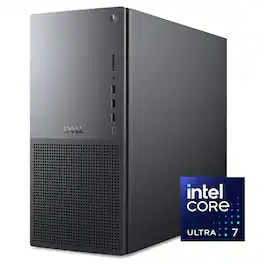
Maximized performance, massive expandability. Pack more into your ideas with the latest and more powerful Intel Core Ultra 7 265 processors Series 2, NVIDIA 50 Series graphics, increased airflow and AI capabilities for powerful performance from the Dell Tower Plus. Push your creative limits with a desktop designed for high performance and massive expandability in a sophisticated design.
Maximized performance, massive expandability. Pack more into your ideas with the latest and more powerful Intel Core Ultra 7 265 processors Series 2, NVIDIA 50 Series graphics, increased airflow and AI capabilities for powerful performance from the Dell Tower Plus. Push your creative limits with a desktop designed for high performance and massive expandability in a sophisticated design.
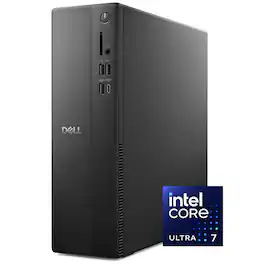
Boost productivity with a high-performance desktop designed to fit in any space. Featuring built-in AI, powered by Intel Core Ultra desktop processors (Series 2).
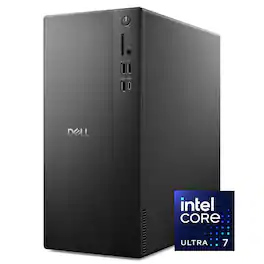
Boost productivity with a high-performance desktop in a stylish, space-saving design. Featuring built-in AI, powered by Intel Core Ultra desktop processors (Series 2).
| Pros for Dell - Tower Plus EBT2250 Desktop - Intel Core Ultra 7 265 2025 - 32GB Memory - NVIDIA GeForce RTX 5060 8GB - 1TB Storage - Black | |||
|---|---|---|---|
| There were no pros for this product— | There were no pros for this product— | There were no pros for this product— | Overall Performance, Speed, Memory Capacity, Noise Level, Size |
| Cons for Dell - Tower Plus EBT2250 Desktop - Intel Core Ultra 7 265 2025 - 32GB Memory - NVIDIA GeForce RTX 5060 8GB - 1TB Storage - Black | |||
| There were no cons for this product— | There were no cons for this product— | There were no cons for this product— | Port Quantity |
Specs
Reviews
Customer Images
The vast majority of our reviews come from verified purchases. Reviews from customers may include My Best Buy members, employees, and Tech Insider Network members (as tagged). Select reviewers may receive discounted products, promotional considerations or entries into drawings for honest, helpful reviews.
- Rated 5 out of 5 stars
Dell Tower
I feel super satisfied with my Dell Tower , perfect price perfect item, perfect evrything. Thank you Best Buy
This review is from Dell - Tower Plus EBT2250 Desktop - Intel Core Ultra 7 265 2025 - 32GB Memory - NVIDIA GeForce RTX 5060 8GB - 1TB Storage - Black
JoseM Posted
- Rated 3 out of 5 stars
Corner Cutting To The Max!
THIS… Is the Dell Tower Plus EBT2250, a medium form factor desktop with some really good specs: An intel ultra 7 265, 32gb of ram, an RTX 5060 and the promise that it will be upgradable. With the performance of now and the promise of tomorrow's upgradability, lets take a look and see how well Dell has crafted their Tower Plus. Out of the box, this is obviously an office pc with the included mouse and keyboard. The case is well done for what it is, with a metal frame and plastic where they can. There are a plethora of ports on the front of the case with 3 usb-a ports, a usb-c, headphone jack and a SD card slot to really open up the playbook on what you can do with this case. Turning to the backside, we have 6 more USB-A slots, a thunderbolt 4 and a gig ethernet port. Truly more than enough ports to start the party. Booting this PC up and putting it through the ringer shows me a few things, first, it really isn't that loud. But with only two fans, it also leaves some performance on the table. Seriously thought, there is one intake fan and one exhaust fan… this is almost a joke. My temps were always over 80c and when I was pushing this PC gaming it would frequent 90c on the CPU package. My computer not only thermal throttled once, but would do it several times in activities that pushed this machine to the max. The lack of proper airflow and a stock cpu cooler really put this PC in a bind thermally. The Dell Tower Plus is designed for a 65w cpu, which is the core ultra 7 265’s base power draw… this CPU can easily draw over 100w of power, and when it does it causes problems. Dell also limits the amount of power this CPU can draw to stave this off which is unacceptable. This is a $1500 pc with a generic cpu cooler?? When this pricepoint calls for a real tower air cooler or a water loop, I am left a bit dumbfounded by this choice. That being said, opening this case up shows just how upgradable this pc is and where dell really cut corners. First, this Tower Plus has one 5600mhz 32gb stick of ram vs two 16gb sticks which cuts your memory bandwidth in half. There are also not really any extra spots for more fans, and also not a SINGLE 4 pin power connector for one, meaning that you really can’t increase your intake or exhaust performance if you wanted to. The case is also so small that you will be limited on the air cooling towers you can fit in here. Continuing, this motherboard is so custom that I would be shocked if you could replace it with something non oem, meaning you are locked to this socket type without needing to get both a new case AND motherboard. Sure you have some spots for more storage and yes you can upgrade the CPU and ram… but long term this is really not an ‘upgradable’ system. Your thermal envelope really prevents you from upgrading your gpu as well. To wrap this up, this is the culmination of dells corner cutting… not advancements. I kept asking myself ‘What are we doing here’ time and time again and at a serious MSRP. For $1500 MSRP you can get a real computer that has everything this PC has without the corner cutting. From the single channel ram cutting your gaming performance by 10% or more to the thermal envelope keeping your cpu in a chokehold, this office pc is better suited for mild tasks and web surfing. This is all before I even mention the issues this will feed the GPU, meaning that the corner cutting is easily costing you deep into the double digit performance loss at a price that is higher than like spec builds. My next steps with this computer will be stripping it down and putting its parts in a new case with a new motherboard so that it can actually perform how it was intended to. Dell has continued to put its foot in its mouth, with small dollar corner cutting costing this big dollar computer its edge… and inevitably my recommendation. In its current state, I recommend going to another brand that takes more pride in its product than what I am witnessing here from dell. Until next time :)
This review is from Dell - Tower Plus EBT2250 Desktop - Intel Core Ultra 7 265 2025 - 32GB Memory - NVIDIA GeForce RTX 5060 8GB - 1TB Storage - Black
Exander Posted
- Rated 5 out of 5 stars
Premium as the previous XPS name, very capable PC
PROS: Extremely quiet Visually appealing, but minimalistic (no RGB lights) Premium build quality I love the I/O on the front panel SDD is speedy and smooth for the majority of strenuous tasks Very upgradable for RAM and storage VR Ready (out of the box) SO-SO: Price ($1500) I wish it came with at least a 5070 for this price CONS: Extremely cheap mouse and keyboard included Custom parts to the internals can cause limitations when upgrading some parts Dell has had an interesting trajectory since the days of value-centric PCs. They once catered to college students on a budget. Now, with XPS (which has evolved into "Plus"), their PCs and laptops have garnered the respect of those of us looking for a premium product beyond Apple. I currently own one of the 2024 high-end models of their XPS laptops, and it remains my favorite among the few I own. Premium is its bread and butter, and while this desktop doesn't have the flashy "premium" look, it makes up for it in its build quality and simplified, anti-gaming machine aesthetic. As premium and expensive as the tower is ($ 1,500), I'd expect a better keyboard and mouse to be included, but that's an issue that extends to most PC manufacturers. It's an interesting way to "cheapen" the product, but most of us who are serious about our PCs, more than likely, already own nice mice and keyboards. Nonetheless, it's jarring to see how cheap the mouse is when unboxing. The graphite color of the case makes this a visually appealing machine, complemented by the dual-tone silver front plate. The bottom half of the front plate has a grid of holes, adding both airflow and a touch of simple design. Again, it's not flashy, but classy compared to many "gameified" machines. I also have an ASUS ROG PC, which features a huge glass "window" that lights up like the Fourth of July. This Dell machine has a small window, and the only thing that illuminates it is the GPU inside. There are no RGB lights in the tower or inside. This makes it ideal for those who turn the lights off by default, like I do most of the time. The front panel offers a range of input and output options. You get three USB-A ports that have a speed of 5 Gbps, plus a USB-C port that supports 10 Gbps. It also features a headphone jack and an SD card slot, both of which are handy. I love the numerous options available on the front. The way my tower is positioned, it's difficult for me to plug/unplug things from it. I tend to use wired headphones when editing, and I constantly switch between using them and not, so unplugging and plugging things in is imperative. On the back of the PC, you will find the usual ports, including one more USB-C port. This should meet your needs based on the peripherals and accessories you use. If your PC doesn't have a separate graphics card, it will also feature an HDMI 2.0 port and a USB-C Thunderbolt 4 port on the back. This lets you connect up to two 4K displays. Additionally, the device features four USB-A ports, an Ethernet jack, stereo audio ports, and a Kensington lock. What makes this PC especially great is that it easily connects to a VR setup. I have a PSVR2, with the proper PC adapter, and I was able to use it extremely easily. The performance was great too! I don't do a lot of VR gaming, but I love playing Grand Turismo or Forza with a wheel, which I'm looking forward to on this PC. I respect Dell's simple latch system for removing the computer's side panel. You just need to loosen one screw at the back, and then you can pop off the side panel. This makes it so much easier to dust. Other towers of mine have up to four tiny screws that need to be loosened before they can be slid off the panel. Inside, there is plenty of space. There are removable plastic brackets on both sides of the graphics card. The slim, 750-watt power supply is held in place by a metal bracket with two screws, but swapping out the graphics card is easy. You just need to pull down a metal latch and remove a small screw. The main benefit is that you can easily replace it with newer Nvidia graphics cards in the future. To prepare for upgrades, you can also opt for a 1,000-watt power supply for an additional $50. The included Nvidia RTX 5060 is a great graphics card. It has 8 GB of VRAM. This will suffice for most modern games in smooth Ultra graphics at 1080p, but as you increase resolution and frame rate, it'll struggle a bit. However, it is the quietest machine I've ever used, by far. I tried a few games to test it out. The first was Starfield, played on Ultra settings with 2K resolution, and I was surprised by how smooth it was. I played it for a while, and only heard the machine rev up for a few minutes of intense gameplay. That's impressive! The other game I tested was Mafia III, a relatively older title. Still, I maxed out the FPS and resolution, making it a fresh experience for me. I was happy with the performance. I have a gaming laptop for more graphics-intensive gaming, so I was pleased with this PC's performance capabilities. You won't purchase this machine if gaming is your top priority. This is more of a "work machine" with the added benefit of "play." It works very well for my semi-pro photography and video editing. It's smooth, speedy, and snappy, which instantly made it my favorite machine I own to work on. The Dell Tower Plus offers good performance for a PC at this price, making it a solid choice for work tasks. Although this computer isn't primarily designed for gaming, it can handle specific gaming tasks quite well. Designers, producers, video editors, and photographers will benefit from the strong combination of the RTX 5060 graphics card and the Core Ultra 265K processor.
This review is from Dell - Tower Plus EBT2250 Desktop - Intel Core Ultra 7 265 2025 - 32GB Memory - NVIDIA GeForce RTX 5060 8GB - 1TB Storage - Black
Bryan Posted
Explore tech essentials Sponsored
- $1,159.00The price was $1,479.00
- $1,029.00The price was $1,409.00