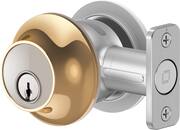
Rating 4.3 out of 5 stars with 26 reviews
4.3Customer Images
The vast majority of our reviews come from verified purchases. Reviews from customers may include My Best Buy members, employees, and Tech Insider Network members (as tagged). Select reviewers may receive discounted products, promotional considerations or entries into drawings for honest, helpful reviews.
- Rated 4 out of 5 stars
Smart but with limitations
There is something you have to appreciate about this lock and that is the engineering and built quality. The way it was designed and how it was built is beautiful and if you don’t mention it, no one will know it is a smart lock. It looks just like a regular deadbolt and the satin nickel color looks really nice. There are no grease or flimsy moving parts like the regular deadbolts. The thumbturn is attached magnetically and it’s easy to remove by just pressing a pushpin. The installation process was relatively super easy even if you’re not familiar with installing door locks. It took me around 20 min to install, including removing the old deadbolt. Even though a power tool is not required I actually used mine to install the strike plate. By the way the strike plate must be replaced due to the deadbolt being round. The instructions are easy to read and follow and to be honest I was able to put most of it together without even reading it. The only part I actually read was the part where you need to screw the deadbolt with the cylinder. Once installed you need to download the Level home app to pair it and use the smart functionality. This lock works with Alexa, Ring, and Apple homekit. Unfortunately it does not function with Google Assistant which was my biggest disappointment. Based on my experience I am only able to unlock and lock this device when in range and that’s because it works on bluetooth. it seems that when you pair it with Ring, Alexa or Apple homekit you’re able to use the remote features but I did not test that. I tried linking it to my Ring but it was having issues finding the lock device. I assume it was not able to because I installed it on my back door. Also for this to work with Ring you must have the Ring pro doorbell. The app is simple to use and to pair the lock. You are able to share access and see the time , date and when it was locked, unlocked and by whom. This lock works with a simple CR2 battery which is included. Battery goes inside the deadbolt itself and that made me wonder how that deadbolt can hold when it is hollow on the inside. According to the manufacturer it has been built and certified to meet security standards. How long the battery lasts depends on how much you use it. However the battery is very easy to replace, now it may not be easy to find because it is not a common battery size. Despite this being called smart it does have it’s limitations. Overall this smart lock does what it was intended for, it is well designed and it will fit pretty much any door. It is simple to use and easy to install. In the box you get the actual deadbolt, battery, 2 keys, manual and installation screws.
This review is from Level - Smart Lock Bluetooth Replacement Deadbolt with App/Key/Voice Assistant Access - Satin Nickel
Posted by Wishkid
- Rated 5 out of 5 stars
effortless installation and smart lock
I have been using smart locks for over 4 to 5 years now, and this Level is definitely one of the smart locks that impressed me. The Level packaging includes everything I needed to have a smooth installation. Design: This Level smart lock is sleek design and well-built that is powered by a CR-2 battery, and stands out as being an invisible smart, which means it does have any touchpad screen that indicates it is smart; instead, it looks like any standard door lock which makes it so appealing. In addition, it is versatile, so I can unlock/ lock with a regular key (2 copies are included in the box) or through the Leval app on smartphones and voice assistants such as Siri and Alexa. I like the chime sound that plays when it unlocks/ locks. I have a standard door, so the installation process was straightforward, and it took me around 15 minutes to have the smart lock installed and activated. It is worth saying I already have Level products, so the Leval app was pre-installed on my phone, and I didn't need to deal with account creation or any further activation. After the lock was installed, I opened the Level app and selected "add new lock", and within a minute, the new lock was added; after that, I was prompted to add it to Apple Homekit, which was a huge bonus for my Apple ecosystem. The Level app has an elegant UI and is easy to navigate. In the app, I can create guest passes by allowing select people who have the level app installed on their smartphone to have access to the lock at a specific date and time. This feature is convenient when I have a party so guests can unlock the door with my authorized pass. Works flawlessly and no issues so far.
This review is from Level - Smart Lock Bluetooth Replacement Deadbolt with App/Key/Voice Assistant Access - Satin Nickel
Posted by Zaid
- Rated 5 out of 5 stars
High Quality, Easy to Install
The first thing I noticed about this Level Lock was the quality. Even from the packaging it looks and feels very high end. The way it is presented inside the box and instructions make it clear you are buying something very nice. Installation took me under 15 minutes including removing the original deadbolt I had installed and is very easy to do. The parts here go together with much more simplicity than other deadbolts I have used in the past, and it is quite seamless so long as your door and frame are lining up properly. I already had another Level Lock product, so I was signed into the app for that one. Adding another was incredibly easy, the long part being updating firmware on the lock. Once that was done it was added to my HomeKit and everything was working perfectly. My other Level Lock that I have had for nearly a year now has never let me down, so I anticipate nothing less from this one. My only complaint about these locks is that since they are round instead of rectangular ideally you should use the included strike plate to make them fit. Coming from a Kwikset deadbolt which uses 4 large screws 2 on either side of the strike plate hole it was a problem going to a single screw on either side. In order to not break my door frame or simply cause weakness in it I was able to use my existing plate by grinding it out a little with a Dremel and grinding stone. Ultimately was only a problem because of my prior deadbolt but should not be a problem for everyone. Otherwise, everything else was a piece of cake and works wonderfully. Smart locks have always been big and bulky before now, Level makes it simple and elegant, and does so with a high-quality product. I am very pleased with it and if you are in the Apple ecosystem this is the perfect smart lock for you.
This review is from Level - Smart Lock Bluetooth Replacement Deadbolt with App/Key/Voice Assistant Access - Satin Nickel
Posted by Josh
- Rated 4 out of 5 stars
Amazing Lock, Basic Software
TLDR: (that’s Too Long, Didn’t Read) The hardware (the lock itself) is amazing - it looks just like a “normal” non-smart lock. Installation was easy and it works well. The app/software is basic but can be improved after lock installation. Pros: * Very easy installation. * Easy battery replacement. * Very attractive from the inside and out. * Significantly smaller and less bulky looking than competitors. * Built-in Bluetooth and WiFi. Cons: * Very basic app/software. * Lock/Unlock history is limited and only available when near the door. * Automatic unlocking currently does not work (according to their tech support). * Only user interaction is either in the app or from the built-in speaker - no lights or displays to let you know what is going on. Details - Setup: Unlike the competitors which basically replace only the inside portion of the lock, the Level lock replaces the entire deadbolt assembly. Both the outside portion with the key lock and the inside portion are replaced. Installation was very easy with my wooden exterior door. First remove the entire old deadbolt assembly. Then screw in the deadbolt portion, slide in the “guts” which completely fit within the door’s hole, then slide on the outer and inner portions and screw them to each other to hold it all together. Pop a battery in the extended deadbolt and follow the pairing/setup within the app. Done. Details - Typical Usage: From the outside, it looks like any other normal deadbolt which is similar to how the competitor models look. There is a keyhole for the provided physical keys and that’s it. From the inside, this looks like any normal deadbolt with a slim knob to rotate for locking/unlocking rather than a big, bulky knob like the competitors have. There are no lights or displays on either the inside or outside of the door. All interaction (aside from the key on the outside and the knob on the inside) is via the App or listening to the built-in speaker. You can set it up to automatically lock after a time delay which worked well. There is also the ability to automatically unlock the door upon exit from and return to a fixed geofenced boundary around the lock. Sadly, this currently does not work with current Android or iOS phones according to Level tech support. This means that once the door locks, you have to either find the physical key or use the app (or HomeKit, etc.) to unlock the door. In this respect, my prior smart lock was far easier to control. While you can unlock the door by opening and navigating the app or using HomeKit, etc. to unlock the door, this is not entirely convenient versus just approaching the door and having it unlock for you. A forthcoming numeric keypad accessory will be a huge convenience for when you go outside to work or play in the yard without your phone and need to let yourself back in after the door automatically locks behind you ;-) This is something we had with our prior smart lock and really miss. By the way, there is a different version of this lock that adds a touch sensor to the outside lock housing. With that version, if you have your phone with you, are logged in to the app, and have permissions to unlock the door, you can just touch the lock to open it instead of opening the app and using the the button in the app to unlock the door. As with the competitors, you can set up numerous other household users as well as temporary visitors that can unlock the door with their apps based on the permissions you set up. This worked well and is one the best features of smart locks in general. The app is very basic, though. You can see the history of who locked or unlocked the door, but only the last 30 events, only when near the door itself and it does not include automatic events (auto lock or auto-unlock). This information would be helpful if accessible from anywhere (WiFi) and including all events but is currently only available when connected to the lock via Bluetooth. Aside from locking or unlocking the door, viewing the history log (when nearby), and adjusting basic settings, there isn’t much else to do in the app. I’m sure this will improve as new features are added with app and firmware updates. For now, though, the lock does the basics and not much more. Details - Typical Maintenance & Battery Life My two top concerns with a smart lock are battery life and connectivity. The lock’s battery should last a while and tell you far enough in advance so that you can replace the battery before it dies. The lock’s WiFi connectivity should be stable enough that you can reliably access the lock via the app when not nearby. I haven’t had this Level lock installed long enough to verify how long the battery lasts, but so far its network connection has remained stable. My prior smart lock frequently lost connectivity and even worse, it sucked down the life from 2 of the same batteries every 6 weeks with not much advance notice! The lock itself looks and feels robust enough to withstand years of use, but again, I cannot attest to that as it has only been installed a short while. Conclusion: As far as smart locks go, this one has amazingly compact hardware that doesn’t look or feel like a smart lock. It is easy to install and use, and the battery is easy to replace when the time comes. The app works for the basics, but isn’t quite up to par with the competition. Then again, what do you really need with a smart lock? It needs to be a good lock, and the rest is gravy. In that respect, the Level lock is a worthy replacement to a regular lock to add smarts.
This review is from Level - Smart Lock Bluetooth Replacement Deadbolt with App/Key/Voice Assistant Access - Satin Nickel
Posted by gadgeTT
- Rated 4 out of 5 stars
Level Up Your Locks
First impressions were great. The packaging was spot on with limited and welcomed instructions that should be easy for anyone to understand. This was super simple to swap out with my old non smart lock. and by the looks of it, you could possibly keep your original hardware if you don’t want to use their lock. I haven’t tried it but the internal mechanism looks like it could allow that. Because we have sidelights, we considered keeping our old “key to open” hardware for safety as the turn lock can easily be turned. But ultimately decided to use Level locks instead so we could be reassured that it worked properly. Pros: Set up should take no more than 10 minutes, if everything is smooth sailing and it should be, minus any small adjustments you may need to do to the door/door frame itself. It is super simple to install this unit. In fact, I thought it was even simpler, than some non smart locks I’ve changed in the past. Everything is assembled, you just have to click the parts into place and add battery and you’re done. It’s look is clean and sleek. I’ve always hated the bulky look of other smart lock competitors and it’s what’s kept us from adding one to our front door. Many would prefer not to have a huge number pad, or sign sized lock that advertised itself to everyone, and they don’t go with many home design styles. Level lock hits every button for us when it comes to looks. No one can tell it’s smart and that’s it’s true beauty. Adding it to the app was easy to do. If you followed the written instructions inside box, it will say that you need to install their app at the very end of installation. You’ll be asked to scan the code. If you’re worried that you’ve already installed the lock before taking the code from internal hardware, remove the instructions from box and the code is located on back of instruction guide. The app almost seems unnecessary as it’s so minimal and there’s not much you can do inside of it besides lock/unlock door. There’s very few options or setting adjustments elsewhere in app. But would we need much more for a lock, I think not. Once you set the lock to your HomeKit/assistant you don’t need to even open the app. Last thing to note is that it is quiet. From the internal mechanism turning to the tones that let you know that it’s locked or unlocked is quite quiet. Even on its loudest setting it’s still very pleasing and could easily go unheard if there’s any other noise in the home. But I find that to be pleasant, as we already have loud dings when the door is ajar or because of the security system. So there’s no need for an additional loud beeping. Cons: It’s not a huge downfall, but one that could be an annoyance. I typically purchase locks that can be rekeyed if necessary but I’m not sure if this is possible for Level Lock. So now we have to go and rekey other locks throughout the home to the Level Locks keys, instead of being able to just rekey Level Lock and use our existing keys. After installation and initial testing, which went smoothly, the lock began to get stuck upon opening via app and voice control. The door was free and clear and did not need to be pushed to close/open. The lock closed perfectly, each time. So I’m unsure as to why ours seemed to struggle upon opening soon thereafter. I continued to play around with it manually unlocking and locking and it’s working like butter again. Just hoping this isn’t an ongoing issue. As it sounded like the mechanism was snagging or jamming itself. Overall: This lock sets the tone for many of the smart lock competitors out there. From its design to functionality it has been great. I highly recommend trying Level Lock if you’re in the market. We’ve already discussed purchasing more in the future. I would like to know if it can be rekeyed, as we don’t see ourselves having multiple sets of keys for multiple Level locks in the same spaces. That would be our only deterrent.
This review is from Level - Smart Lock Bluetooth Replacement Deadbolt with App/Key/Voice Assistant Access - Satin Nickel
Posted by Shae