Rating 4.3 out of 5 stars with 60 reviews
4.3- RGB Lighting (25)
- Surface (20)
- Size (17)
- Lighting (10)
- Build Quality (8)
- USB Port (4)
Customer Images
The vast majority of our reviews come from verified purchases. Reviews from customers may include My Best Buy members, employees, and Tech Insider Network members (as tagged). Select reviewers may receive discounted products, promotional considerations or entries into drawings for honest, helpful reviews.
- Rated 3 out of 5 stars
Nice hard textured surface, waste of USB port
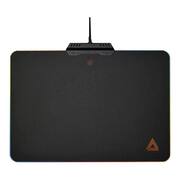
This mouse pad does give a nice large, hard textured surface that works really well with the Lexip Pu94 mouse or any mouse that has the Lexip ceramic pads. It still works great with any mouse for that matter. Having the non-slip large hard surface keeps from wearing out my desk surface and it much larger than a standard mouse pad. The lighting effects are neat, but limited. As cool as I think it is to have lighting effects that could go along with the mouse, this misses the mark in a couple places. One, you can’t truly customize the lights, but go through a few presets with a button at the top middle, in the mouse pad play surface. Secondly, the USB port is just a wasted port. I would have thought that the USB would at least extend the port for you by providing a port on the back of the large bracket. The bracket, that is taller that the mouse pad that is just there to hold the braided USB cord and snag your mouse cord as you slide back and forth. Besides, this mouse pad is literally just using the mouse port for power. So, I don’t see how there are specific requirements for it as a standard USB wall charger gives all the same features as shown in my picture. I feel if the large bracket had been a bit smoother in edges, not so gaudy looking, provided a USB-A port to extend the mouse and had the button on the bracket instead of the play area, I would say that it’s worth it without the ability to fully customize the lighting. But, since it is just taking another port and the mouse occasionally clips on the bracket, I can’t recommend.
Posted by DavidJr
- Rated 5 out of 5 stars
Stylish and solid gaming surface
RGB mouse pads. Tell me that I’d own one about 5 years ago, and I’d laugh. Today they’re all the rage. Lexip’s B5 is an exceptional offering though. It has a smooth textured surface, great construction, and a subtle RGB switch that can turn off completely. The mouse pad itself is relatively large at about 10x14”. The surface is textured, but low friction. I’ve not used a hard mouse pad before, and this has been a great experience. The surface is connected to a metal housing that the braided USB cable comes from. The cable is generous 6 ft and can be powered by any USB port, including a USB charger. The LEDs are found in the little metal section, but diffuse light across the edges of the pad using the same acrylic our 90’s lime green/pink clipboards from grade school were made from. This diffuses the LED light into quite a light show. Of course the solid color choices are a better fit than the patterns as the smoothness is limited due to how these LEDs are distributed. Branding is lit here, but subtle enough it won’t distract. There is a little touch sensitive area right below the metal housing that will change the colors. There are 10 lighting settings (Lexip orangish, color cycle, yellow, green, cyan, blue, purple, RGB wave slow, RGB wave fast and off). The quality is impressive for the price, and the surface has changed my game literally. I had always used softer pads for comfort, but found the transition to a hard mouse pad easier than I expected. The reduced drag is noticeable and worth the move. The surface appears to be adhesed to the acrylic (sufficiently I couldn’t easily pry up the edges). Sandwiching the acrylic on the bottom is an aluminum plate that adds to the rigidity of the pad. Overall this is one solid pad that would be hard to break. Overall this is an awesome product. There isn’t a whole lot to say about a mouse pad, but the surface, lighting, and build quality all seem excellent. If you’re looking to add a bit of bling to your desk, this is a great way to do it.
Posted by aarondr
- Rated 5 out of 5 stars
Purposeful and Fun High Tech Mouse Pad
The Lexip B5 mouse pad with RGB lighting is definitely high tech. I never thought that a mouse pad could make this much difference. This Lexip B5 is a game changing and has a brilliant surprise of colors for gaming. • I opened up this attractive and info filled box (in several languages), to find that the Lexip B5 mouse pad was packed incredibly well. You can tell a lot about a product by the materials and the way it is packed. This Lexip B5 screams high tech and that it is a vital part of any gaming computer. • Setup is easy. Plug into an open USB type A and the Lexip B5 is ready to go by turning on a constant light. The lightning is an amazing show coming out of the Lexip B5. RGB lighting with 7 colors and touch responsive finger print (top middle) changes from a drag, pulsed or constant color. It really adds a special element to game playing that is just basically fun. I know I enjoyed switching up the RGB lighting based on my taste. • The Lexip B5 dimensions are 13.7”W x 9.8”D x .15”H. My only compliant is that it is a little bit big. I don’t have a lot of room on my desk, so a slightly smaller width and length would have been better for me. But that in no way impacts the usefulness of the Lexip B5. It is very sturdy and once you place it somewhere, it does not move (I used it on glass)! There is a rubber circle on the bottom that holds the mouse still. In the game Everspace, you often have to move quickly and decisively in any direction. The Lexip B5 helped me to obtain that pin-point accuracy and no slipping, even when things got intense. Another nice feature the almost 6ft cord that goes from the mouse pad to the USB attachment. There is plenty of thread to move it from one side or the other of your gaming machine. • The well balanced, stable plastic and metal combine to fortify the Lexip B5 mouse pad. It would take a deliberate act to try and destroy it. Although it is thin and light, you can count on the quality and sturdiness of this mouse pad. It is great tech with great construction. • That accuracy and precision movement come from a special coating on the Lexip B5 that reduces resistance from the mouse. It really helped me to lock in to enemies or getting minerals while playing Everspace. It was a noticeable difference from other mouse pads I have tried. The Lexip B5 mouse pad is definitely some great new tech out there. With the weight and dimensions and rugged materials this mouse pad truly set apart. I really love the colorful RGB lighting and the smooth yet tactile surface. Overall, the Lexip B5 mouse pad is a great addition to your gaming (computing) system.
Posted by stoptheclocks
- Rated 5 out of 5 stars
Gamers' Pad for even non-gamers
At about 10 inches x 14 inches, this thing is massive and has some weight to it due to the metal backing. With padded footings, it will not scratch any surface it’s placed on though. It is powered via a USB cord; this can be plugged in to a regular power outlet via a USB plug (not included). The 70 inch braided long cord facilitates powering this by means of an outlet as previously described. This may be beneficial to those who may not want this perpetually powered by the PC USB port. The pad comes with 7 solid colors and 2 color changing modes. To toggle through the various colors, you touch/gently press the section with the “fingerprint” design. LED is bright enough to be visible in daylight. The surface has the right balance of friction for easy movement and promote pleasant use. Not being a gamer, I was still able to justify use for this pad in my office at work; it really is that cool! I did notice the toggle switch wasn't very responsive at times. It appears it may be a capacitative sensor and probably doesn't register touch from cold fingers.
Posted by Knivels
- Rated 5 out of 5 stars
Large and sturdy, great surface for mouse control
Large and sturdy, great surface for mouse control. The special surface texture gives great feedback and smooth control of my mouse. Great for everyday use, even better for CAD and gaming. The 'fingerprint' located at the edge of the board (pad) makes changing the colored boarder easy and simple. I admit it: I had it upside down at first and was hating the bump near the thumbprint. Then I realized I had to just turn it around. DUH! After my moment of clarity I really fell in love with the surface feel the tray gives my mouse. You can find this as a set with LEXIP's mouse controllers at a savings. Love the colored LED border!
Posted by JerryZ