Early Black Friday DealsNew Doorbusters every Friday.Shop now

Skip to content
Gift Ideas
26 Cypress St
Williston, VT 05495
Opens tomorrow at 9 am
Find Another Store
Main Content

Questions & Answers

Your price for this item is $7.99
Clearance
The comparable value price is $29.99
Page Showing 21-40 of 84 questions
  • QuestionCan more than one remote be set up with my Amazon Fire TV? I thought the old as was broken. When I reset my TV the old remote all of a sudden it was working. But I cannot set the new one to work . The new remote is the same one

    Asked by Bonnie.

    • Answer Hello Bonnie, Thank you for your question. Yes more than one remote can be paired to your Amazon Fire TV. If the new remote is not pairing here are some steps to pair your Fire TV remote with your device: -If your remote doesn't pair automatically, press the Home button until "Press Play/Pause to start" appears on-screen (about 10 seconds). -Move your remote closer to your Fire TV device, within 10 ft (3 m). -Remove the batteries from your remote. Wait 30 seconds and then press and hold the Home button again. -Reset your Fire TV remote. I hope that helps! Have a great day!

      Answered by Amazon Devices Customer Support

  • QuestionDo you have to have wifi to use this fire stick

    Asked by Rose.

    • Answer Hi Rose! This is actually just a replacement remote for an existing Fire TV Stick, but all Fire TV Sticks DO require WiFi to operate. If you have access to wired internet, adapters are available to let you connect a Fire TV Stick via ethernet. Alternatively, the Fire TV Cube has a built-in ethernet port for easy wired access. Just remember, this posting is just for a remote. I hope that helps, have a great rest of your day!

      Answered by Amazon Devices Customer Support

  • QuestionHow much storage does this fire stick have

    Asked by June.

    • Answer Hello June. Thank you for your question. This item is not a Fire TV Stick, but rather a remote for a Fire TV device. Have a great day!

      Answered by Amazon Devices Customer Support

  • QuestionWhat needs to be done to install this?

    Asked by Brooke1.

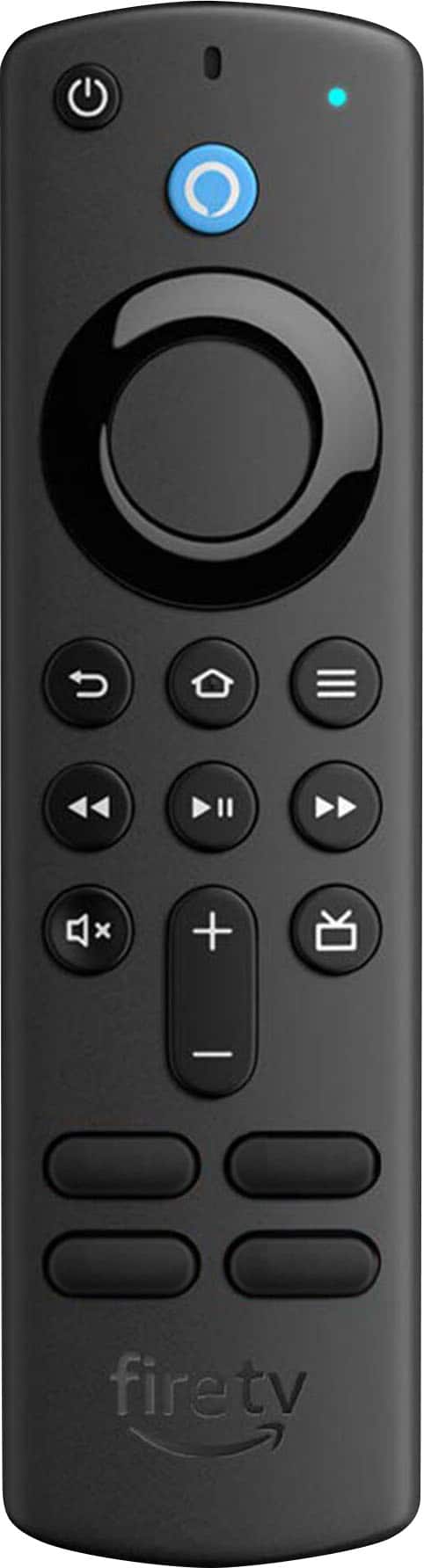
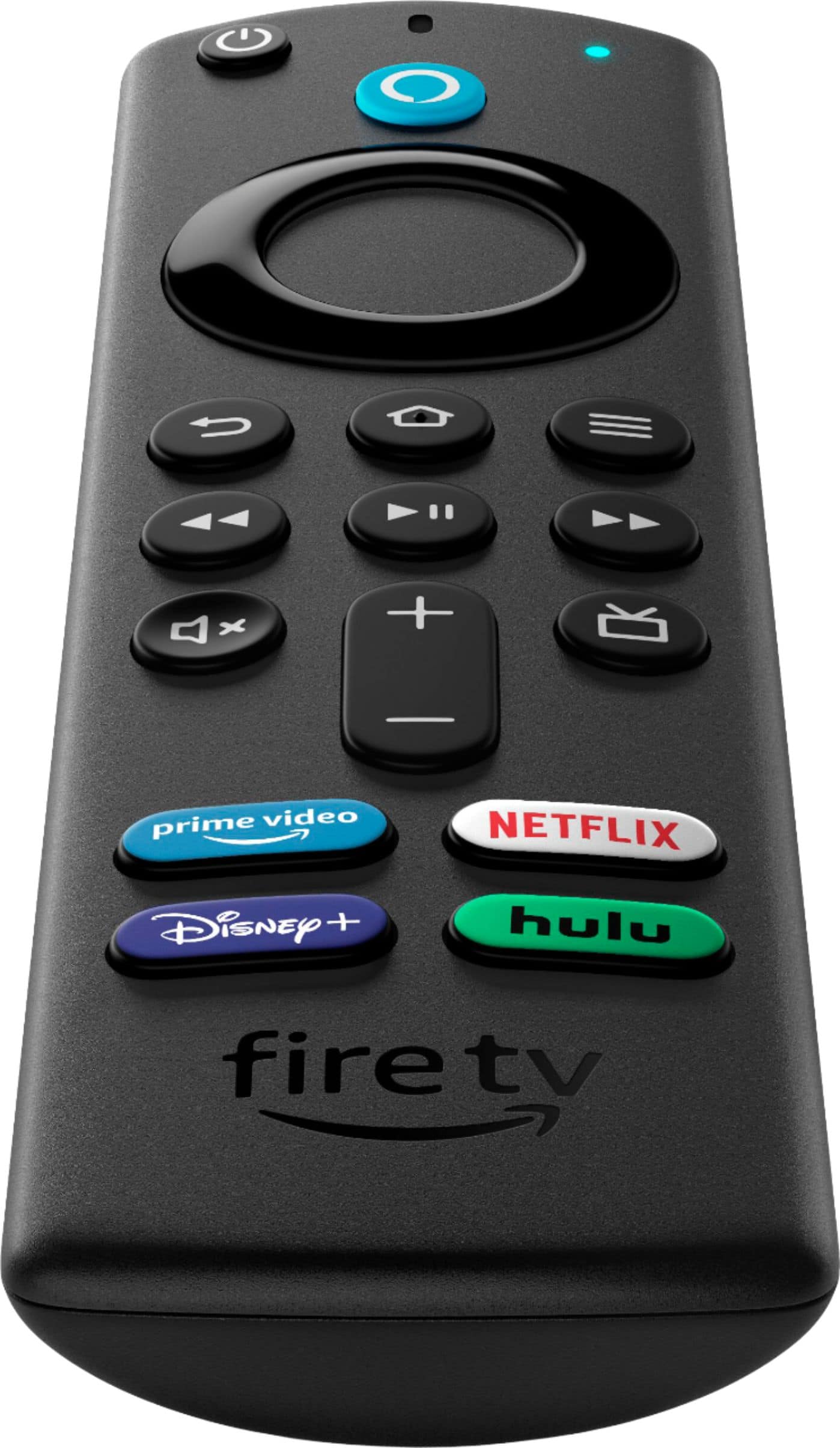
    • Answer Hi Brooke1! To sync a new Alexa Voice Remote with an existing Fire TV device: Open the Fire TV app on your mobile device. Use the Fire TV app to go to Settings on your Fire TV device. Select Controllers & Bluetooth Devices. Select Amazon Fire TV Remotes. Select Add New Remote. Select the remote you want to pair. I hope that helps, have a great rest of your day!

      Answered by Amazon Devices Customer Support

  • QuestionWill this remote control work with the FiOS set top box?

    Asked by Sheriffjer.

    • Answer Hi Sheriffjer! This is a replacement remote for Fire TV devices like the Fire TV Stick, so it will only work alongside one of these devices: Fire TV Cube (3rd Generation), Fire TV Cube (2nd generation), Fire TV Cube (1st Generation), Fire TV Stick 4K Max (1st Generation), Fire TV Stick 4K (2nd Generation), Fire TV Stick 4K (1st Generation), Fire TV Stick (3rd Generation), Fire TV Stick (2nd Generation), Fire TV Stick Lite, Fire TV (3rd Generation, Pendant Design). If you are using one of these devices, you may be able to use the Equipment Control feature to control your FiOS box as well. To access Equipment Control: Go to Settings on your Fire TV. Select Equipment Control. Select Manage Equipment. Note: Select Advanced Settings on this screen to activate or deactivate Automated Device Discovery. Select Add Equipment and choose the equipment you'd like to add. I hope that helps, have a great rest of your day!
      Answered by Amazon Devices Customer Support

  • QuestionI have a 24 inch insignia tv model #NS24DF311SE21. I need a remote that will be compatible with the Amazon Firestick. Which one do I get?

    Asked by JRO.

    • Answer Hello JRO, This remote is compatible with the Fire TV Stick and can control your TV as well. You also have the option of the Amazon Alexa Voice Remote Pro as a replacement remote, Have a wonderful day!

      Answered by Amazon Devices Customer Support

  • QuestionRemote for Insigna TV doesn't work....have changed batteries, still won't work..

    Asked by Bluegill.

    • Answer Hi Bluegill, thank you for reaching out. I would recommend unplugging and plugging the TV back in, then holding the Home button for at least 10 seconds. If this does not work, you can try pairing via the Fire TV app on your mobile device. To do this, please follow these steps: Turn on your TV. Turn on your Fire TV device. Put new batteries in your Alexa Voice Remote. Bring your remote to within 10 feet of your Fire TV device. Unplug your Fire TV device from its power source. Plug the Fire TV device back into its power source. Open up the Fire TV app on your mobile device. Hopefully this helps. Have a great day!

      Answered by Amazon Devices Customer Support

  • QuestionWhat fire tv remote do I need to buy for Ns-rcfna-19

    Asked by Turtleman.

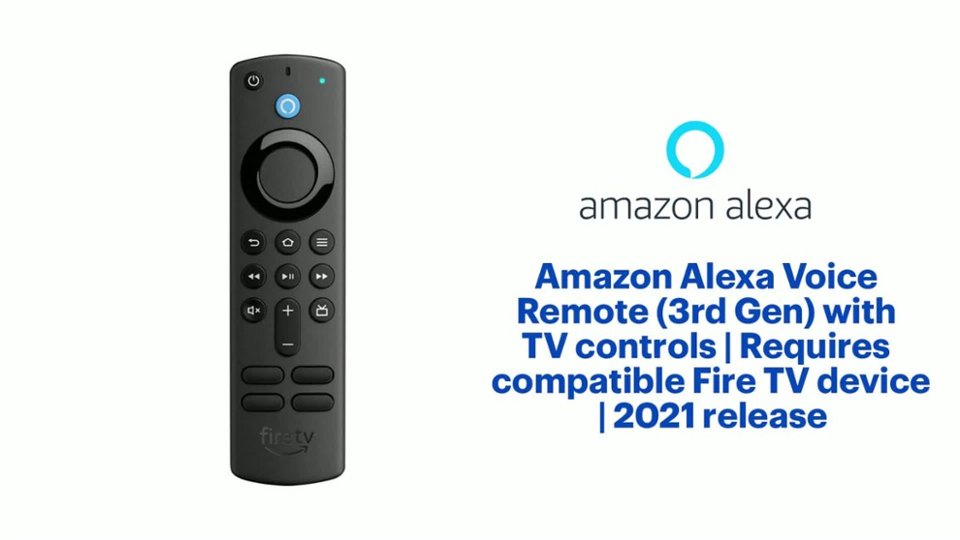
    • Answer Hi, Turtleman, Thank you for question the Amazon - Alexa Voice- Remote (3rd Gen) with TV controls is compatible with the following devices Fire TV Stick Lite, Fire TV Stick (2nd Gen and later), Fire TV Stick 4K (1st Gen and later), Fire TV Stick 4K Max (1st Gen and later), Fire TV Cube (1st Gen and later), Fire TV (3rd Gen, Pendant Design), and Echo Show 15. It is not compatible with Fire TV (1st and 2nd Gen), Fire TV Stick (1st Gen), or Fire TV Edition smart TVs. The NS-RCANA-19 remote works with Insignia TV Edition TV Models: NS-24DF310NA19 NS-50DF710NA19 NS-24DF311SE21 NS-43DF710NA19 NS-58DF620NA20 NS-32DF310NA19 NS-50DF711SE21 NS-55DF710NA19 NS-55DF710NA19 NS-39DF510NA19 NS24DF310NA19 NS50DF710NA19 NS24DF311SE21 NS43DF710NA19 NS58DF620NA20 NS32DF310NA19 NS50DF711SE21 NS55DF710NA19 NS55DF710NA19 NS39DF510NA19. Please feel free to visit you local Best Buy for more assistance in deciding which product is best for you needs.

      Answered by Amazon Devices Customer Support

  • QuestionDoes this work with a non smart tv with a firestick? Will it still control volume and power on and off?

    Asked by Newday.

    • Answer Hello Newday, as long as the non smart TV is compatible with the Fire Stick, the voice remote should be able to control the power and volume of your TV. The remote can be programed through the Fire Stick settings to work with most TV brands and uses an IR signal to communicate with the TV. I hope this answers your question and that you have a wonderful day!

      Answered by Amazon Devices Customer Support

  • QuestionCan I pair this remote with my Alexa Dot?

    Asked by Celt.

    • Answer Yes you can, all of the interfacing is done inside the Alexa app.

      Answered by FAnthony

  • QuestionIs this compatible with - Insignia™ - 55" Class F30 Series LED 4K UHD Smart Fire TV? Thanks!

    Asked by mike.

    • Answer Hello Mike, great question! The Alexa Voice Remote is compatible with all Fire TV's including the model mentioned, 55" Class F30 Series LED 4K UHD Smart Fire TV.

      Answered by Amazon Devices Customer Support

  • QuestionWill this workshop for Toshiba Fire T v?

    Asked by JuanG.

    • Answer Yes it is also compatible . My tv is Toshiba amd this remote works for it as well

      Answered by MariaB

  • QuestionWill this controller work on my Fire Tv : NS-65F301NA23?

    Asked by Keanu.

    • Answer It didn’t on mine

      Answered by Pskinner

  • QuestionHow do I make my Firestick work with my echoshow 15?

    Asked by Holly.

    • Answer Hi Holly! The recent update to the Echo Show 15 builds all the great features of a Fire TV Stick right into the Show. You don't need any additional hardware, though you the Alexa Voice Remote is compatible. To start, just try asking "Alexa, open Fire TV." Hope that helps, have a great rest of your day!

      Answered by Amazon Devices Customer Support

  • QuestionWill it work with toshiba 43FL711U20

    Asked by Nancy.

    • Answer Hello Nancy! This remote is compatible with Fire TV Stick Lite, Fire TV Stick (2nd Gen and later), Fire TV Stick 4K, Fire TV Cube (1st Gen and later), and Amazon Fire TV (3rd Gen, Pendant Design). It is not compatible with Amazon Fire TV (1st and 2nd Gen), Fire TV Stick (1st Gen), or Fire TV Edition smart TVs. In this case, this remote is not compatible with the Toshiba 43L711U20. The Alexa Voice Remote Pro (Model:B09RX4HKTD) is compatible with this TV. Have a great day!

      Answered by Amazon Devices Customer Support

  • QuestionWill this remote work for a 1st generation 4k firestick?

    Asked by Anonymous.

    • Answer It work great easy to install

      Answered by Anonymous

  • QuestionHello. Will this remote work with an Insignia model # NS-55F301NA22? thank you.

    Asked by linda.

    • Answer Hello linda! No, this particular device is only compatible with Fire Sticks and Fire Cubes. You can use the new Alexa Voice Remote Pro or reach directly out to Insignia for a replacement remote or a number of different universal remotes are compatible as well. Thank you so much for your question and I hope you have a tremendous day!

      Answered by Amazon Devices Customer Support

  • QuestionI have a fire TV Toshiba model 50LF621U21. The dog chewed up the original remote for the TV and I’m trying to replace it. I just got a new one from Best Buy and it does not pair with this television. Will this new version not work with my television model

    Asked by Chuck.

    • Answer Hi Chuck! The Alexa Voice Remote (3rd Gen) does not work with any of the Toshiba models at this time. You can however purchase the Voice Remote Pro, which will work with the following Toshiba TVs: Toshiba Smart 4K UHD TV - Fire TV, Toshiba Smart HD 1080p TV - Fire TV, Toshiba Smart 4K UHD with Dolby Vision - Fire TV. Thanks for your question, have a great day!

      Answered by Amazon Devices Customer Support

  • QuestionWill this pair to the Amazon fire box model DV83YW

    Asked by Kris.

    • Answer Yes

      Answered by Anonymous

  • QuestionCan this remote be programmed to control the volume of my sonos theater sound, firestick and LG projector?

    Asked by DC.

    • Answer Hi DC, The Alexa Voice Remote Pro can be paired with your Smart TV and control the volume. You can pair additional devices like the LG Projector via the Alexa app and utilize the remote for this function for a home theater experience so Alexa can control all three devices simultaneously. Currently, this remote is not compatible with Fire TV (1st and 2nd Gen), Fire TV Stick (1st Gen), Element Fire TV Edition, Insignia HD/Insignia FHD, Hisense U6HF 4K ULED Fire TV Series. Hope that helps!

      Answered by Amazon Devices Customer Support