1-3 of 3 Answers
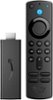
Hi moonutdad! In regards to your question about Philo Streaming service being supported on the Fire TV Stick, the answer is yes! Getting Philo on a Fire Stick involves a few simple steps. All you need is a TV, a decent Wi-Fi connection, and, of course, the Fire Stick device. Here’s every step you’ll need to take: Plug your Fire Stick into your TV and turn it on. If you haven’t set up the device, make your way through the setup process and ensure the streaming stick is connected to the internet. Press the Home button on the Fire Stick remote and head to the Search bar at the top left. Type in Philo and scroll down to the streaming service app. Press the ‘Get’ button. The app will begin installing. Once complete, hit ‘Open’. I hope this answered your question, have a great day!
Sorry, there was a problem. Please try again later.Yes, I have Philo.
Sorry, there was a problem. Please try again later.Yes you can download philo
Sorry, there was a problem. Please try again later.