“I purchased an adaptor and it worked excellent with my old MacBook. I purchased a new MacBook Air this year and the connect from this to the projector is very fuzzy. Is there something I am missing. I thought maybe a new port would help with the Macbook”
Answer This Question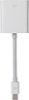
1-4 of 4 Answers
Sounds like a bad cable
Sorry, there was a problem. Please try again later.You will most probably need a new adapter suitable for the newer ports. The port on your old MacBook is not the exact same thing that’s installed on the newer products and the adapter is different.
Sorry, there was a problem. Please try again later.YOu may want to try adjusting the resolution on the new MacBook. IN particular, the screen resolution it uses on the external monitor, as some computers (macs included) can have a different resolution for external displays, and a separate resolution for the internal built-in display, so it sounds like you're running a very low resolution on the external monitor. Increase the resolution in your Display settings on the MacBook and that should solve your problem. If not, then you may have a defective DVI cable or the port on your MacBook might be defective or the contacts are dirty. (Sorry I see you have a projector. The same stuff applies, but you'll need to find out what your projector's native resolution is).
Sorry, there was a problem. Please try again later.Is it possible that some lint or other piece of debris has gotten into the connector? Try some compressed air to blow into the connector.
Sorry, there was a problem. Please try again later.