“What’s required to set this up to an existing Apple box? The 1st generation remote is a pain.”
Answer This Question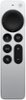
1-4 of 4 Answers
Just get it close to the box and it will activate on its own.
Sorry, there was a problem. Please try again later.should work just fine when charged, try resetting your Apple TV Box.
Sorry, there was a problem. Please try again later.All I had to do was bring it close to the screen when Apple TV is active. I think there were prompts on the screen. The 3rd generation remote is so much better; you won't be sorry if you purchase it.
Sorry, there was a problem. Please try again later.If you're trying to set up a new Apple TV Remote to an existing Apple TV box, the process should generally be straightforward. Here are the general steps: 1.) Ensure Compatibility: Make sure that the new Apple TV Remote is compatible with your existing Apple TV box. Different Apple TV models may have different types of remotes. 2.) Power on Your Apple TV: Ensure that your Apple TV is powered on and connected to your TV. 3.) Bring the Remote Close: Place the new remote close to the Apple TV. 4.) Automatic Pairing: In many cases, the new remote will automatically pair with the Apple TV. If it doesn't, you may need to follow these steps: a.) Go to the Settings on your Apple TV. b.) Navigate to Remotes and Devices. c.) Select "Bluetooth." d.) The Apple TV should detect the new remote. Follow the on-screen instructions to complete the pairing process. 5.) Manually Pairing (if needed): If automatic pairing doesn't work, you can manually pair the remote: a.) Go to Settings on your Apple TV. b.) Navigate to Remotes and Devices. c.) Select "Bluetooth." d.) Choose your new remote from the list of available devices to manually pair it. 6.) Follow on-screen Instructions: If you are prompted to press certain buttons or input codes during the pairing process, follow the on-screen instructions. 7.) Test the Remote: Once the pairing is successful, test the remote to ensure all buttons are working correctly. If you're dealing with a first-generation remote and find it challenging, consider updating your Apple TV and remote to newer models, as they often come with improved features and ease of use. If you continue to experience issues, refer to the user manual for your specific Apple TV model or contact Apple Support for assistance. Additionally, if you have an Apple TV 4K (2nd generation), you might be able to use the Siri Remote, which provides enhanced functionality and ease of use compared to the first-generation remote.
Sorry, there was a problem. Please try again later.