“How many wireless devices (phone, tablet, etc.) can be connected at one time?”
Answer This Question
1-10 of 11 Answers
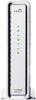
The short answer is none. You need to add a wifi router. The router and the speed of the internet connection will determine how many you can connect. Picture it like a pipe. You can fit more volume (more devices) through a bigger pipe. The Netgear Nighthawk is one of the best.
Sorry, there was a problem. Please try again later.This product is a modem for cable service and is not a router for a home network. If you are looking to share your devices across a home network, you will need a WiFi router. Please see included product for an example.
I would recommend:
Sorry, there was a problem. Please try again later.This is not a gateway, it's a cable modem. you will need a wireless router to connect to this modem. The wireless connections would depend on how many the wireless gateway can handle.
Sorry, there was a problem. Please try again later.I have it running through a Linksys router and often have 3 or 4 computers, a tablet, multiple cell phones, and a play station running through it with no problems. That has more to do with the speed if the ISP than the modem though. As far as actual connections on the back there is just one physical NIC port that runs from the modem into my router.
Sorry, there was a problem. Please try again later.Don't know that there's a limit to the number of devices, but the more devices that are used at any one time the slower speeds will be on each device. Download speed will also depend upon the speed you have purchased - we have only a 6 MBPS max download subscription but we could upgrade to 100 MBPS (though we don't simultaneously stream enough devices to make that necessary). This Motorola modem is actually capable of download speeds of up to 300+ MBPS so device speeds will probably not be limited by the modem itself. Also remember that to connect to multiple devices you will need a router and not just a modem. If you just have a modem you'll only be able to connect a single computer to the internet. A router connected to a modem can route the internet access to multiple devices via wifi and/or ethernet cable.
Sorry, there was a problem. Please try again later.This is not a wireless device. It is just a modem. That is why I bought it.
Sorry, there was a problem. Please try again later.This is a modem not a router. This particular device only accepts Ethernet and coaxial imputs. You can buy a wireless router and connect it to this modem with and Ethernet cable. Your internet service provider would be able to assist you with this process.
Sorry, there was a problem. Please try again later.at this moment there is four direct connected computers, two wireless laptops, 5 phones and two tablets using this modem and we are not experiencing any slow down what so ever, i would recommend this device even if you dont need a gigabit connection. its signal is strong and its replacing one modem and two extenders, its that good.
Sorry, there was a problem. Please try again later.I run from the DOCSIS modem into an Apple Time Capsule. I've had 3 iPads and 2 iPhones on the WiFi at the same time, no noticable drop in speed or reliability!
Sorry, there was a problem. Please try again later.10
Sorry, there was a problem. Please try again later.