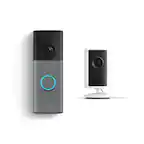
User rating, 4.4 out of 5 stars with 1739 reviews.
User rating, 5 out of 5 stars with 32 reviews.
User rating, 5 out of 5 stars with 2 reviews.
User rating, 5 out of 5 stars with 1 review.
User rating, 4.8 out of 5 stars with 11163 reviews.
User rating, 4.6 out of 5 stars with 3803 reviews.
User rating, 4.8 out of 5 stars with 4112 reviews.
User rating, 4.9 out of 5 stars with 1576 reviews.
User rating, 4.9 out of 5 stars with 18402 reviews.
User rating, 4.9 out of 5 stars with 1562 reviews.
User rating, 4.9 out of 5 stars with 190 reviews.
User rating, 4.8 out of 5 stars with 2601 reviews.
User rating, 4.9 out of 5 stars with 1061 reviews.
User rating, 4.8 out of 5 stars with 2412 reviews.
User rating, 4.7 out of 5 stars with 10985 reviews.
User rating, 4.8 out of 5 stars with 32 reviews.
User rating, 4.6 out of 5 stars with 64 reviews.
User rating, 4.7 out of 5 stars with 551 reviews.
User rating, 4.6 out of 5 stars with 169 reviews.
User rating, 4.9 out of 5 stars with 1287 reviews.
User rating, 4.6 out of 5 stars with 3007 reviews.