Questions & Answers
- Model:
- USBBT500
- |
- SKU:
- 6428133
Q: QuestionCan I plug this into my TV, and then have the sound com from a Separate Bluetooth speaker?
Asked by sandy.
- A:Answer The ASUS USB-BT500 adapter is built for use with Windows PCs and is not supported by TVs for enabling Bluetooth audio connectivity.
Answered by ASUS Answers

Q: QuestionCan I use with home audio receiver to make it run Bluetooth from my phone?
Asked by Anonymous.
- A:Answer Yes, the ASUS USB-BT500 Bluetooth 5.0 Adapter allows your PC to connect wirelessly to a Bluetooth-enabled home audio receiver, enabling audio streaming from your phone if routed through the PC.
Answered by ASUS Answers

Q: QuestionWill this allow me to use a bluetooth speaker for output on my ps5
Asked by Anonymous.
- A:Answer It didnt work for me for that...
Answered by ChrisA
Q: QuestionDoes this adapter enhance the sound quality of my Audi car stereo?
Asked by Dweis.
- A:Answer The ASUS USB-BT500 is not compatible with car stereo systems. It’s designed for Windows PCs and requires drivers that cars do not support.
Answered by ASUS Answers

Q: QuestionCan I connect (roku tv without Bluetooth) to bluetooth tv speaker with this? Roku serial 32r3bx.
Asked by Joanne.
- A:Answer No, the ASUS USB-BT500 Bluetooth 5.0 Adapter is not compatible with Roku TVs, including the Roku 32r3bx model.
Answered by ASUS Answers

Q: Questiondoes adapter install derivers when installed first time
Asked by Canonprinter.
- A:Answer If running Windows 10, yes. Otherwise must download driver.
Answered by WaterBill
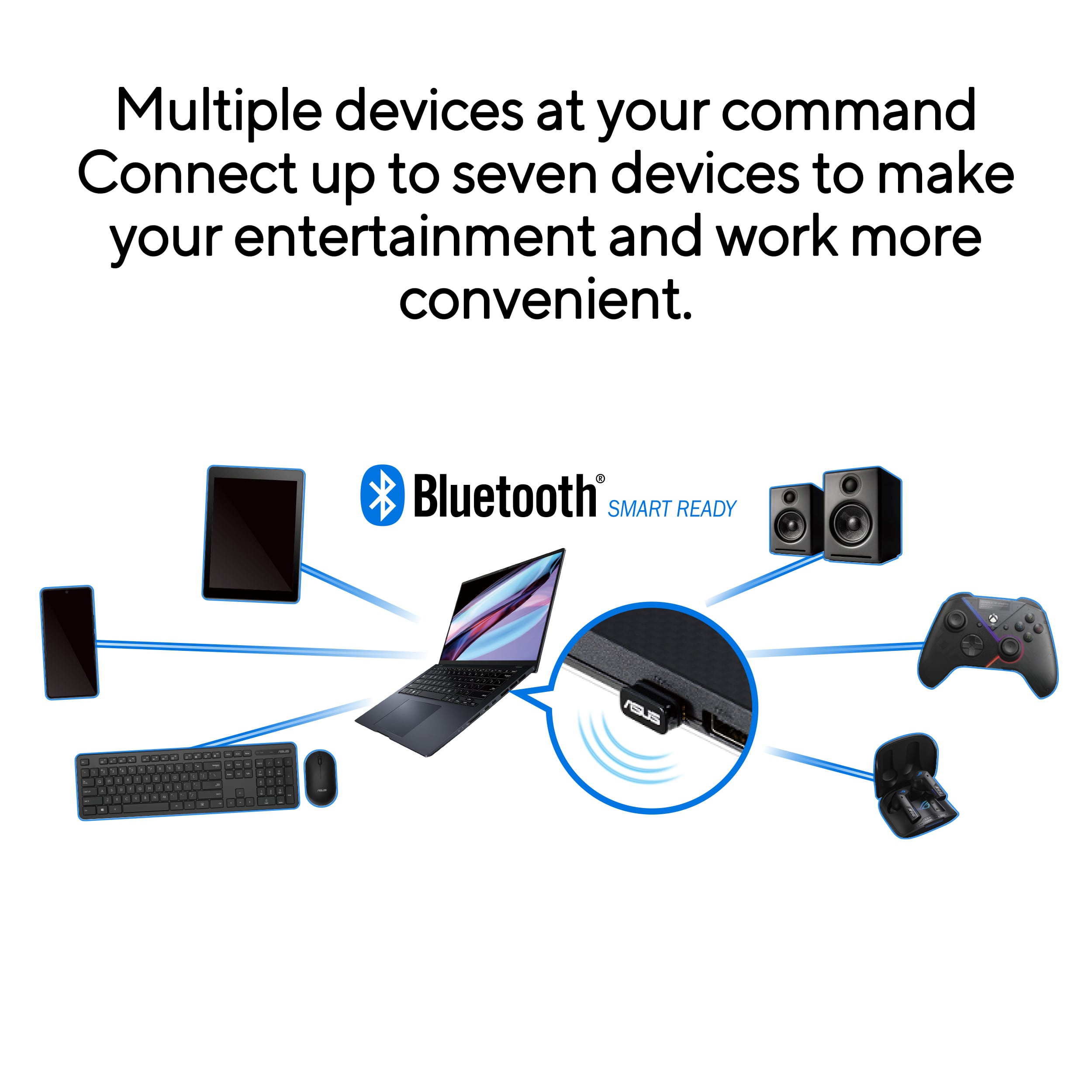
Q: QuestionCould I connect 5 devices at once with just one of these?
Asked by DrShrimpPuertoRico.
- A:Answer No, not without an additional software allowing multiple connections.
Answered by CarlosA
Q: QuestionIs it compatible with Mac system?
Asked by HemanthkD.
- A:Answer The ASUS USB-BT500 is officially compatible with Windows 8.1, 10, and Linux, but it is not officially supported by macOS. https://www.asus.com/networking-iot-servers/adapters/all-series/usb-bt500/techspec/
Answered by ASUS Answers

Q: QuestionIs any additional software required?
Asked by Anonymous.
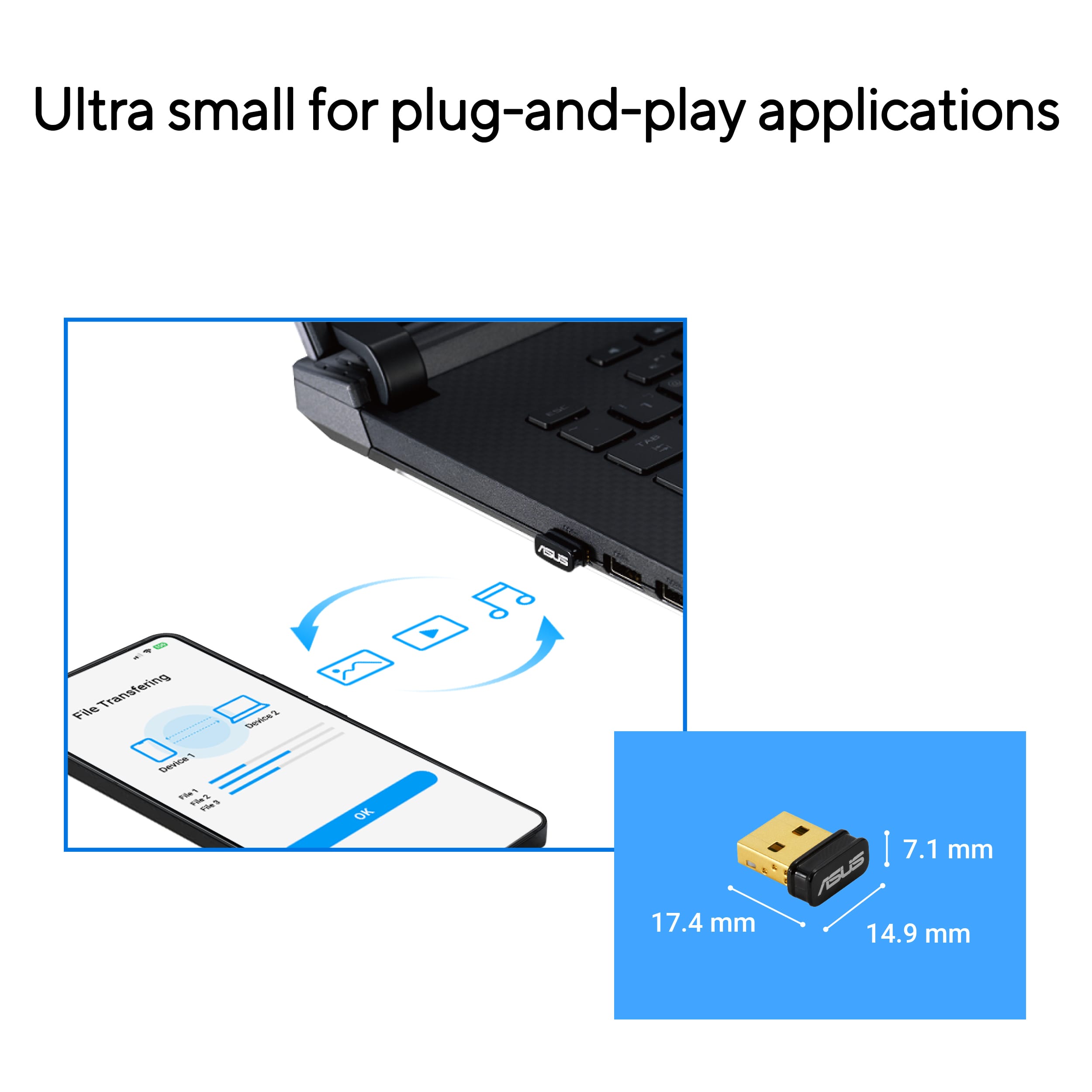
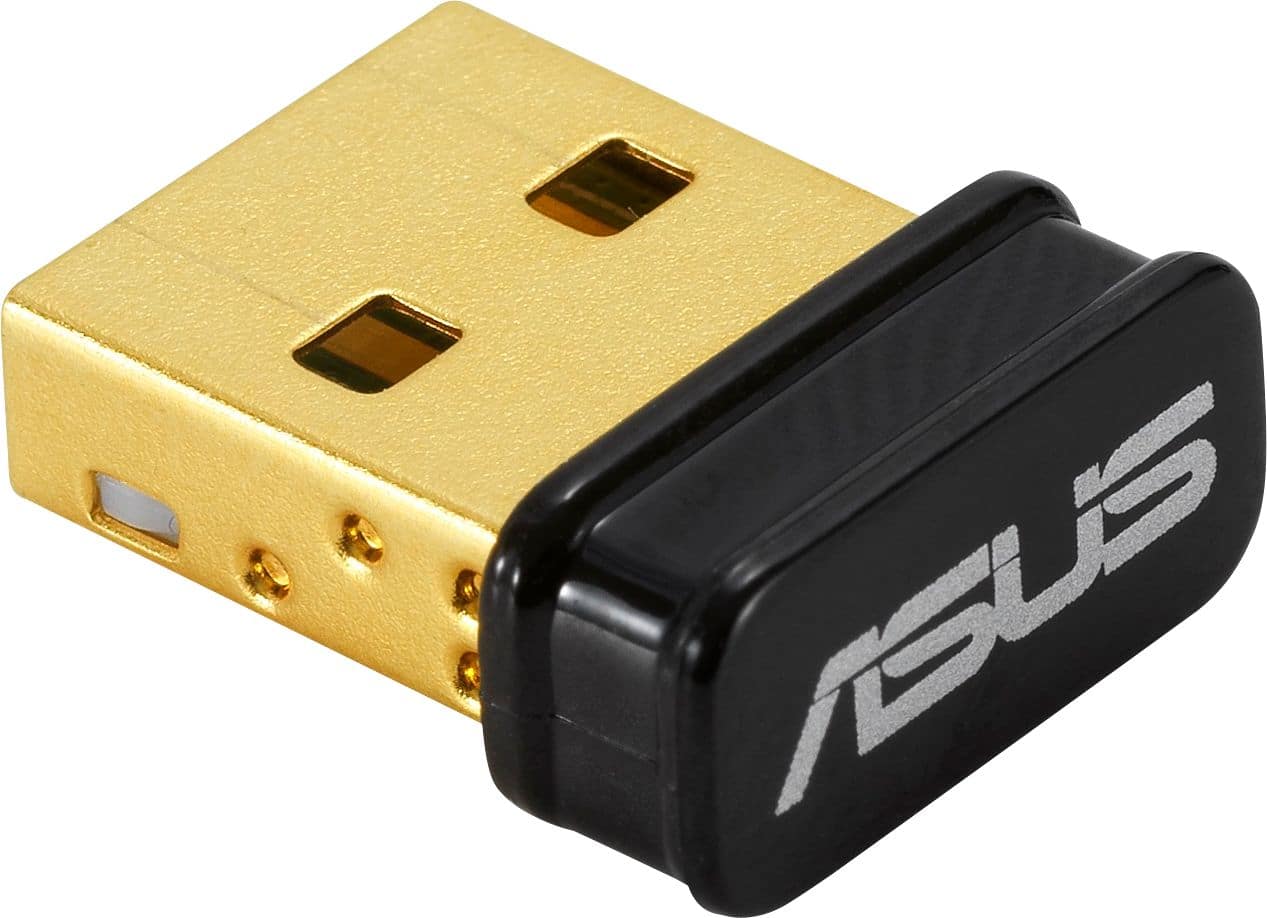
- A:Answer The ASUS USB-BT500 is a plug-and-play Bluetooth adapter for Windows 10 and later, meaning it typically does not require additional software for installation. Windows will automatically detect the device and install the necessary drivers.
Answered by ASUS Answers

Q: QuestionWill it work with Chromebook
Asked by Chrimebook.
- A:Answer The ASUS USB-BT500 Bluetooth 5.0 adapter is designed for Windows systems and may not be fully compatible with Chromebooks.
Answered by ASUS Answers

Q: QuestionCan I connect this to my Epson EX3220 projector??
Asked by Ike.
- A:Answer The ASUS USB-BT500 is a Bluetooth adapter, while the Epson EX3220 projector primarily supports wired connections like HDMI, VGA, and USB. Since the projector does not have built-in Bluetooth, direct pairing is not supported. However, a Bluetooth transmitter connected to the projector’s audio output can enable wireless audio streaming.
Answered by ASUS Answers

Q: QuestionIs this device something I can use to replace a dongle I lost for a Logitech wireliess Mouse to use bluetooth with a Macbook Air OS 14.7? Thanks, NVL
Asked by NancyL.
- A:Answer The ASUS USB-BT500 Bluetooth Smart Ready USB adapter is designed for Windows and Linux and is not officially supported on macOS.
Answered by ASUS Answers

Q: QuestionWill the allow my tv to get internet?
Asked by Anonymous.
- A:Answer The ASUS USB-BT500 is a Bluetooth 5.0 adapter and does not provide internet access to a TV. It enables Bluetooth connectivity for devices like headphones and speakers but does not support Wi-Fi or network connections.
Answered by ASUS Answers

Q: QuestionI have a receiver that has Bluetooth capabilities, but the signal is not strong enough. Will this boost my range/signal?
Asked by jhue.
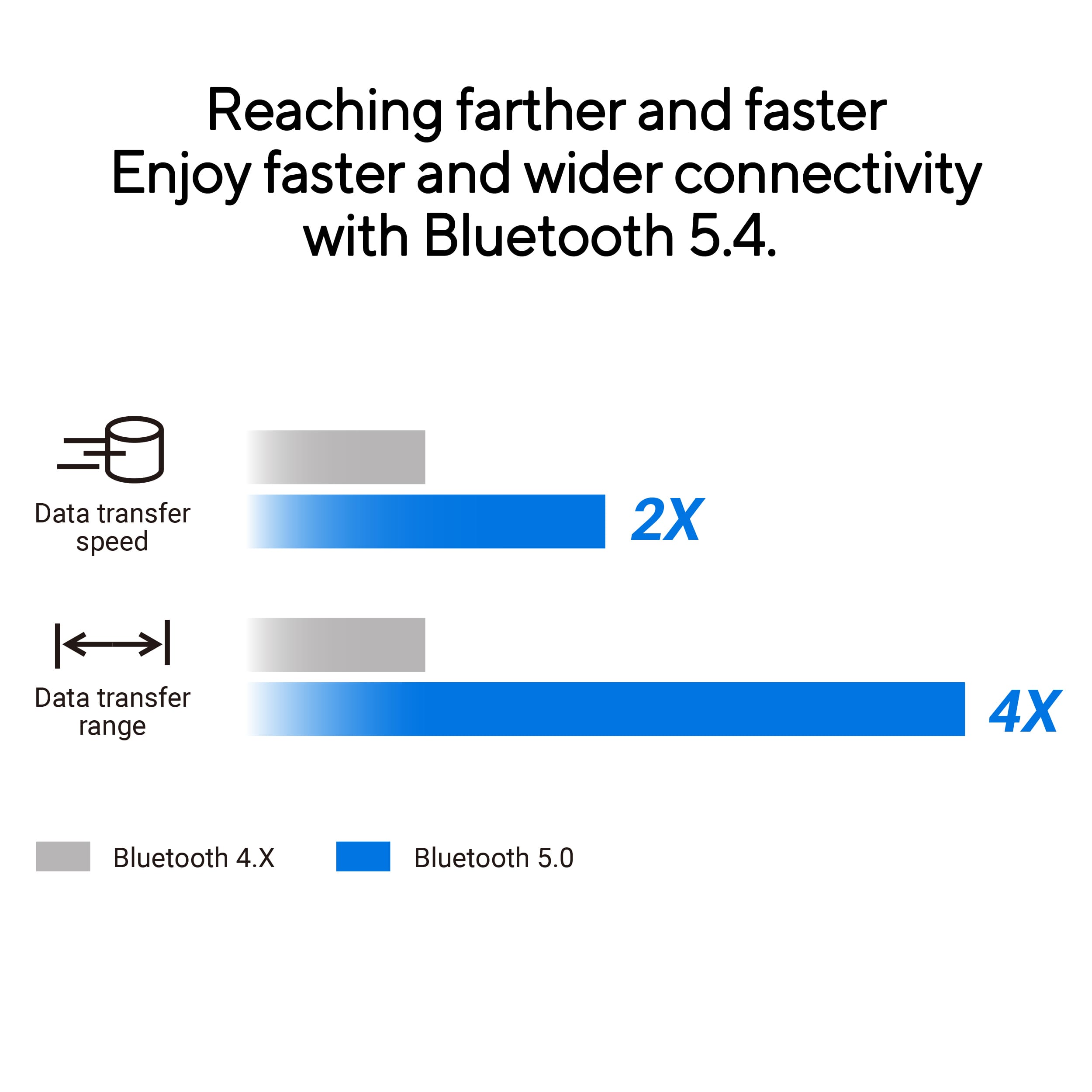
- A:Answer The ASUS USB-BT500 is a Bluetooth 5.0 adapter designed to enhance connectivity range and stability. However, if your receiver already has built-in Bluetooth, this adapter may not provide a significant boost in signal strength. For extended range and improved performance, a Bluetooth repeater or extender is recommended.
Answered by ASUS Answers

Q: QuestionCan this help you get internet access if there's no internet or wifi at the location you're at?
Asked by Wrh3.
- A:Answer The ASUS USB-BT500 is a Bluetooth adapter designed to enable Bluetooth connectivity on devices that lack built-in support. It does not provide internet access or function as a Wi-Fi adapter.
Answered by ASUS Answers

Q: QuestionCan I? Connect wirelessly with my iPhone 11 To my computer for data transfer. To a new phone.
Asked by Anonymous.
- A:Answer The ASUS USBBT500 Adapter does not support macOS, and iPhones, including the iPhone 11, do not allow Bluetooth file transfers to non-Apple devices.
Answered by ASUS Answers

Q: QuestionI want to share files from my andriod phones, cam scaner app to my pc (that does not have bluetooth on the motherboard ) with a linux operating system. Will this work?
Asked by 9lives.
- A:Answer The ASUS USB-BT500 Bluetooth adapter is compatible with Linux operating systems and can enable file sharing from your Android phone using apps like CamScanner. Depending on your Linux distribution, you might need to install additional drivers or configure the adapter.
Answered by ASUS Answers

Q: QuestionDoes this adapter work with Windows XP
Asked by Wallypop.
- A:Answer The ASUS USBBT500 adapter is not compatible with Windows XP. It is designed to work with Windows 8.1, Windows 10, and Linux operating systems. https://www.asus.com/networking-iot-servers/adapters/all-series/usb-bt500/techspec/
Answered by ASUS Answers

Q: Questiondoes it connect a logitech y-rk86a keyboard?
Asked by Anonymous.
- A:Answer The ASUS USB-BT500 should be able to connect to the Logitech Y-RK86A keyboard via Bluetooth, as long as the keyboard supports Bluetooth connectivity.
Answered by ASUS Answers

Q: QuestionIs it compatible with MacOs?
Asked by ColinD.
- A:Answer The ASUS USB-BT500 Bluetooth adapter works with Windows and Linux, but it doesn't support macOS.
Answered by ASUS Answers

Best-selling USB Wi-Fi adapters
- $14.99Your price for this item is $14.99
- $49.99Your price for this item is $49.99
- $29.99Your price for this item is $29.99
- $49.99Your price for this item is $49.99
- $79.00Your price for this item is $79.00
- $49.99Your price for this item is $49.99
- $79.99Your price for this item is $79.99$99.99The comparable value for this item is $99.99
- $69.99Your price for this item is $69.99
- $99.99Your price for this item is $99.99
- $89.99Your price for this item is $89.99$109.99The comparable value for this item is $109.99
- $69.99Your price for this item is $69.99$89.99The comparable value for this item is $89.99
- $79.99Your price for this item is $79.99$89.99The comparable value for this item is $89.99
- $99.99Your price for this item is $99.99
- $29.99Your price for this item is $29.99$39.99The comparable value for this item is $39.99
- $39.99Your price for this item is $39.99$49.99The comparable value for this item is $49.99
- Presidents' Day Deal$10.99Your price for this item is $10.99
- $109.99Your price for this item is $109.99$179.99The comparable value for this item is $179.99
- $39.99Your price for this item is $39.99$49.99The comparable value for this item is $49.99
- $29.99Your price for this item is $29.99
- $17.99Your price for this item is $17.99$44.16The comparable value for this item is $44.16