1-5 of 5 Answers
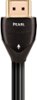
The arrow designates the recommended direction of the signal carried by the HDMI cable. The arrow should point from the "out" HDMI connection to the "in" HDMI connection. As an example, when you hook up an AudioQuest cable from your cable box to your TV, the arrow on the cable should point from the cable box to the TV. Similarly, you would use this same method when connecting a Blu-Ray or DVD player to the TV. Not sure if it really matters or if it even works or why, I just followed the instructions.
Sorry, there was a problem. Please try again later.The arrow means from Player to TV.
Sorry, there was a problem. Please try again later.the direction of the signal. from device to TV, arrow would point to the tv direction
Sorry, there was a problem. Please try again later.It represents the direction in which the current should be flowing from the source that is giving it to the item that is receiving it to ensure you're getting the best quality that cable can give.
Sorry, there was a problem. Please try again later.The arrow is telling which direction to plug the cable into.
Sorry, there was a problem. Please try again later.