“I see it mentions Apple phones but does it connect to Samsung Galaxy phones?”
Answer This Question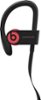
1-3 of 3 Answers
On the Android phone go to Settings. Flip the switch to turn on Bluetooth if it isn't already on. ... When the phone says Pair with Device, tap on the Bluetooth button. In the device list, tap Beats Solo Wireless to connect your phone to the headset and you're done!
Sorry, there was a problem. Please try again later.Yes they are regular Bluetooth headphones, so they will connect to android devices as well. They may not get the 12 hours of battery life given that they can’t take advantage of the w1 chip like apple phones.
Sorry, there was a problem. Please try again later.It will connect to any phone as long as it has Bluetooth
Sorry, there was a problem. Please try again later.