“These headphones power off automatically whenever they sense any moisture. Multiple times, fully charged. Am I seriously not suppose to wear them while working out and breaking a sweat? That is literally their only value. Major letdown.”
Answer This Question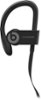
1-2 of 2 Answers
Powerbeats 3 Wireless Earphones are sweat and water resistant and recommended for working out. Please review this resource to learn more: https://www.beatsbydre.com/earphones/powerbeats3-wireless Sometimes a product update or reset can help. To update your Beats product, please use the Beats Updater to get the latest firmware: http://your.beatsbydre.com/#/download?locale=en-US Please review this resource to reset your Powerbeats 3 Wireless Earphones: https://www.beatsbydre.com/support/how-to/beats-reset-earphones If you’ve tried all troubleshooting options and still need help, please contact Apple Support to see if your product is eligible for service or repair. Beats and Apple offer a limited one-year manufacturers warranty. Other retailers may offer their own separate warranties or protection plans (check with the individual retailers for their terms and details). Please visit our Support page for information on Apple and Beats products & Service and Warranty information: https://getsupport.apple.com/?caller=bbd&PFC=PFC6007 Or contact Support to find out if your product is eligible for service or repair: https://getsupport.apple.com/?caller=bbd&PFC=PFC6007
Sorry, there was a problem. Please try again later.Just don’t get sweat in the opening where the charger goes. I use them while I work out and have had no problems.
Sorry, there was a problem. Please try again later.