“Our computers are wired to the internet if I want to get wi-fi for my video game systems can I do it without changing my router and computer systems.”
Answer This Question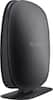
1-4 of 4 Answers
Yes. You can definetly do this as it has a 4 port switch in the back of the unit. The setup would work like this: You plug your internet connection from the wall to this router. You then connect your hard wire from the computer to one of the 4 ports in the back of the unit. Repeat for multiple items that require a wired connection - up to 4 total. Anything else that can use wi-fi will be connected wirelessly.
Sorry, there was a problem. Please try again later.Yes. Get a wifi router and turn off it's router functions and switch it to Wireless Access Point. This is usually a drop down on the main setup screen or may involve turning off NAT and DHCP services. Once you have it set to function only as a wireless access point, plug it into your existing router like your other PCs. You can still use all of the wireless security settings/features offered on the device in this type of setup.
Sorry, there was a problem. Please try again later.YES - Just program the Belkin for Wifi regards, Pat
Sorry, there was a problem. Please try again later.You would need to check and see if your current router supports wireless. The Belkin N150 Router supports both wired and wireless computers and devices. Regards, Belkin Support
Sorry, there was a problem. Please try again later.